






We’re rolling out a new minor update for Driver Easy — version 7.1.5.5692. This release focuses on quality-of-life enhancements, better accessibility, smoother keyboard workflows, and more detailed hardware information, bringing a more polished and user-friendly experience for all Windows users.
Custom Window & Exit Behavior
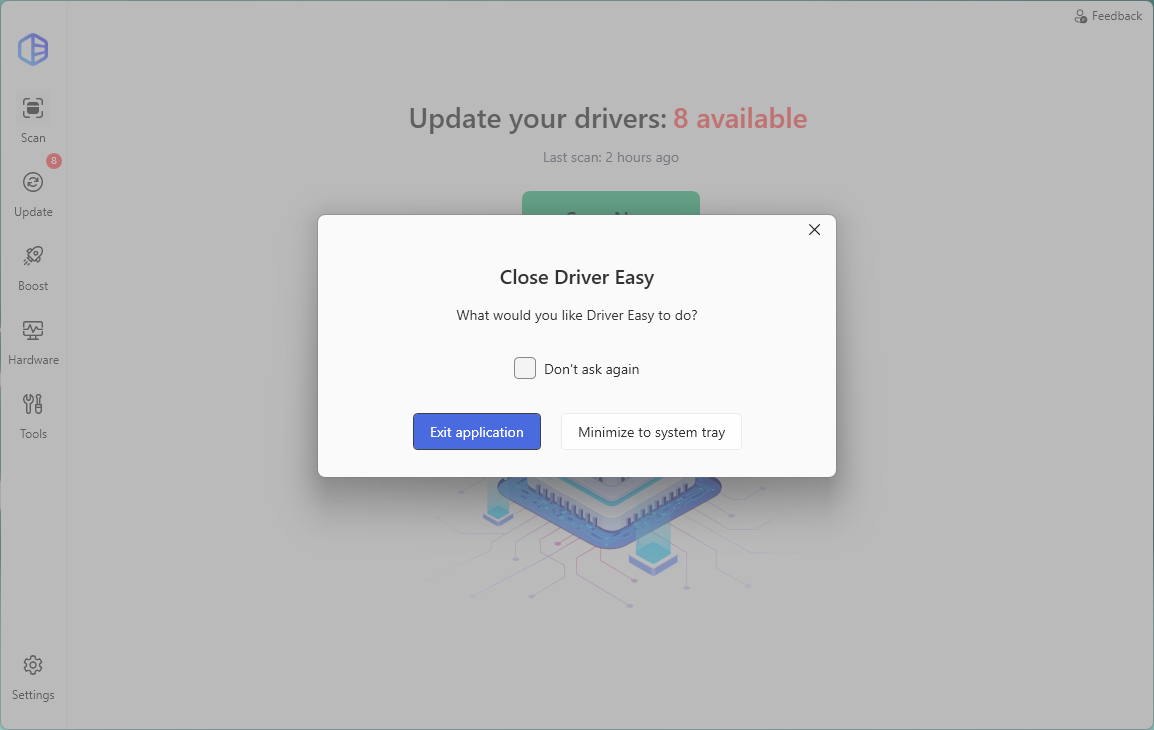
We have added flexible exit options to fit your usage habits. The app now saves your current window size automatically on exit, retaining your preferred display layout for every next launch.
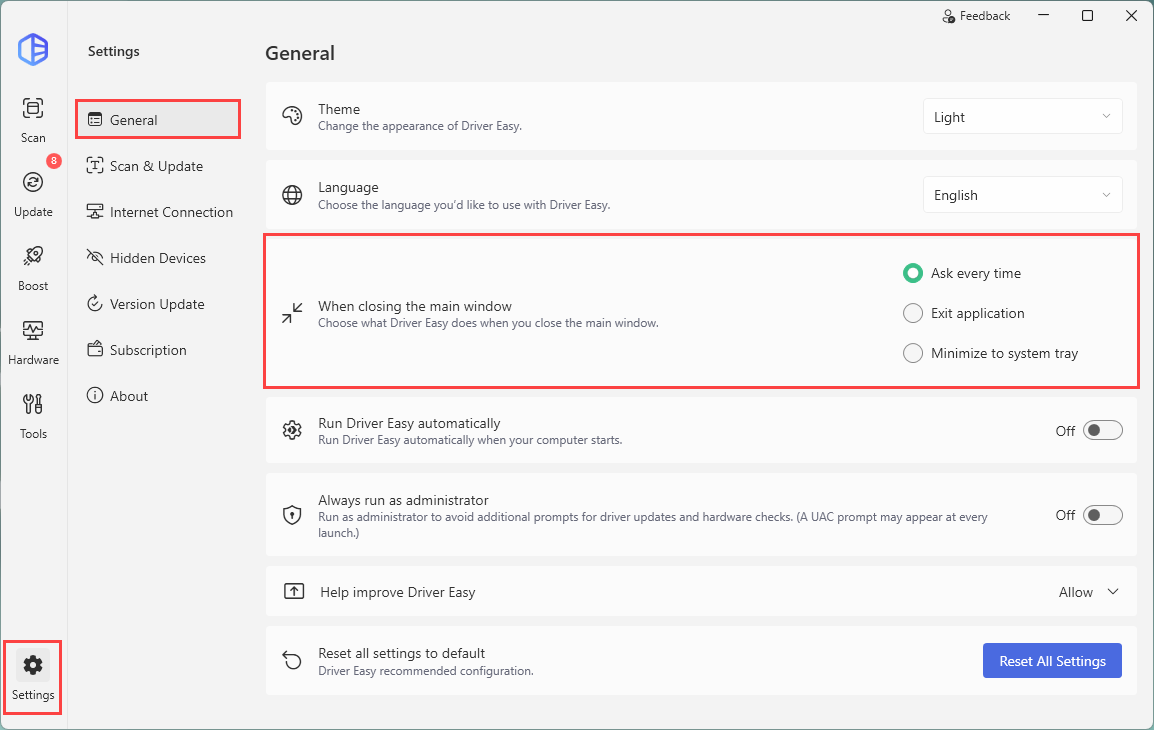
In addition, you can now choose your default exit action: completely quit the program or minimize it to the system tray for quick background access.
To change this setting, you can go to Settings > General > When closing the main window:
Optimized Feedback Experience with Keyboard Support
We’ve added dedicated text labels to the entire Feedback interface. This optimization greatly enhances compatibility with screen readers, making Driver Easy more accessible for users with visual impairments and delivering a more inclusive software experience. Users can now press the Esc key to quickly close the Feedback window. All unfinished draft content will be auto-saved locally.
Other minor updates
We added more detailed GPU hardware information display entries. Users can view richer device parameters for quick hardware checking. Besides, we revised the wording of all User Account Control (UAC) elevation prompts, including both pop-up notifications and Settings page descriptions.
You can upgrade to the latest Driver Easy 7.1.5.5692 directly via the in-app update function. As always, we will keep optimizing product details based on user feedback to provide a more stable, convenient and professional driver management tool for Windows users.