






We’re rolling out a new update for Driver Easy. This release focuses on delivering a safer and more personalized user experience, introducing a Driver Recovery tool, more flexible update controls, customizable text sizes, and better accessibility for all Windows users.
Driver Recovery & Storage Management
We added a brand-new Driver Recovery feature under the Tools menu. It will automatically back up the drivers before updates. If a newly updated driver ever causes compatibility issues, you can now safely roll back to a previous version with ease.
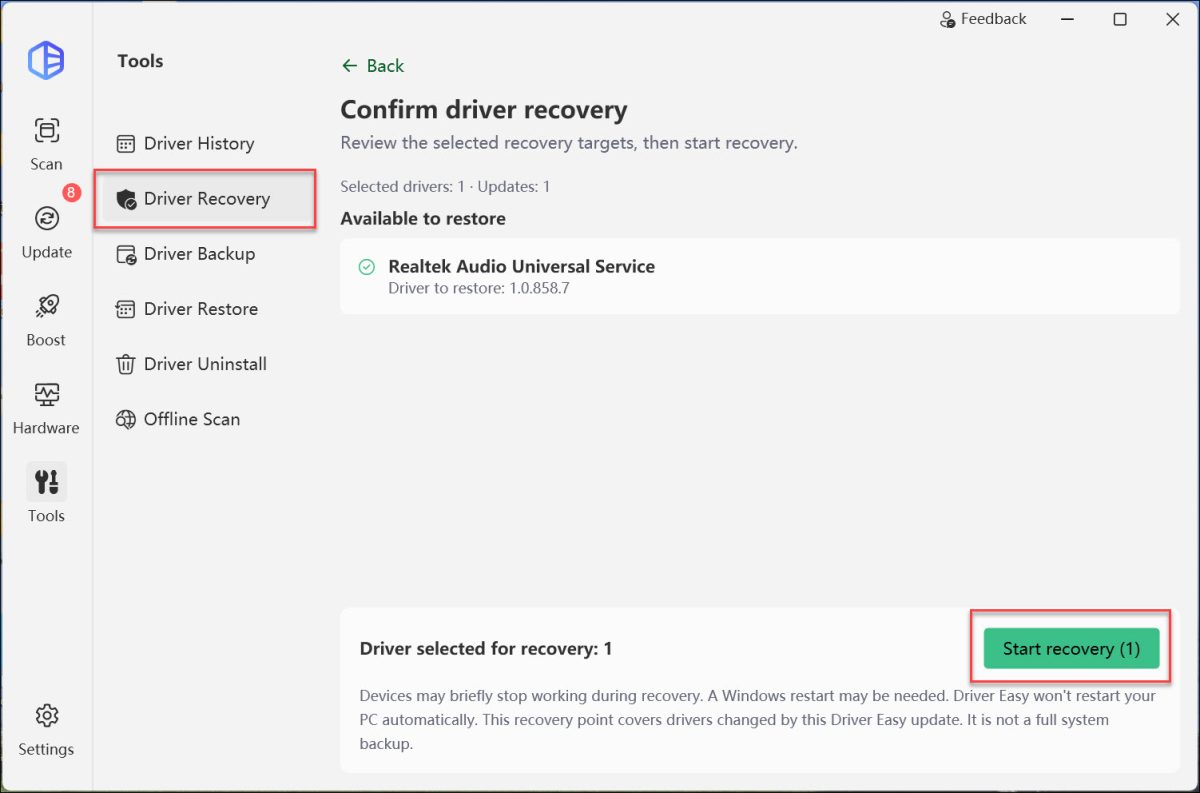
This feature is on by default. If you want to disable it, you can turn it off under Settings > Scan & Update.
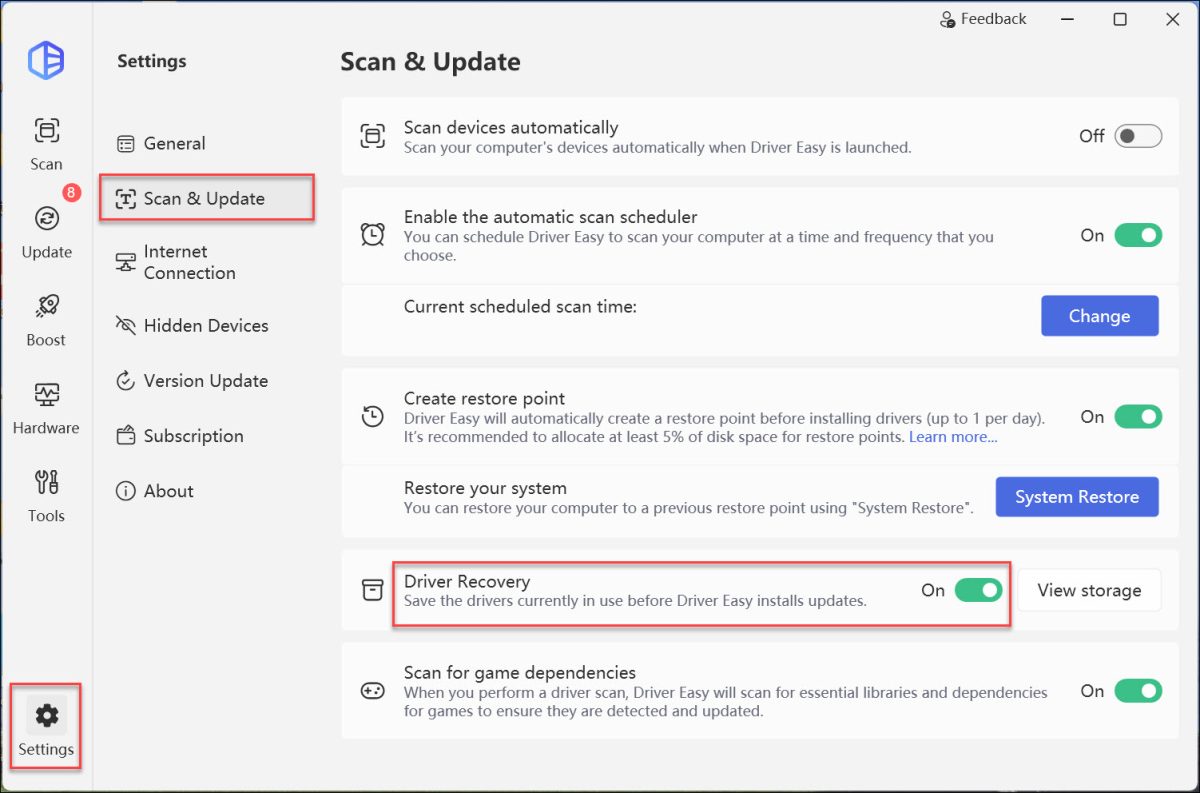
To help you manage your disk space, we also added a View storage function, allowing you to quickly check exactly how much room your driver backup files are occupying.
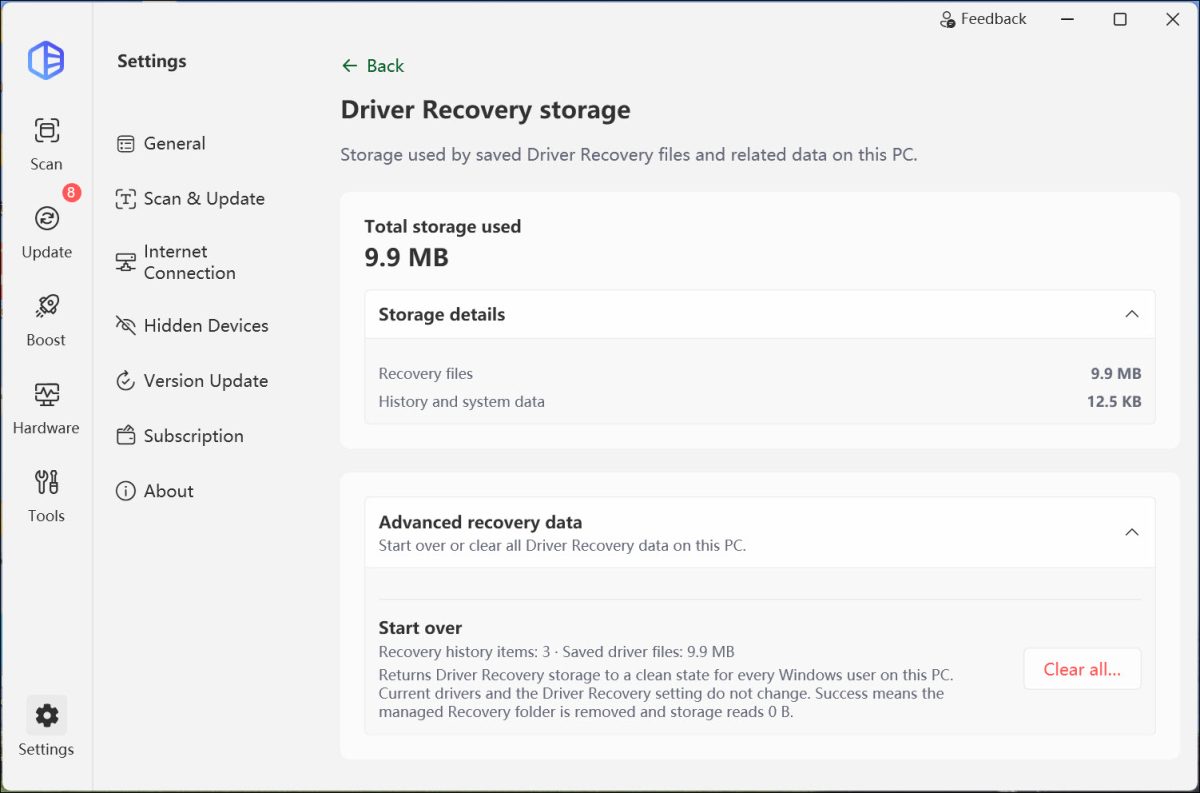
Check this new feature by downloading the latest version now!
Greater Control Over Updates and Uninstallation
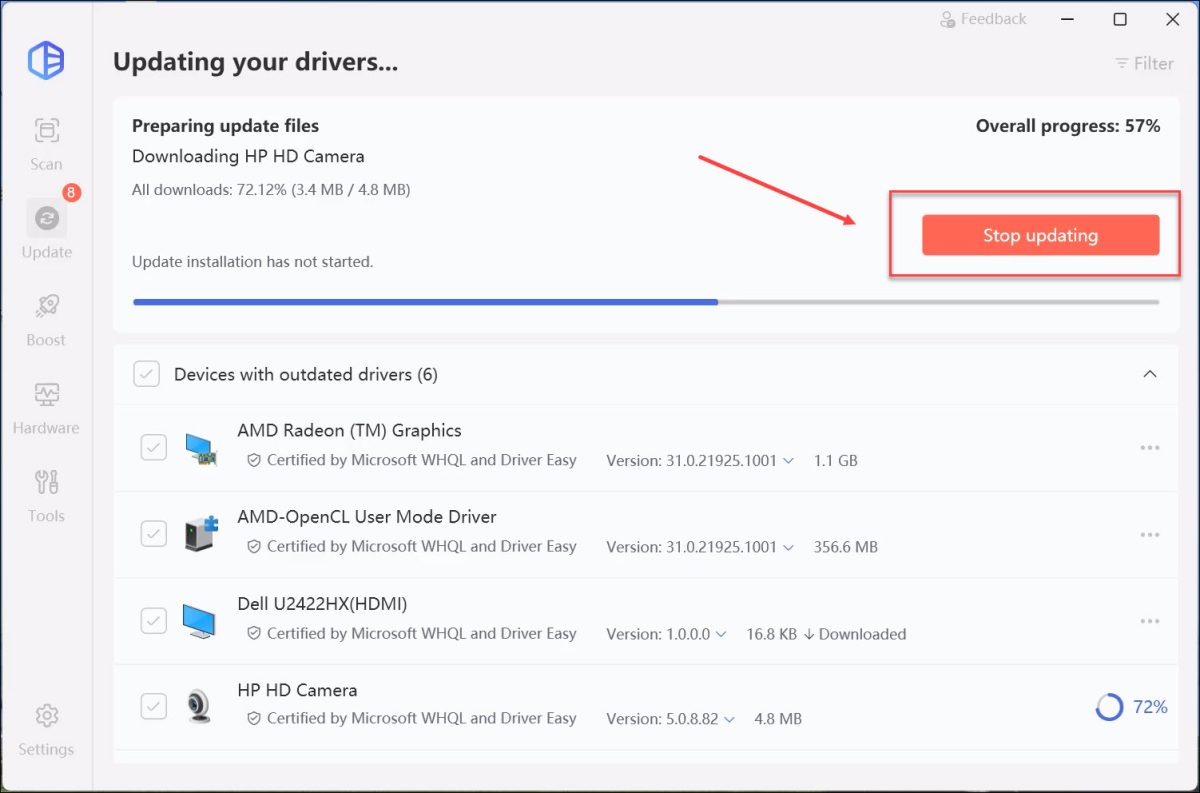
We improved the update process to give you complete control. You can now safely stop driver updates while they are in progress.
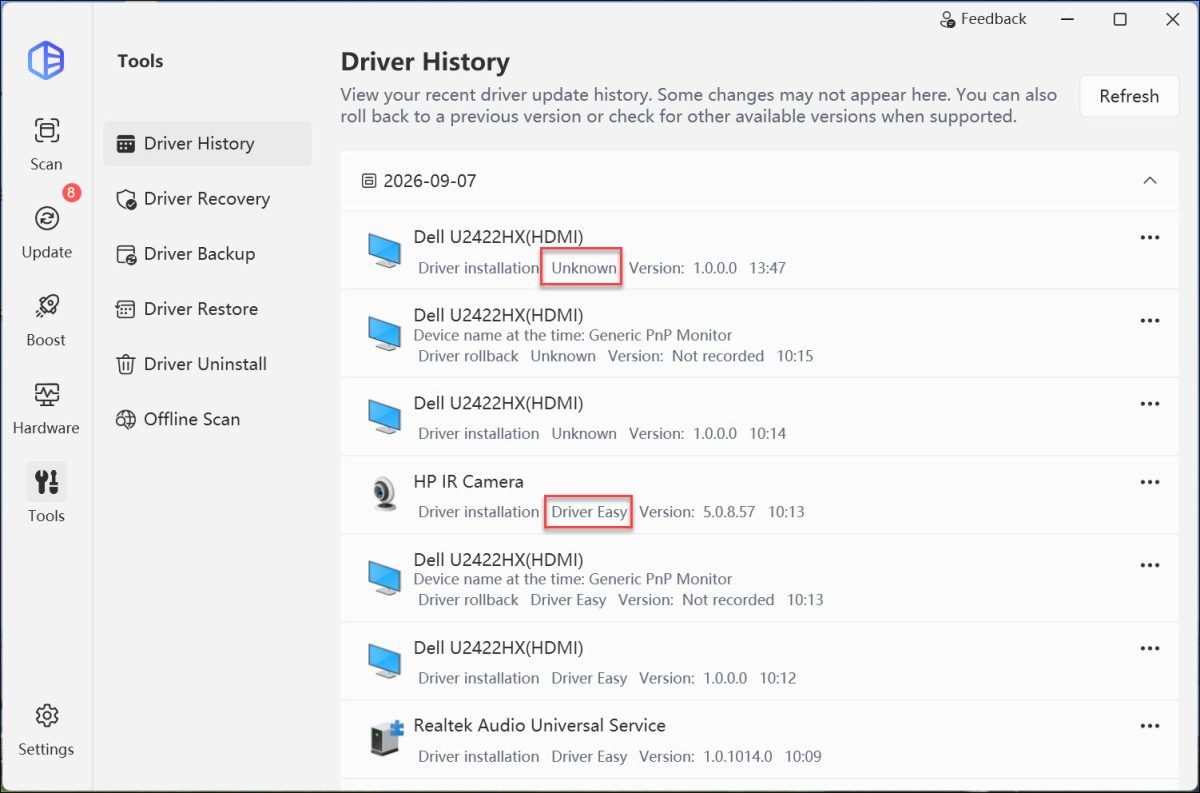
We also updated the Driver History interface to clearly distinguish between updates installed via Driver Easy and those from other sources.
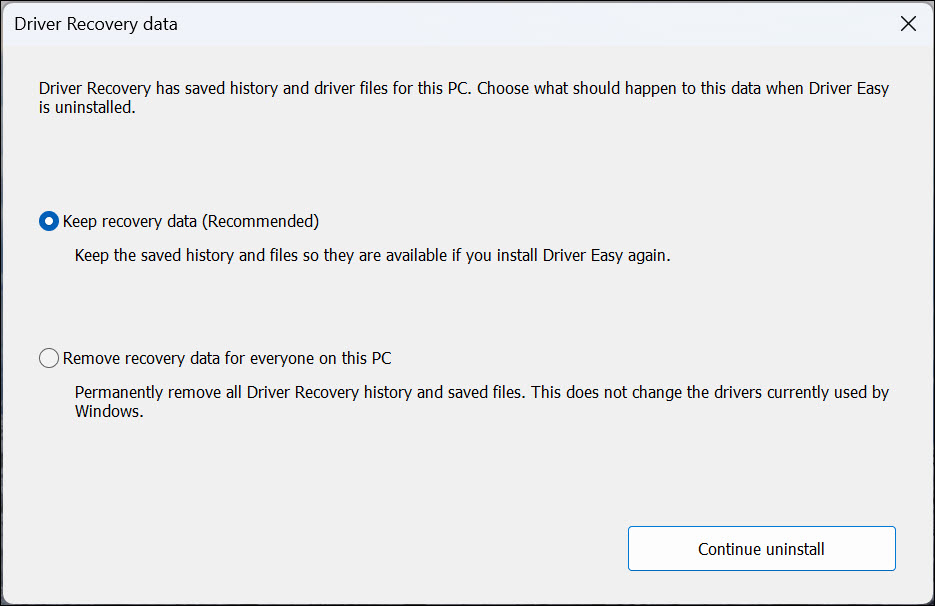
Furthermore, we updated the uninstallation process—you can now decide whether to keep or completely delete your driver recovery files when removing the software.
Enhanced Accessibility & Custom Text Sizes
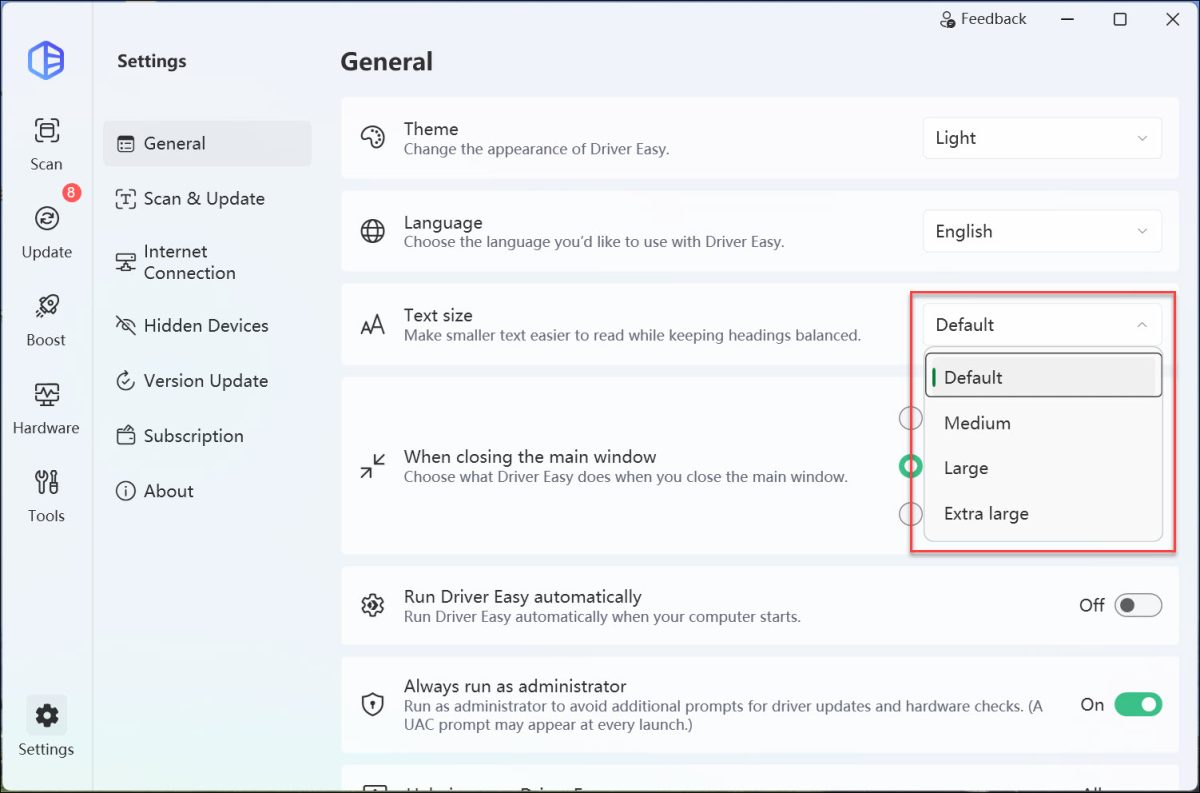
We added new Text size options to fit your reading preferences. You can now easily scale the interface text from Default to Medium, Large, or Extra Large. In addition, we significantly improved the program for screen readers, making Driver Easy much more accessible and seamless to navigate for users with visual impairments.
Hardware & Feedback Optimizations
We improved the Hardware section to better display your computer’s specifications, allowing you to read device parameters more intuitively. We also improved the Feedback page to ensure a smoother, more user-friendly experience when you need to contact us or share your suggestions.
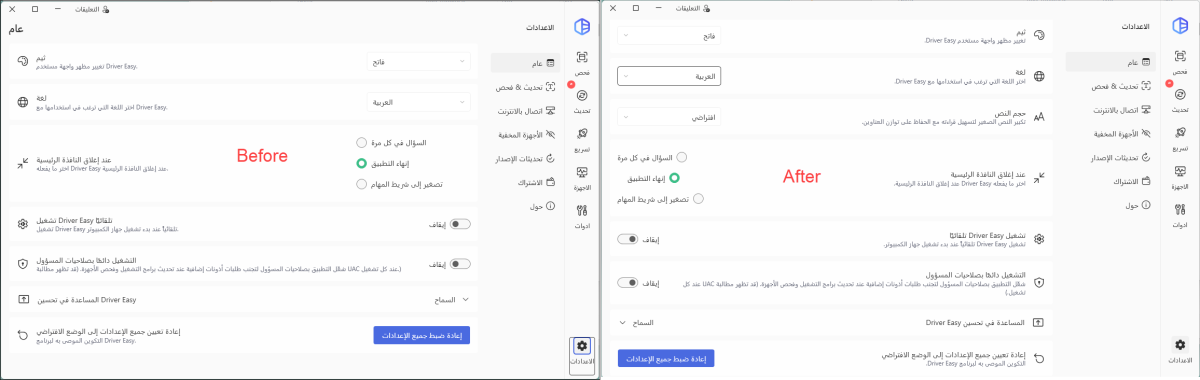
In addition, we adjusted the Arabic display to better fit local habits.
You can upgrade to the latest version directly by clicking the Download Now button in the top-right corner. As always, we will keep optimizing product details based on user feedback to provide a more stable, convenient, and professional driver management tool for Windows users.