






We’re thrilled to announce the release of Driver Easy 7.1.0, packed with new tools and improvements to make your PC run smoother, faster, and more reliably than ever. Here’s what’s new:
Game Boost: Smoother, Faster Gameplay
Gamers, this one’s for you! The new Game Boost feature helps optimize your system resources to deliver better gaming performance. By reducing non-essential background activity, it lowers latency and ensures your games run as smoothly as possible.
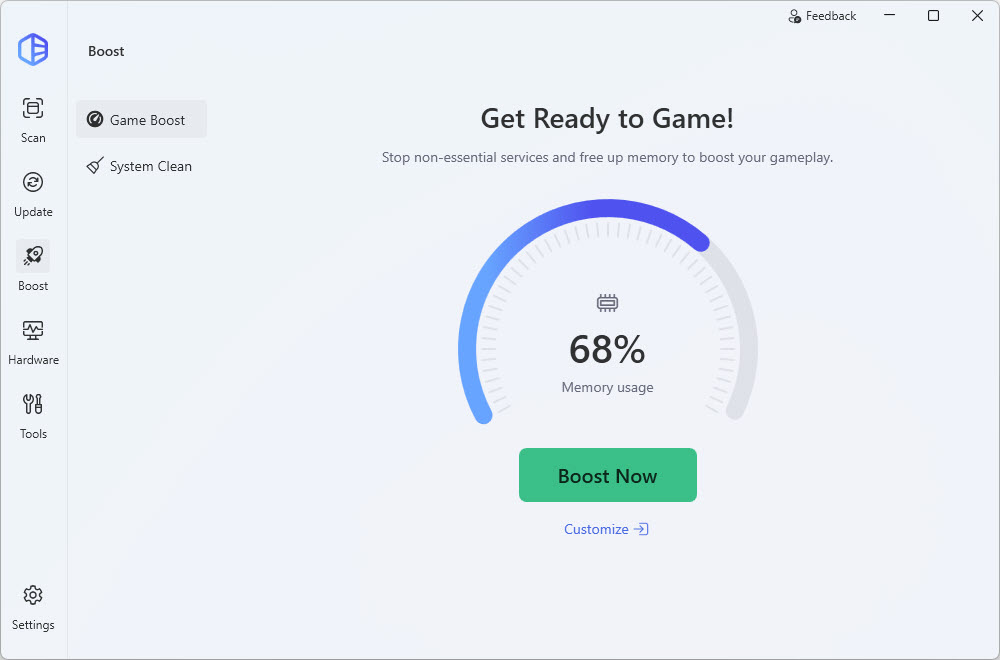
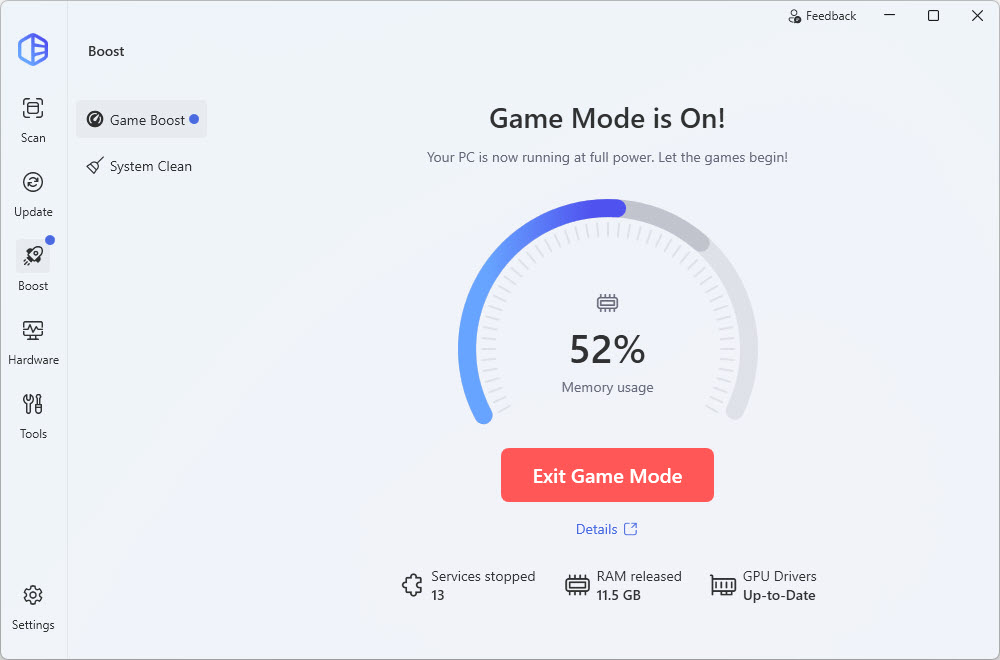
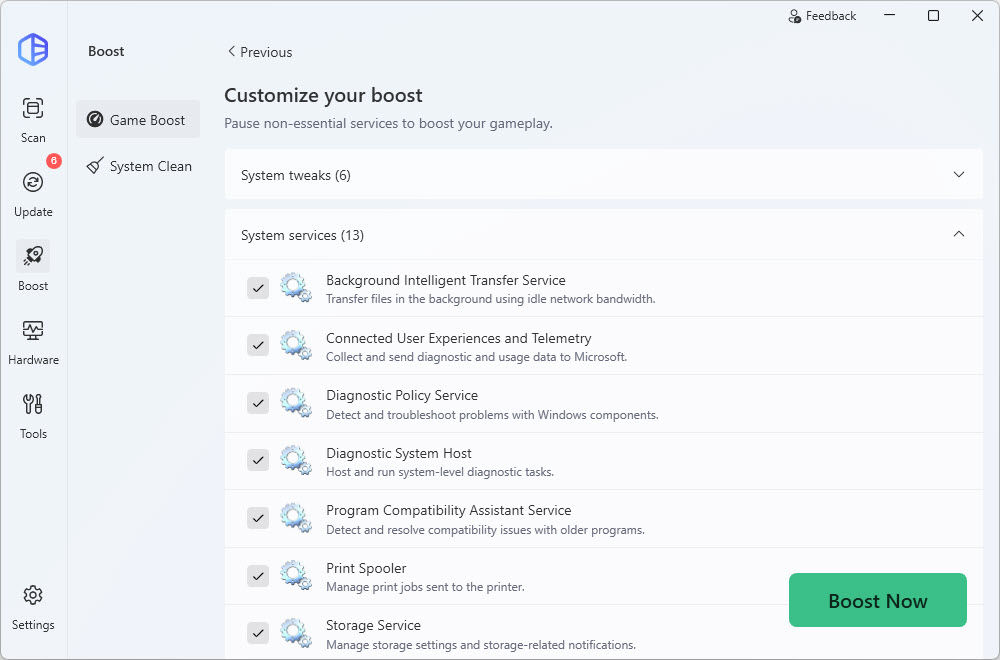
With Game Boost, you can customize which optimizations to apply—choose from up to 13 non-essential Windows services and six system tweaks, including freeing up RAM, clearing clipboard memory, enabling Game Mode, adjusting power settings, and disabling telemetry and the Windows key. All changes are automatically restored when you exit Game Mode.
System Clean: Free Up Space, Stay Efficient
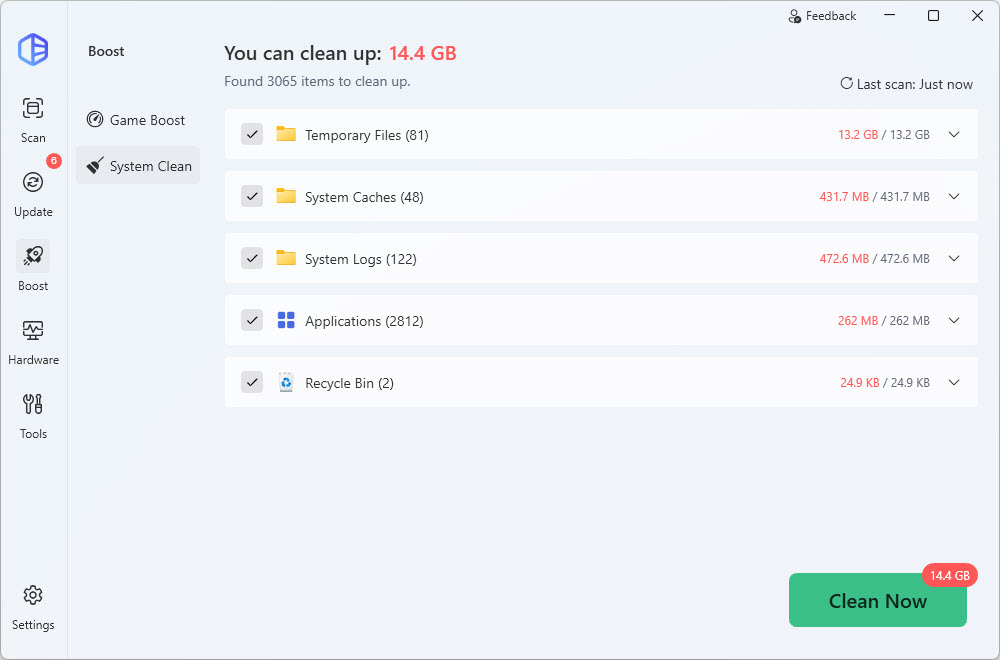
Introducing System Clean, found under the Boost menu. With administrator privileges, this feature enables you to remove system junk, including temporary files, caches, logs, and items in the Recycle Bin. It also supports cleaning data for Microsoft Edge and Google Chrome. This keeps your PC tidy, frees up valuable disk space, and ensures your system stays in top shape.
Hungarian Language Support
Driver Easy now speaks Hungarian! We’re always working to make the app more accessible, and we’re happy to welcome our Hungarian-speaking users to enjoy Driver Easy in their native language.
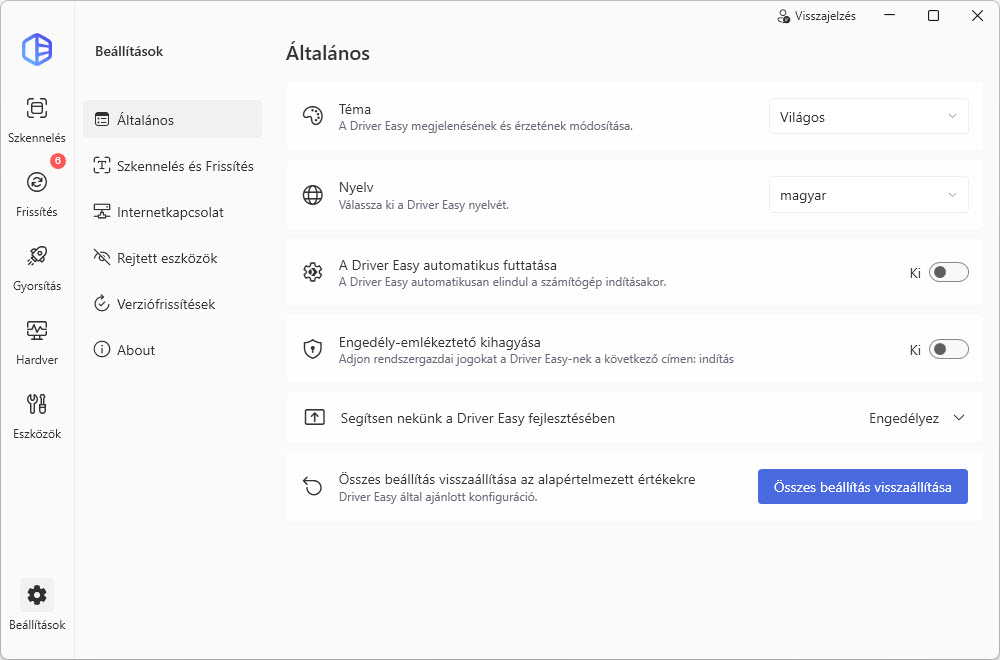
Found a translation issue? Let us know here! Once verified, we’ll send you a free 1-PC, 1-year license key as a thank you.
Pre-Update Notice
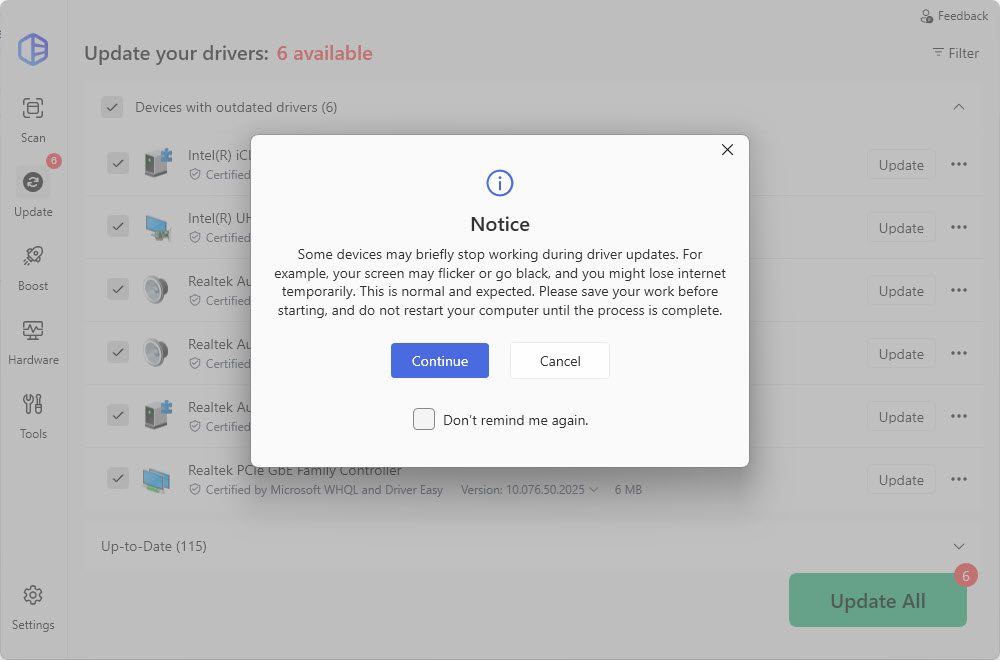
We’ve added a new notice that pops up before you update all your drivers. It will warn you about temporary interruptions like a flickering screen or a short internet disconnect, so you know exactly what to expect. This helps you save your work and plan your updates without any surprises.
Improved Driver Backup Animation
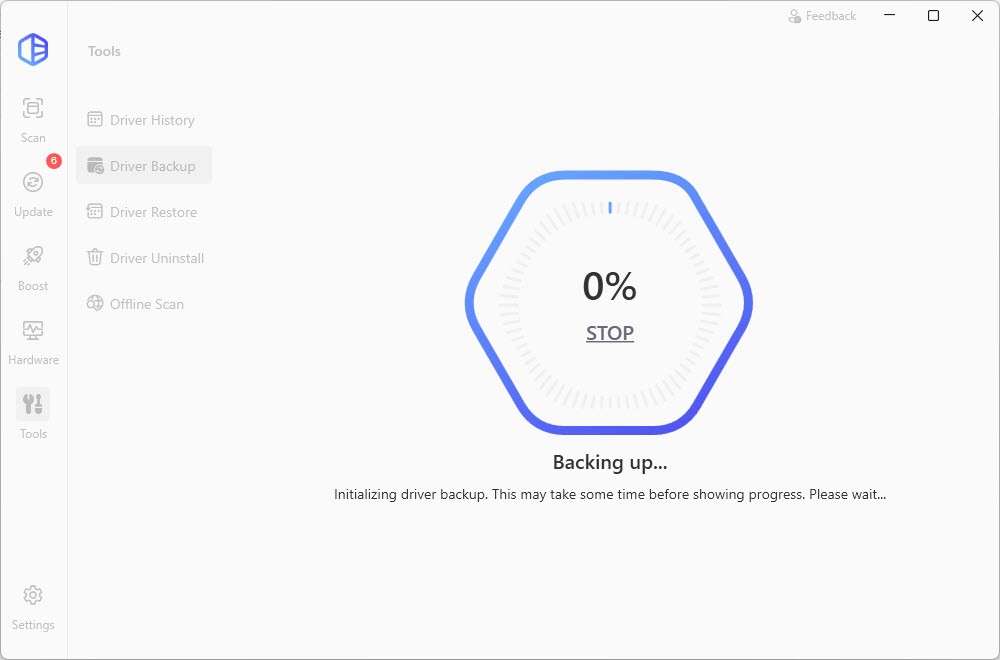
We’ve refined the driver backup interface. If there’s a delay before progress appears, the outer ring now animates smoothly, preventing the UI from looking frozen at 0%.
Bug Fixes
We’ve resolved the “Oops” error that could occur when Driver Easy failed to start and addressed several minor bugs for a smoother experience.
Found another bug in Driver Easy? You can report it here. Once we verify your report, you’ll receive three individual license keys for free.
Upgrade to Driver Easy 7.1.0 Today
This update is all about boosting performance, freeing up space, and giving you more control over your PC experience. Whether you’re gaming, managing drivers, or keeping your system clean, Driver Easy 7.1.0 has you covered.
Download the latest version now and experience all the new features! Got any ideas or suggestions? We’d love to hear from you!