Wondering whether or not to update the driver for yourBrother DCP-L2540DW printer? Or you know it’s time but still looking for a quick & safe download? Look no further, this is your guide!
When do I update myBrother DCP-L2540DWprinter driver
A printer driver is a tiny program that allows your printer to communicate with your computer.
Updating your printer driver can:
help prevent crashes;
improve both your computer and printer performance, etc.
If your Brother DCP-L2540DW printer is acting a bitoff:
error notifications pop up randomly
it won’t even print at all, etc.
then it’s probably time to update the driver for it.
Try these methods
Both methods below work in Windows 11, 10, 8, and 7. You may not have to try both; just decide if you want to do it manually or automatically and take your pick:
Method 1: Update your Brother DCP-L2540DW printer driver manually
A WORD OF WARNING: Downloading the wrong driver or installing it incorrectly can compromise our PC’s stability and even cause the whole system to crash. So please proceed at your own peril. If you’re not comfortable playing around with drivers, or worrying about any risks in the process, jump to Method 2.
According to Brother’s official website, we’ll first have to uninstall the older driver first. To do so:
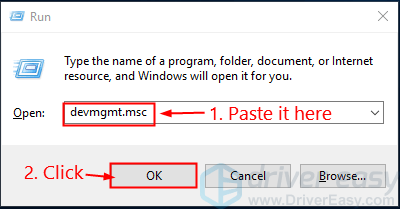
On your keyboard, press the Windows logo key and R at the same time. Then copy & paste devmgmt.mscinto the box and clickOK.
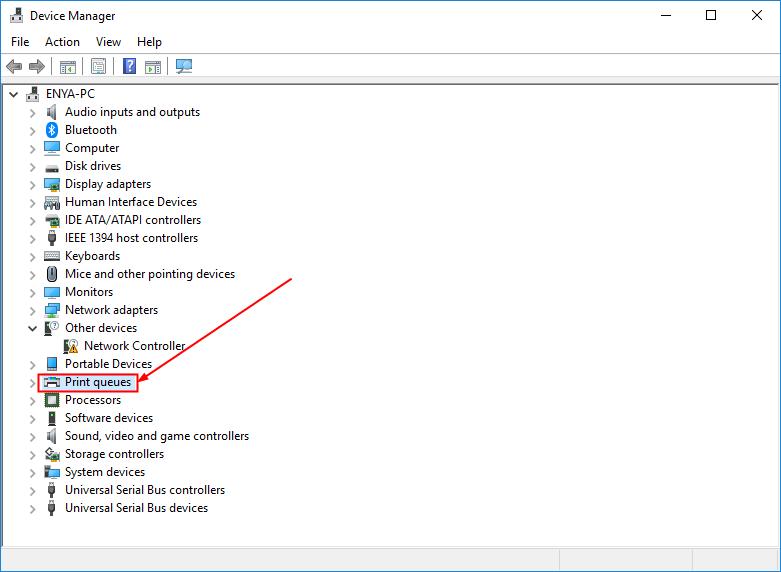
Double-click on Printer queues.
Right-click on Brother DCP-L2540DW and click Uninstall device.
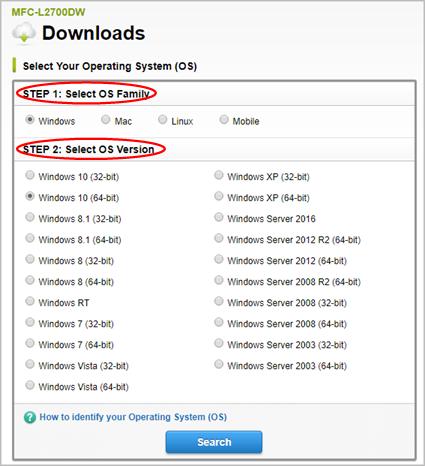
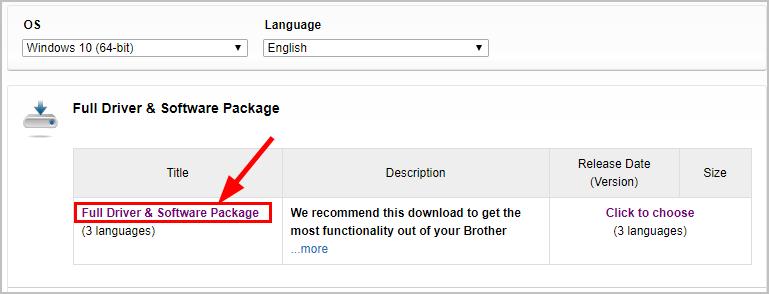
Click the first result for the full driver package. Then select your preferred language.
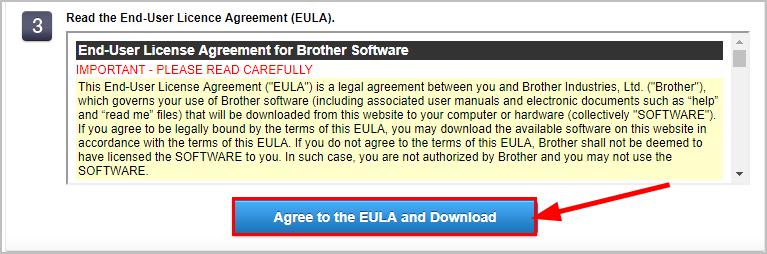
Click Agree to the EULAand Download.
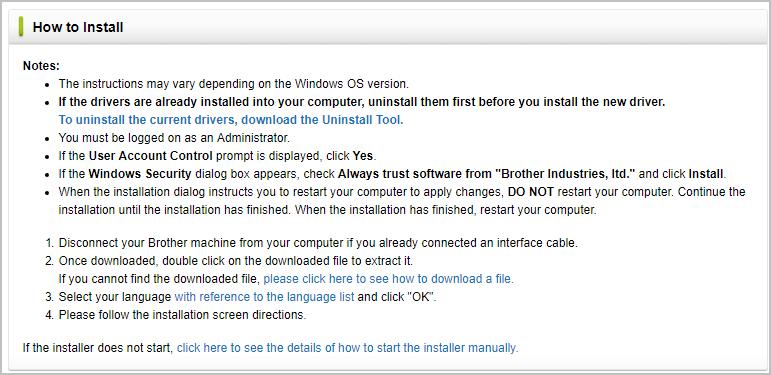
Follow the notes to finish the manual install.
Restart your computer for the changes to take effect.
Method 2: Update your Brother DCP-L2540DW printer driver automatically (Recommended)
If you don’t have the time, patience or computer skills to update your Killer networkdriver manually, you can do it automatically with Driver Easy.
Driver Easy will automatically recognize your system and find the correct drivers for it. You don’t need to know exactly what system your computer is running, you don’t need to risk downloading and installing the wrong driver, and you don’t need to worry about making a mistake when installing.
You can update your drivers automatically with either the 7-day free trial or the Pro version of Driver Easy. It takes just 2 clicks, and you get full support and a 30-day money-back guarantee with the Pro version:
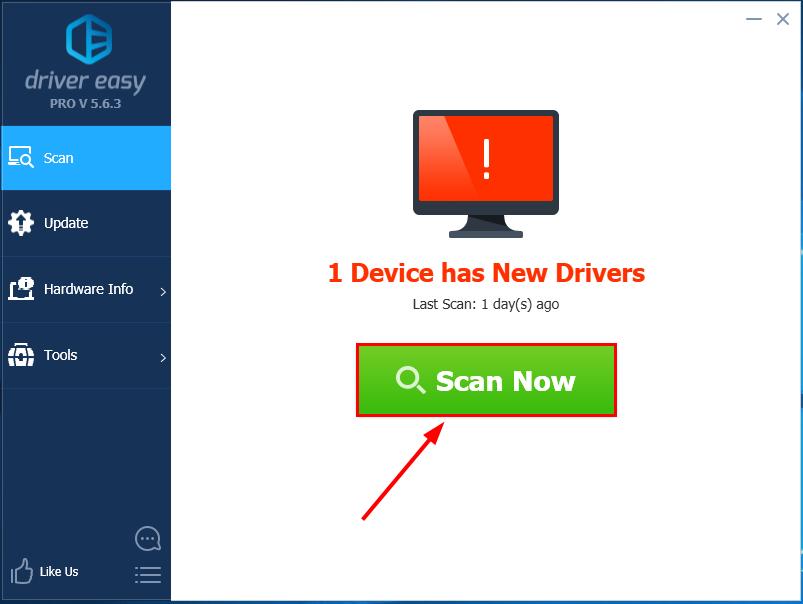
Run Driver Easy and click the Scan Now button. Driver Easy will then scan your computer and detect any problem drivers.
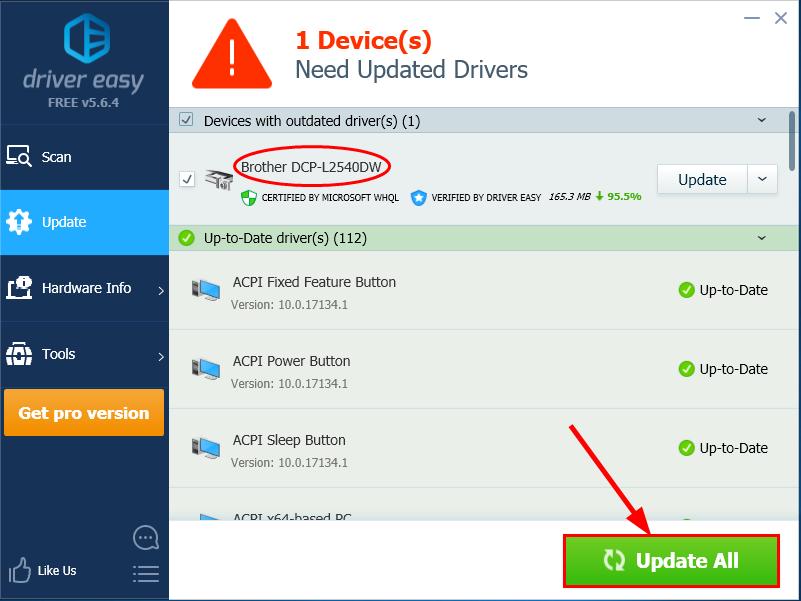
You can upgrade tothe Pro version and click Update All to automatically download and install the correct version of ALL the drivers that are missing or out of date on your system.
Restartyour computer for the changes to take effect.
If you have any problems while using Driver Easy, feel free to contact our support team at support@drivereasy.com. Be sure to attach the URL of this article for more expedient and efficient guidance.
There you go – 2 easy ways to get the latest drivers for your Brother DCP-L2540DW printer. Hope this helps and feel free to drop a comment below if you have any further questions.
Enya is a technical writer and major contributor to the Driver Easy knowledgebase. She genuinely enjoys creating how-to guides, tutorials, fixes for common tech issues, and articles about the latest gadgets and software.
What drives her passion? For one, she loves tech itself. But more importantly, Enya derives great satisfaction from helping people solve the technological headaches that frustrate their day-to-day lives. While some writers avoid technical topics, Enya thrives on making the complex clear and accessible.
When she's not writing, you can find Enya staying on top of emerging tech trends and mastering new devices and platforms. She knows the obstacles people face because she's experienced them firsthand.