






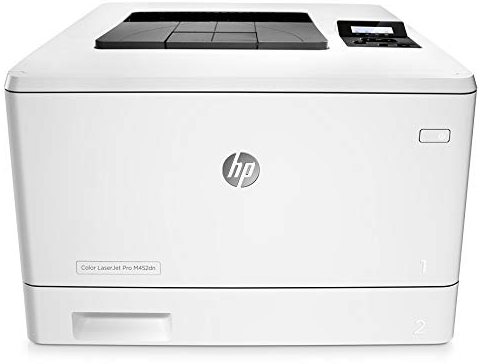
The HP Color LaserJet Pro M452dn driver allows your Windows computer to communicate properly with the printer. If the driver is missing, outdated, or incompatible, you may experience printing problems such as the printer not being detected, failed print jobs, or poor printer performance.
In this guide, we’ll introduce two ways to download and update the HP Color LaserJet Pro M452dn driver on your Windows computer (11/10/8.1/7).
- Option 1 – Download and install the driver manually from HP
- Option 2 – Update the driver automatically (Recommended)
Option 1 – Download and install the driver manually
You can download the appropriate driver or printer software for the HP Color LaserJet Pro M452dn from HP’s official support website.
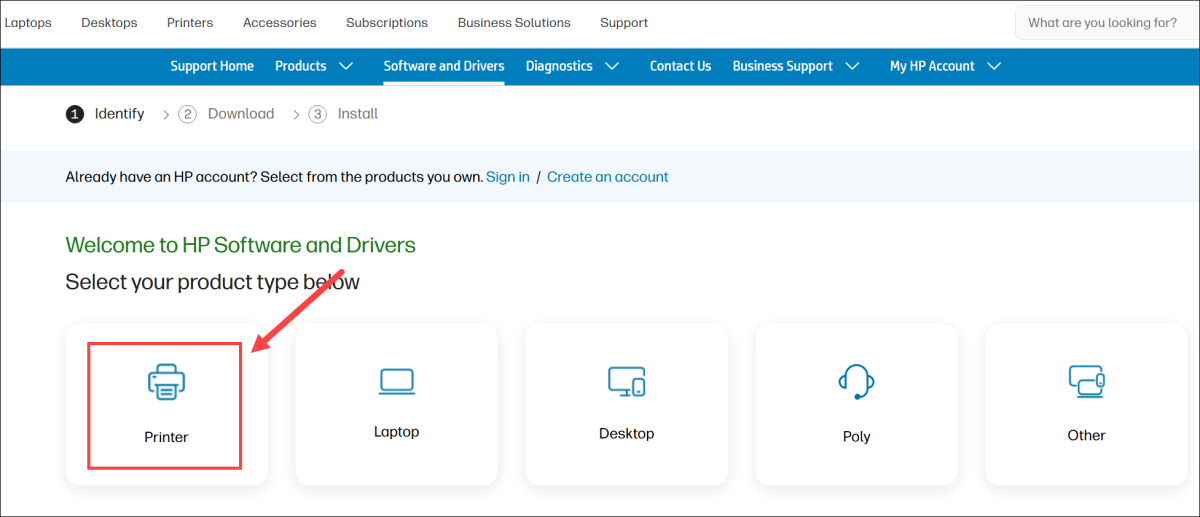
1) Simply go to the HP software and drivers download page and select Printer.
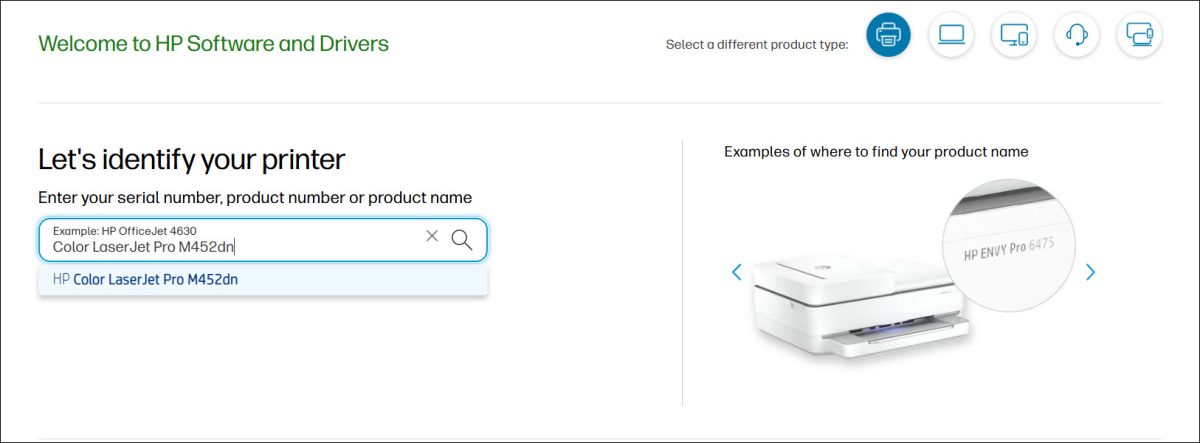
2) Then, search for Color LaserJet Pro M452dn.
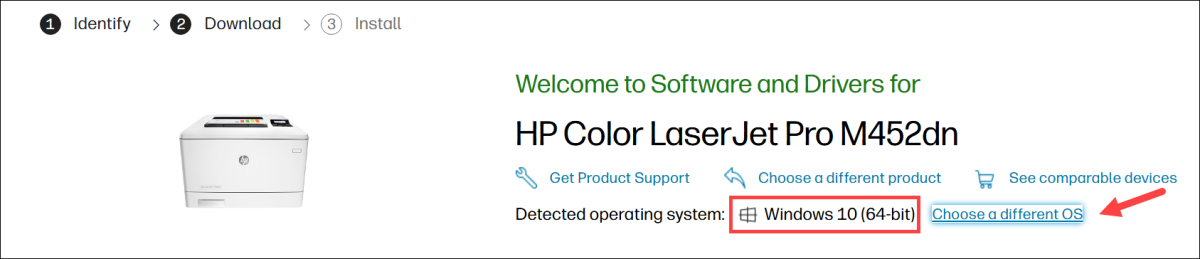
3) Check if your Windows version is detected correctly. If not, click Choose a different OS and select your Windows version.
4) Scroll down and download the recommended driver or printer software package.
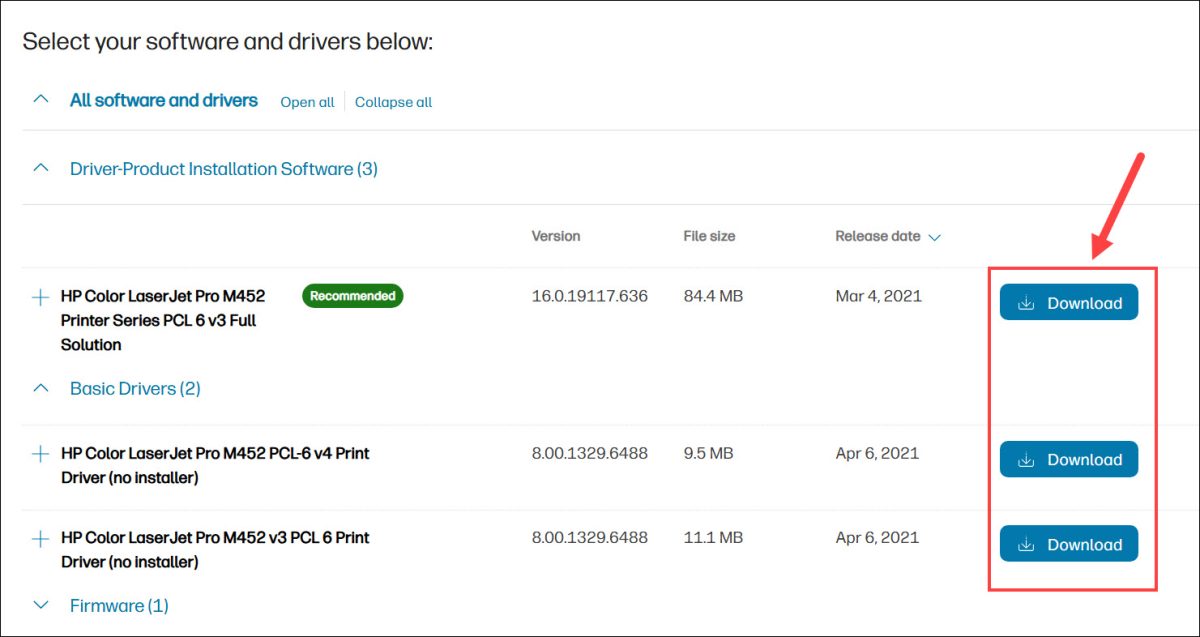
5) Once you’ve downloaded the correct driver for your system, double-click the downloaded file and follow the on-screen instructions to install the driver.
After installation, restart your computer if prompted. Then try printing a test page to confirm that the printer is working properly.
Option 2 – Automatically update the HP Color LaserJet Pro M452dn driver
If you don’t have the time, patience, or computer skills to update the driver manually, you can do it automatically with Driver Easy.
Driver Easy will automatically recognize your system and find the correct drivers for it. You don’t need to know exactly what system your computer is running, you don’t have to keep looking for newer drivers, and you don’t need to risk downloading and installing the wrong driver.
1) Download and install Driver Easy.
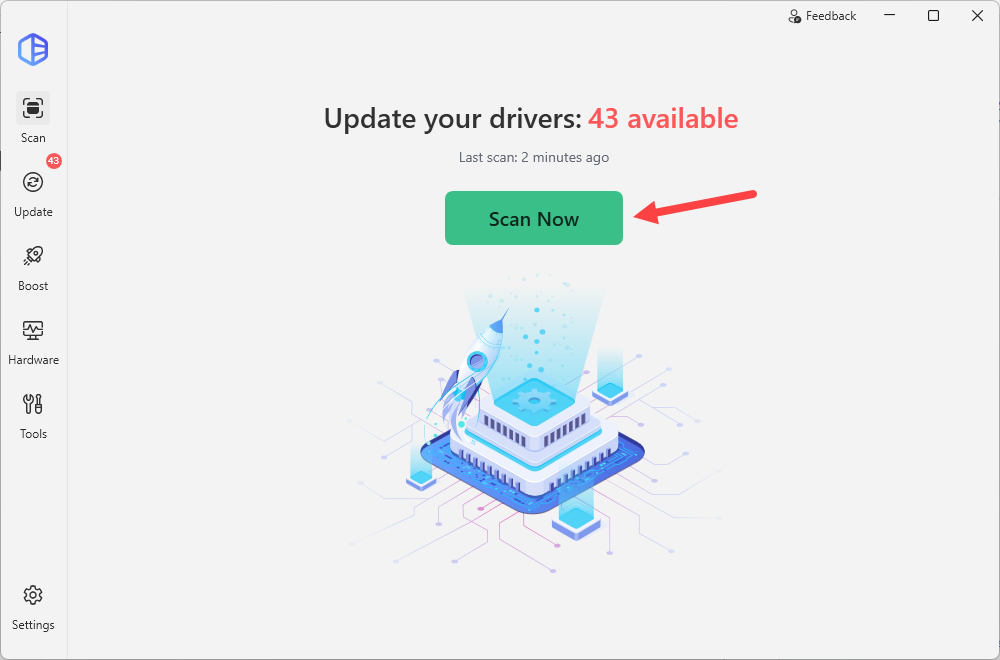
2) Run Driver Easy and click the Scan Now button. Driver Easy will then scan your computer and detect any problem drivers.
3) Click the Activate & Update button next to the HP Color LaserJet Pro M452dn driver to update it. If there are multiple drivers missing or out-of-date on your system, you can click Update All to automatically download and install all the drivers easily.
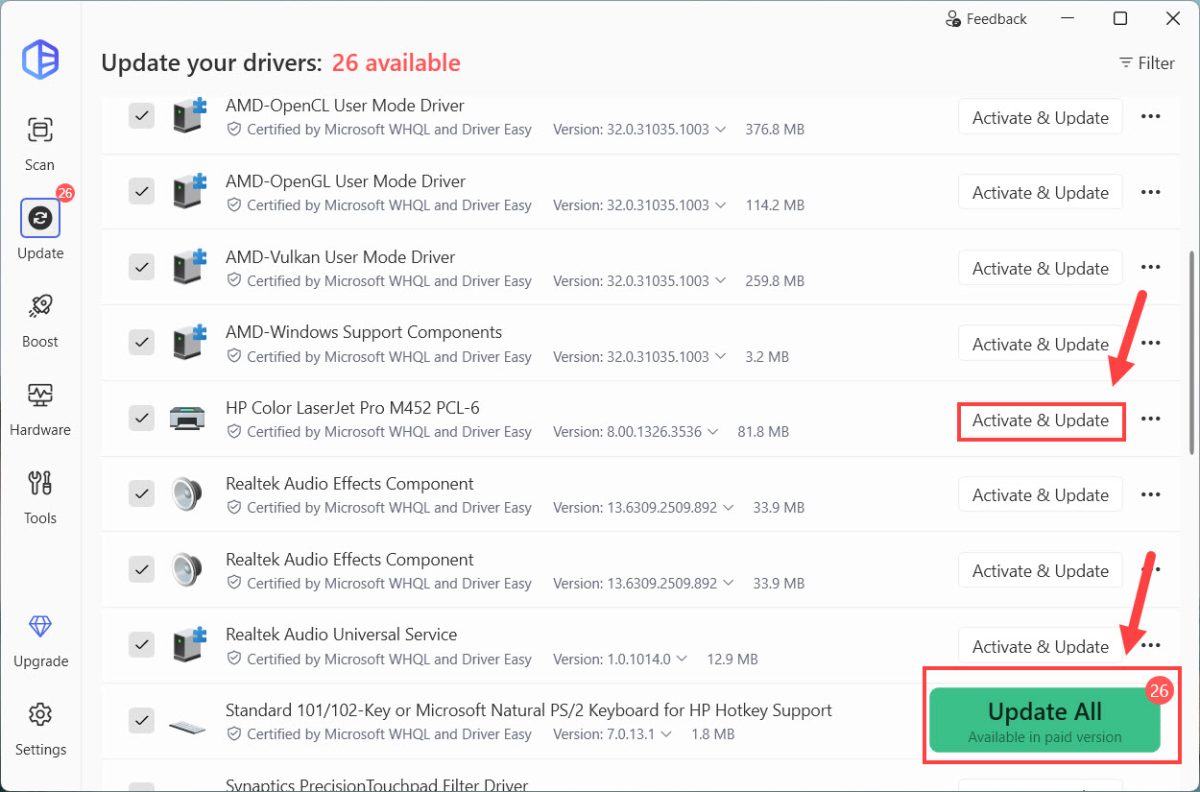
Automatic driver update requires the Driver Easy Pro version. It provides high-speed driver updates, driver backup and rollback, plus advanced technical features to keep your PC running smoothly. If you’re not ready to purchase yet, you can start a 7-day free trial to unlock all the Pro features without an upfront charge.
After the update finishes, restart your computer and print a page to test if the printer prints normally and Windows recognizes it without errors. If you’re still having problems, you can also contact Driver Easy’s support team at support@drivereasy.com.
Hopefully, this guide helped you download or update the HP Color LaserJet Pro M452dn driver. If you have any questions or suggestions, feel free to leave a comment below.