






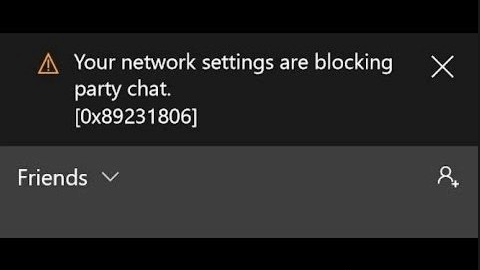
Solution 1: Check the NAT type on your Xbox One
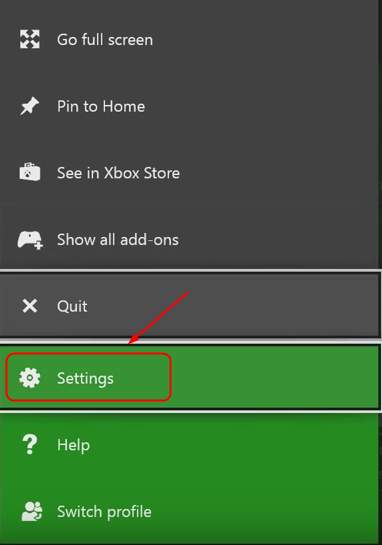
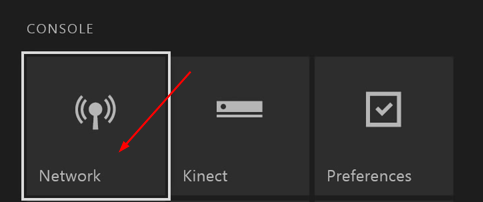
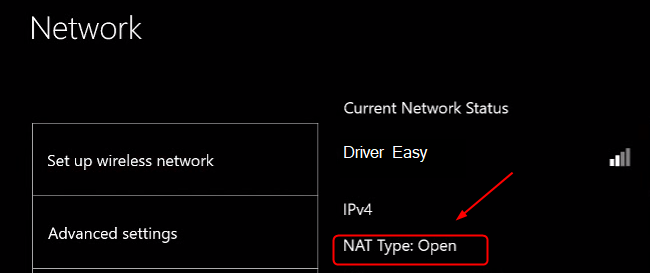
If you are unable to host or join a multiplayer game, it’s very likely the NAT(Network Address Translation) type isn’t set properly. You’re able to start or join a party on Xbox One with an open NAT type. To set it to Open: 1) Press the Xbox button on your Xbox One controller.
2) Click Settings.
on your Xbox One controller.
2) Click Settings.
Solution 2: Restart the IP Helper service
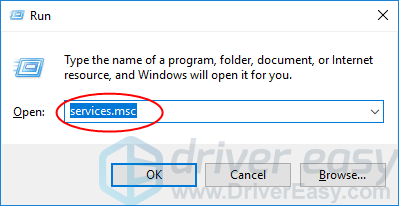
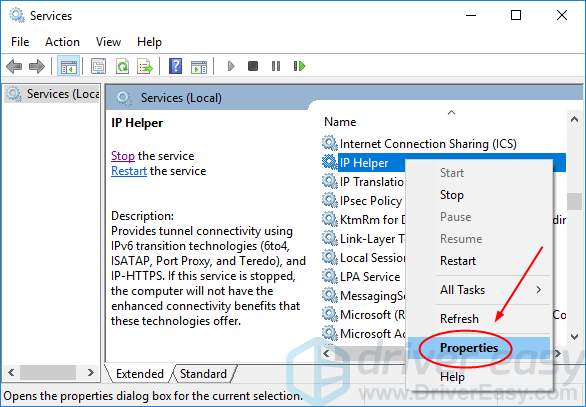
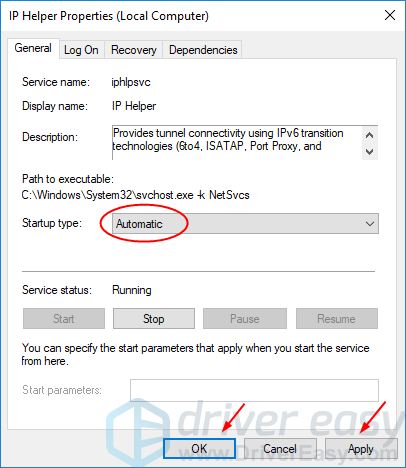
The running IP Helper service on your computer allows Xbox app to communicate over the network.If something goes wrong with this service, your Xbox app might not work properly. Follow the guide here to restart it and modify its settings: 1) On your keyboard, press Windows logo key and R at the same time to invoke the Run box.
2) Type services.msc and click OK to open the Services window.
and R at the same time to invoke the Run box.
2) Type services.msc and click OK to open the Services window.
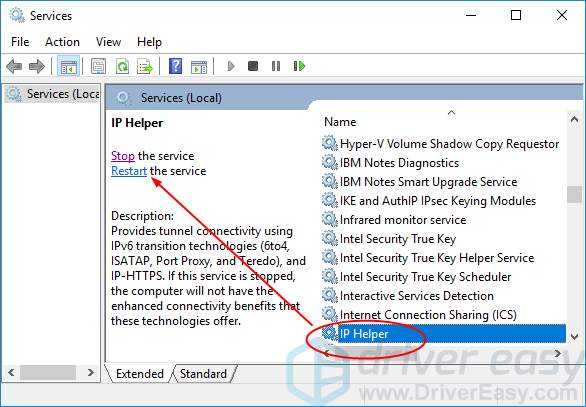
 3) Click IP Helper, then Restart.
Solution 3: Restart your modem and router
Restarting your modem or router sometimes resolve the problem. So you can take it a try. Note: If you don’t have a router, just restart your modem. 1) Press the power buttons on your modem and router to turn them off.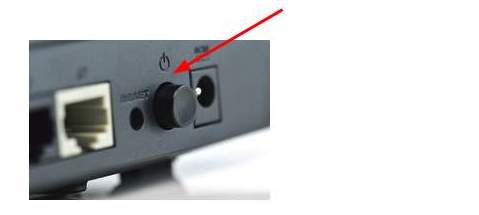
Solution 4: Re-connect your Xbox One console
Your Xbox One console stores all the temporay files in its cache. If those files get corrupted, it would cause 0x89231806 error to happen. Clear its cache can resolve the problem. It could be realized through reconnecting your console: 1) Press and hold the Xbox button on your console until the console shuts off.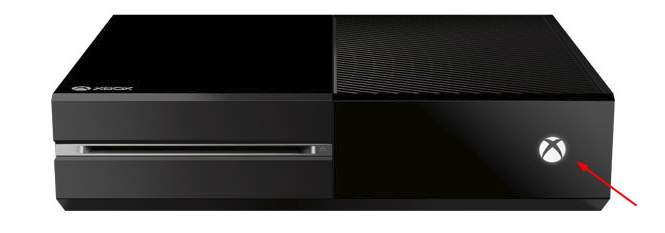 2) After it turns off, unplug its power cable.
3) Keep the cable disconnected for 1 min or more.
4) Plug the power cable back. Then press and hold the Xbox button on your console until it turns on.
5) Check if you’re able to start or join a party on your Xbox One.
2) After it turns off, unplug its power cable.
3) Keep the cable disconnected for 1 min or more.
4) Plug the power cable back. Then press and hold the Xbox button on your console until it turns on.
5) Check if you’re able to start or join a party on your Xbox One.
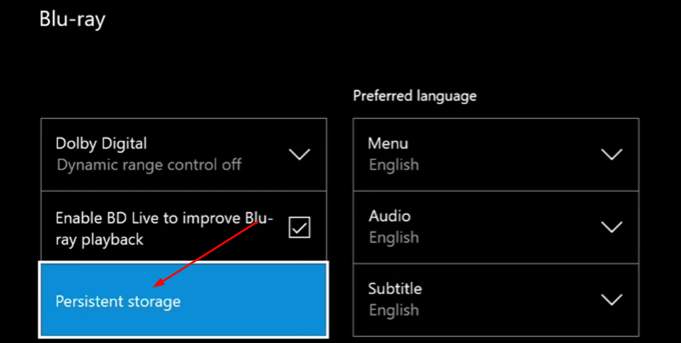
Solution 5: Correct your privacy settings and clear persistent storage
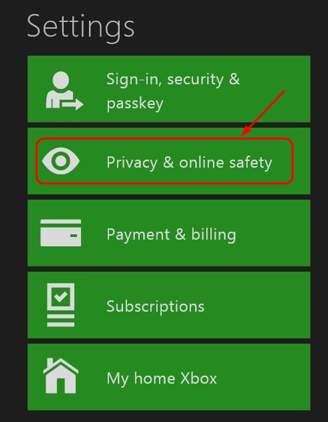
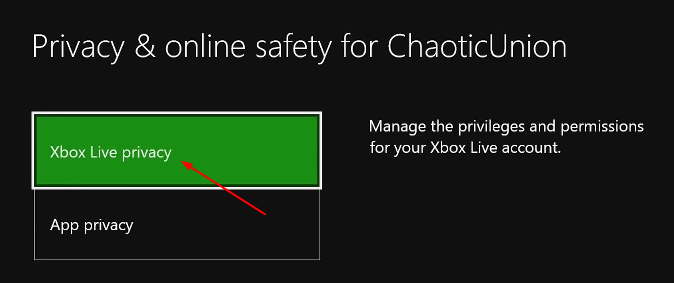
Your privacy settings on Xbox One app can also intefere the network settings. It may further cause you unable to start or join a party chat. To correct your privacy settings: 1) Press the Xbox buttonon your Xbox One controller.
2) Click Settings.
3) Click Privacy & Online safety.
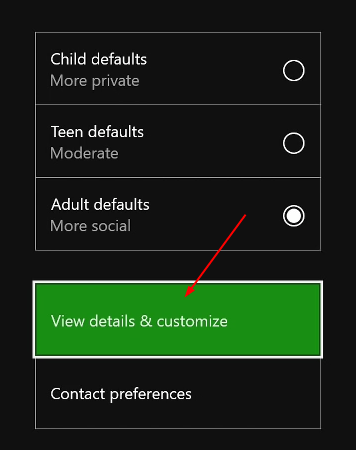
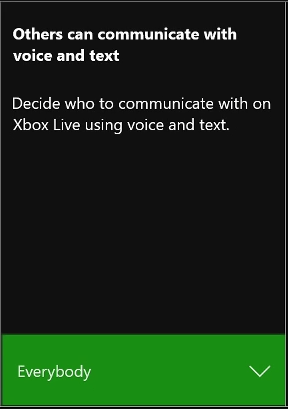
on your Xbox One controller.
2) Click Settings.
3) Click Disc & Blu-ray, then Blu-ray.
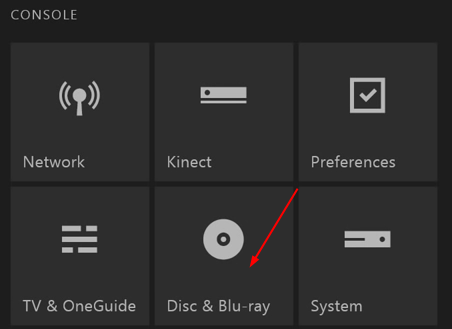
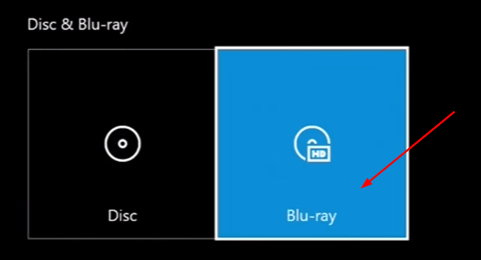

10
10 people found this helpful
1 Comment
Most Voted
