






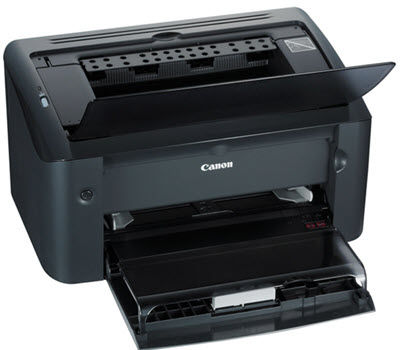
If your Canon LBP2900B printer isn’t printing on your Windows 11 or Windows 10 PC, you are likely dealing with a driver conflict. Unlike modern plug-and-play printers, the LBP2900B relies on Canon’s specific CAPT (Canon Advanced Printing Technology) architecture. Without the correct CAPT driver, your computer simply cannot communicate with the printer.
In this guide, we will walk you through the methods to download and install the correct driver easily and safely.
- Update your Canon printer driver automatically (Recommended)
- Download and install the driver manually from Canon’s website
- Run Windows Update
- Use Compatibility mode (For Windows 11 users)
Method 1: Update your Canon printer driver automatically (Recommended)
Installing a driver manually isn’t overly complicated, but it still takes extra time searching Canon’s site, downloading setup files, and clicking through installers. If you want a complete, hands-off solution to fix your printer driver issue and keep all your PC drivers up to date, Driver Easy is the easiest way to go.
With a quick scan, Driver Easy identifies your hardware and finds the drivers your system needs, including printer, graphics card, network adapter, and audio drivers. You can update drivers, switch between available versions, and back up, roll back, or uninstall drivers – all from one place.
- Download and install Driver Easy.
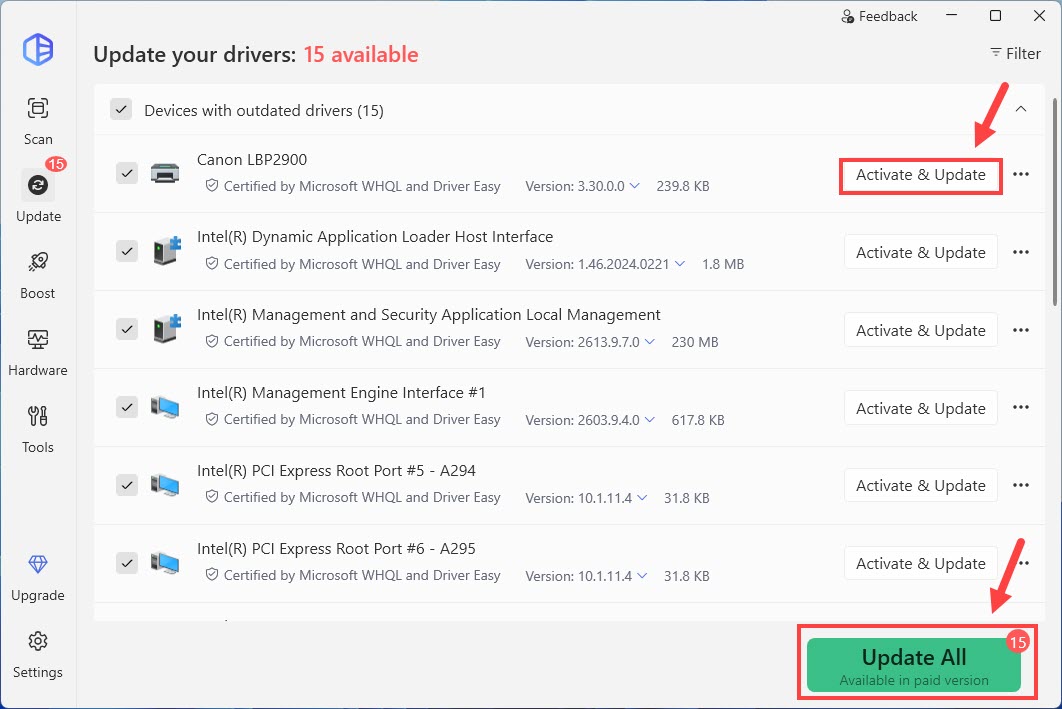
- Run Driver Easy and click the Scan Now button. Driver Easy will then scan your computer and detect any problem drivers.

- Check if your Canon LBP2900B driver is flagged in the scan results. If it is, click Activate & Update to update. Or you can click Update All to automatically download and install the correct version of all the drivers that are missing or out of date on your system. This will prompt you to start a 7-day free trial or upgrade to Driver Easy Pro. Either option will automatically download and install the latest printer driver for you.
- Restart your computer for the changes to take effect.
Method 2: Download and install the driver manually from Canon’s website
If you prefer to have more control over your driver installation and you’re comfortable with dealing with device drivers, downloading the driver directly from Canon’s official website is a reliable choice.
Here is how to do it:
- Open your browser and navigate to the Canon official support website for the LBP2900B printer.
- Select the DRIVERS tab, choose your Windows version correctly, and click the DOWNLOAD button.
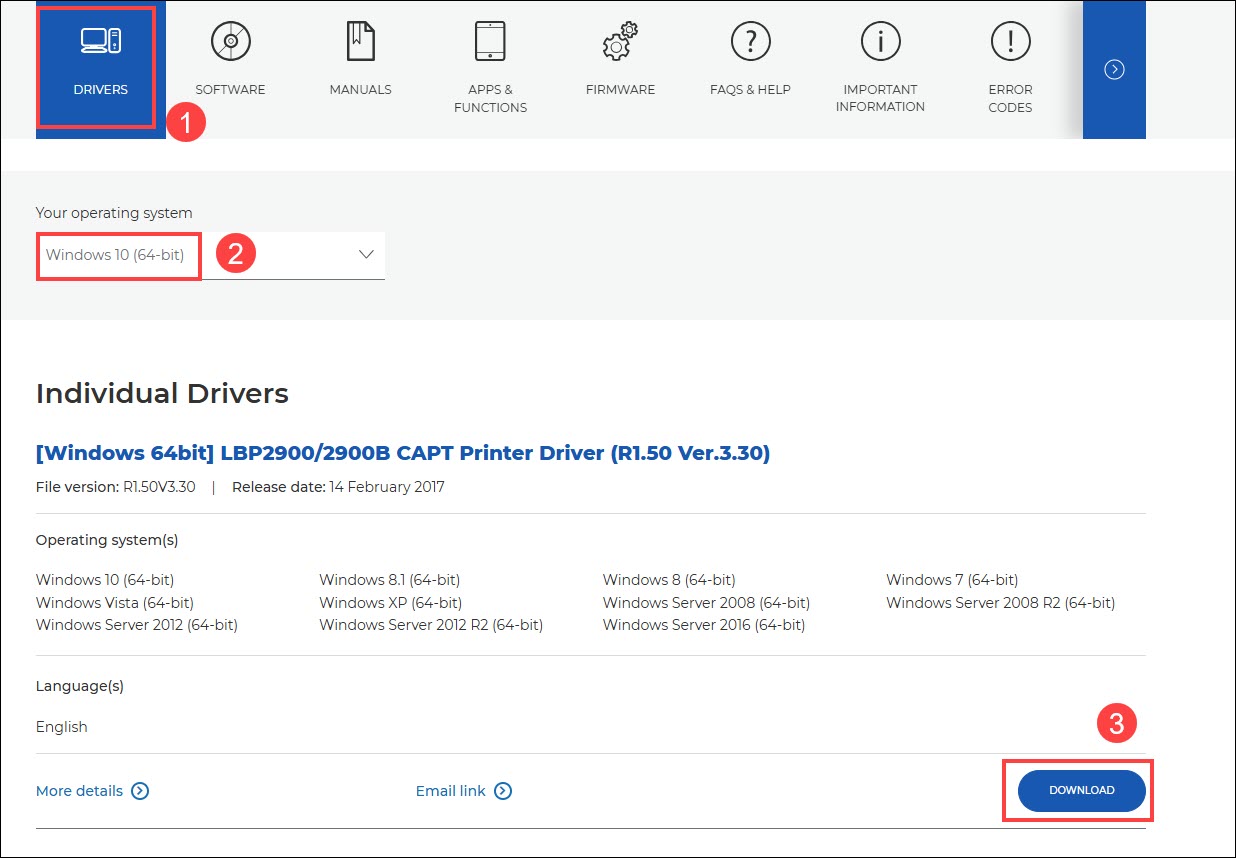
🔔 Canon doesn’t offer an LBP2900B printer driver for Windows 11. If you’re on Windows 11, you can follow Method 4 to install the driver after downloading it. - Once the driver file is downloaded, open it and follow the on-screen instructions to complete the installation process.
- Restart your PC to finalize the changes.
Method 3: Run Windows Update
Windows Update is designed to automatically fetch manufacturer-approved drivers. While it doesn’t always have the absolute latest driver version, it is a safe and built-in way to try fixing your printer or other device issues.
- On your keyboard, press the Windows logo key and I at the same time to open the Settings window.
- Click Windows Update > Check for updates.
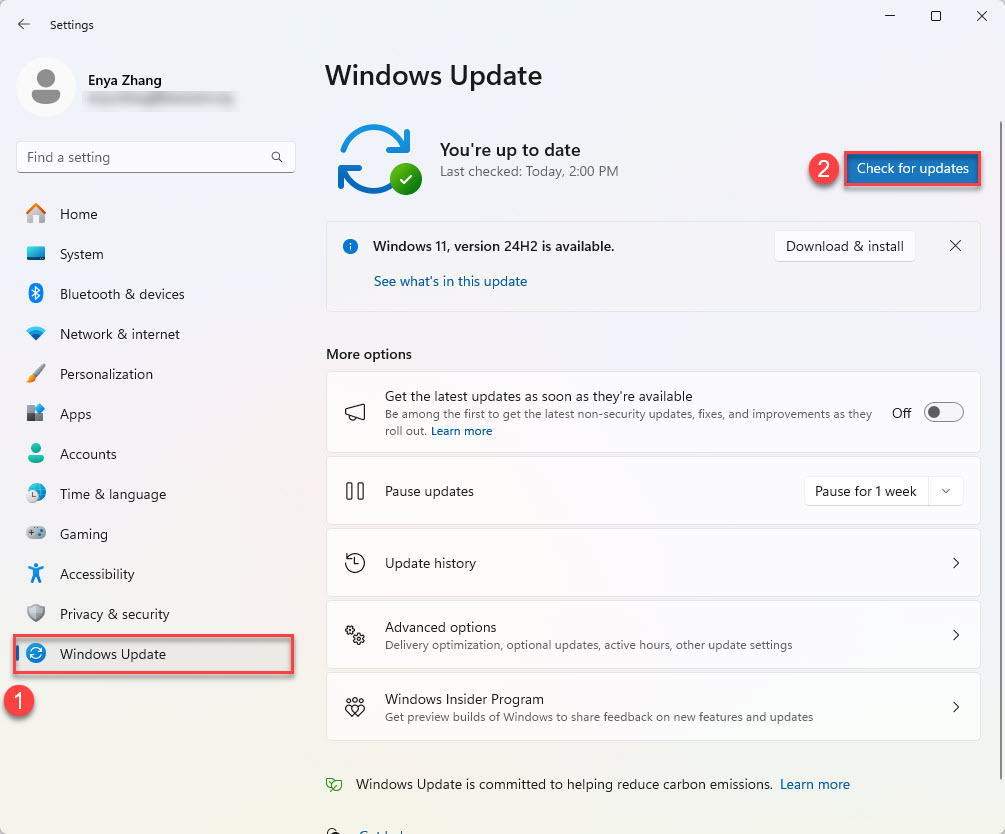
- Wait a short while as Windows searches for available updates.
- Once installed, restart your PC to apply the changes.
Method 4: Use Compatibility mode (For Windows 11 users)
Because the Canon LBP2900B is an older model, Canon’s official driver might technically be optimized for Windows 10 or Windows 8. If you are on Windows 11 and the installer fails or crashes, running it in Compatibility Mode usually resolves the core OS conflict.
- Go to the Canon website and download the latest driver for the LBP2900B printer (you can follow the steps in Method 2).
- Once downloaded, find the driver file on your computer. It’s usually in your Downloads folder.
- Run in Compatibility Mode:
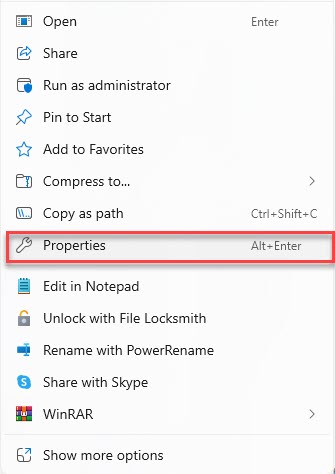
- Right-click on the driver file and select Properties.
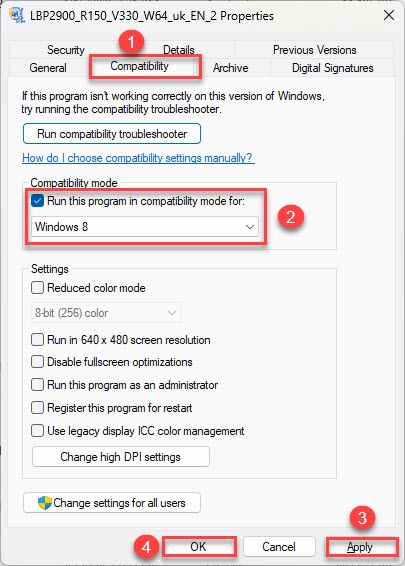
- Go to the Compatibility tab and check the box that says Run this program in compatibility mode for and select the appropriate version of Windows (e.g., Windows 7 or 8) from the dropdown. Then, click Apply, then OK to save the changes.
- Right-click on the driver file and select Properties.
- Double-click the driver file to begin the installation process. Follow the on-screen instructions to complete it.
- Once installation is finished, restart your computer to apply the changes.
What if your printer is still not printing?
If the driver is installed or you’ve tried the troubleshooting steps above but print jobs are stuck in the queue, your Windows Print Spooler service might be frozen. Here is a quick command-line fix:
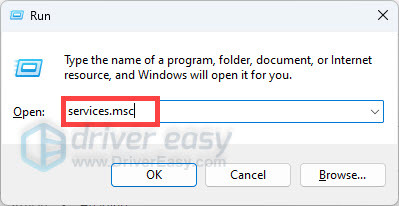
- Press the Windows key + R, type services.msc, and press Enter.
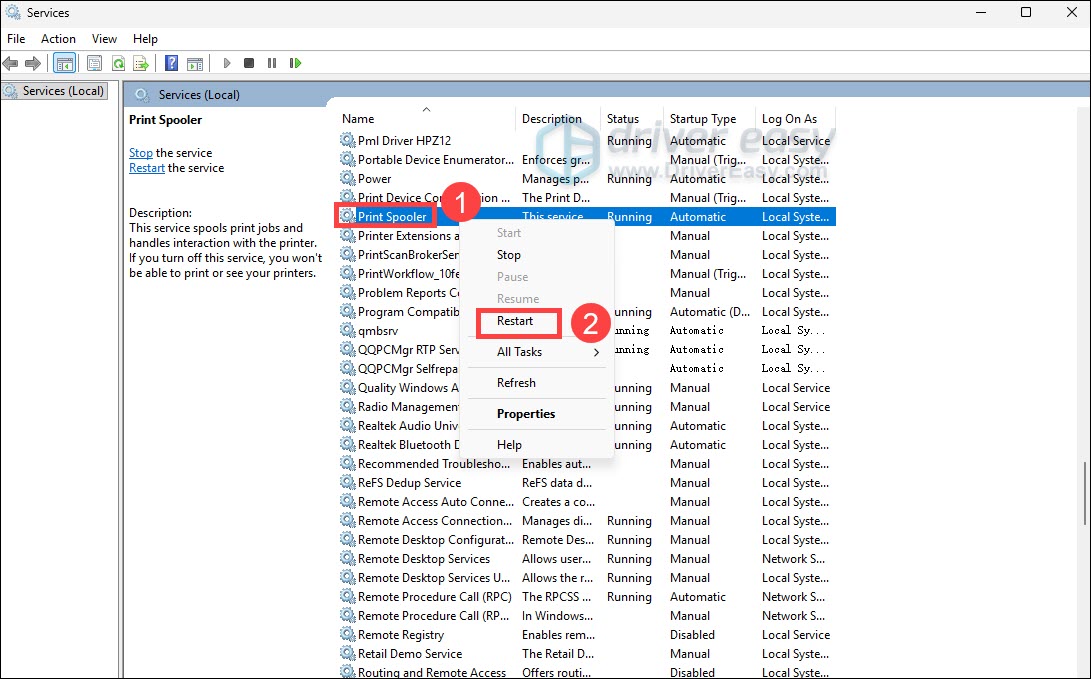
- Find Print Spooler in the list. Right-click it and select Restart.
- Try printing again.
Conclusion
When it comes to updating your Canon LBP2900B printer driver, you have a few options, each with its pros and cons. Manual updates—whether through Canon’s website or Windows Update—can be effective. With Windows Update, you don’t have to hunt for drivers yourself, but it might not always find the latest or most compatible driver for your printer. On the other hand, downloading from Canon’s website requires you to find the right version and follow installation steps carefully, which leaves room for error.
If you’re tired of navigating the pages or fiddling with installation steps, Driver Easy can do the heavy lifting for you. With either the Free Trial or Pro version, Driver Easy gets the job done with ease.