






Looking for the correct Intel chipset driver for Windows 11, 10, 8.1, or 7? Whether you are setting up a new PC, reinstalling Windows, or trying to fix an “Unknown Device” error in Device Manager, getting the right motherboard software is crucial for system stability.
In this guide, we’ll show you how to safely download and update Intel chipset drivers, step by step.
What is an Intel Chipset Driver?
Before you download anything, it’s important to understand a technical distinction. What most users call an “Intel Chipset Driver” is officially named the Intel Chipset Device Software (INF Utility).
Unlike a graphics or audio driver that boosts performance, this package primarily installs INF files. These files simply tell the Windows operating system how to correctly identify Intel chipset components (such as USB controllers and system bridges) and how to configure hardware resources.
Do I need to update my Intel Chipset Driver?
If your PC is running smoothly and Windows correctly recognizes your hardware, you usually don’t need to update the Intel chipset software.
You may want to consider an update if:
- You just built a new PC or reinstalled Windows.
- Your PC or motherboard manufacturer recommends a chipset update for your specific system.
- A chipset-related device is incorrectly identified or appears as an Unknown device in Device Manager.
- You’re troubleshooting a known motherboard or chipset compatibility issue, and the manufacturer recommends a specific update.
How to update Intel Chipset Driver
There are three ways to update Intel chipset-related software on Windows:
- Download Intel Chipset Driver from your PC or motherboard manufacturer
- Update Intel Chipset Driver automatically with Driver Easy
- Install Intel Chipset Device Software (INF Utility)
Method 1: Download Intel Chipset Driver from your PC or motherboard manufacturer
The PC or motherboard manufacturer is the official source to look for an Intel chipset driver. Intel itself also states that chipset drivers for Intel processors are provided by motherboard manufacturers.
Go to your computer manufacturer’s support website:
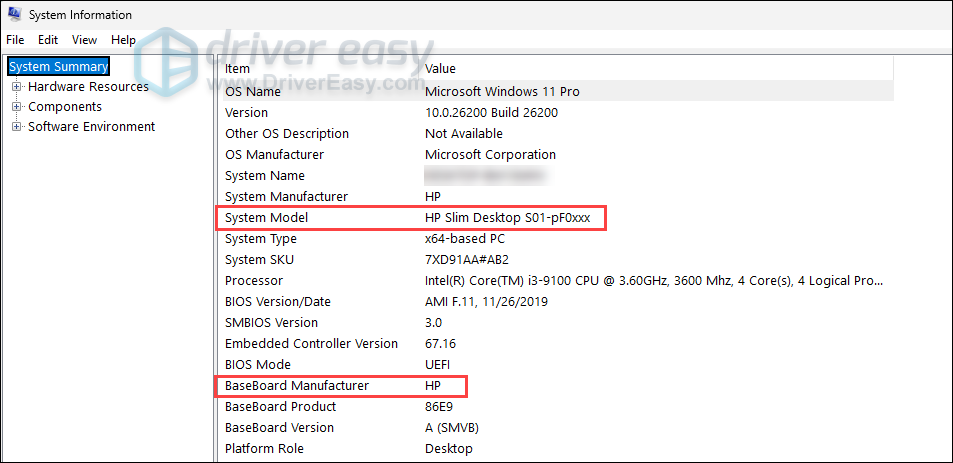
Enter your specific PC model or the motherboard model. If you’re not sure, type system information into the Windows search bar, open it, and note down your System Model and BaseBoard Manufacturer.
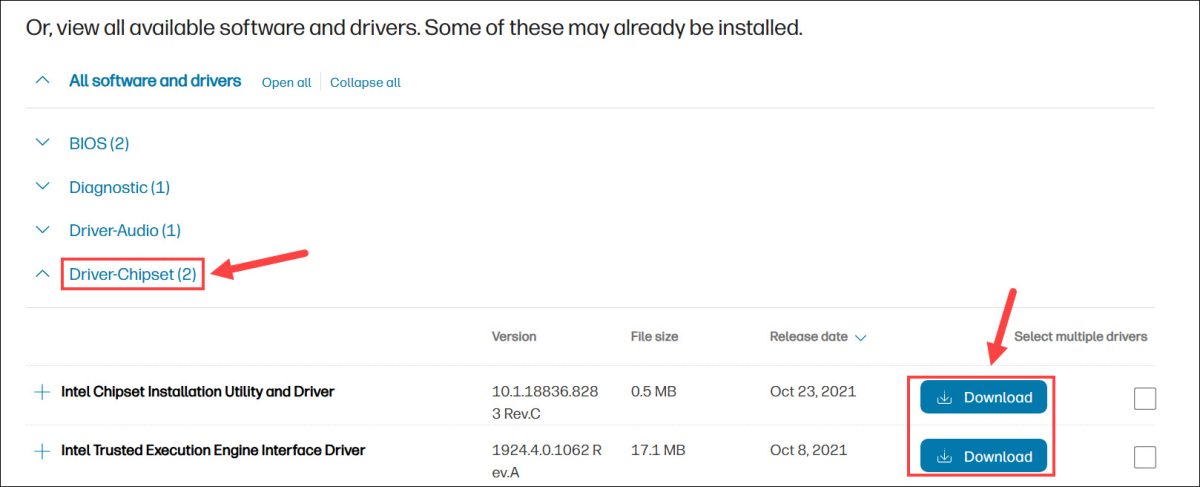
Select your exact operating system (e.g., Windows 11 64-bit). Locate the Chipset category, download the latest package, and run the .exe file to install the driver.
Method 2: Update Intel Chipset Driver automatically with Driver Easy
If you don’t want to dig through manufacturer websites or struggle to identify your motherboard model, you can use Driver Easy to handle the process automatically.
Driver Easy can automatically detect the hardware installed on your computer and help you find compatible driver updates without requiring you to identify each device manually. Beyond just chipset-related drivers, it enables you to update other device drivers such as graphics, audio, and USB, all in one place.
- Download and install Driver Easy.
- Launch the program and click Scan Now.
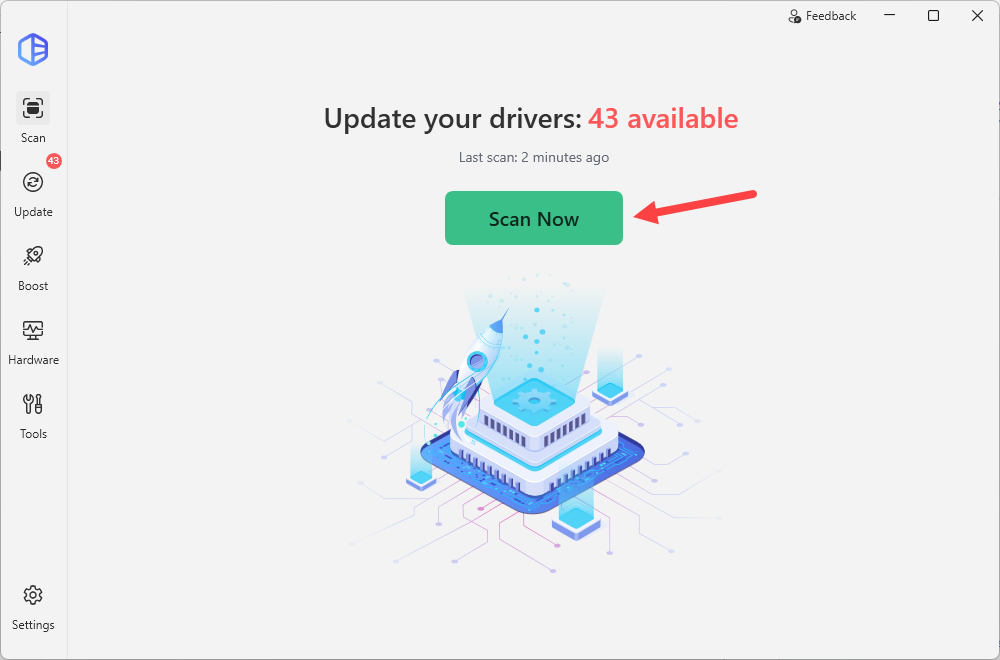
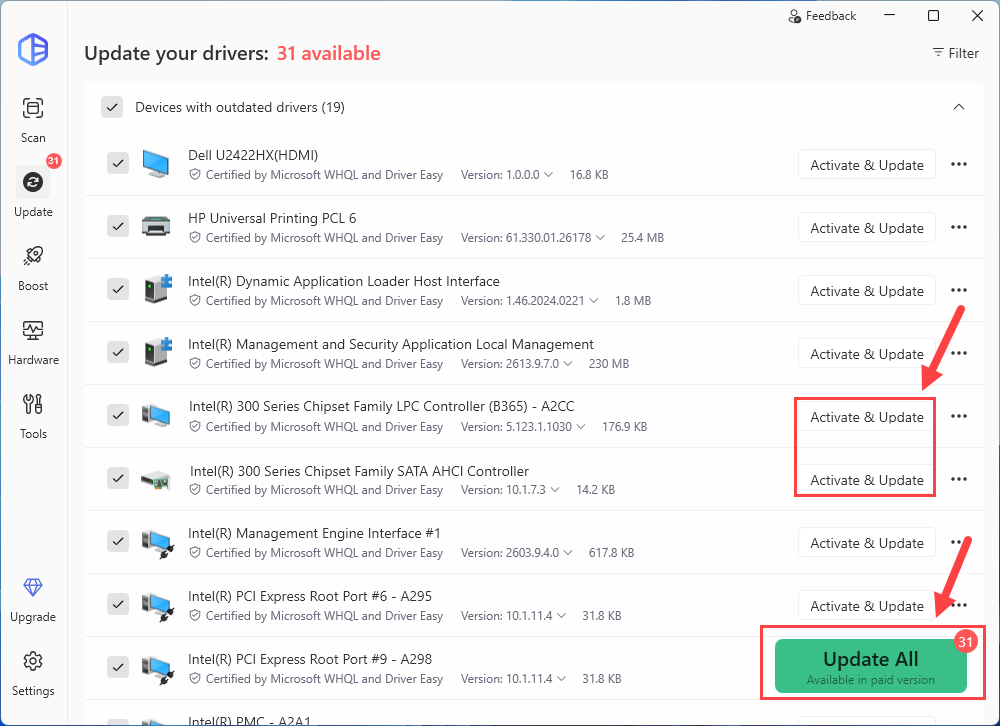
- Click the Activate & Update button next to the flagged chipset driver to download the latest compatible driver. If you see multiple flagged drivers, you can click Update All to install all the missing or outdated drivers for your system.
- Restart your computer after the installation is complete.
With Driver Easy Pro, you can update multiple drivers automatically, access advanced features such as driver backup and rollback, and also get full technical support. If you want to give it a try first, you can sign up for a 7-day free trial to unlock all the Pro features.
Method 3: Install Intel Chipset Device Software (INF Utility)
Intel provides the Intel Chipset Device Software, also known as the Chipset INF Utility, for supported Intel chipset products.
The current Intel package installs Windows INF files. These files provide Windows with information about hardware and, in particular, help the operating system display the correct product name for Intel chipset-related hardware in Device Manager.
This means the Intel INF Utility is useful when you need to install or refresh chipset identification information, but it should not be treated as a universal replacement for every chipset-related driver.
- Download the latest Chipset INF Utility from Intel.
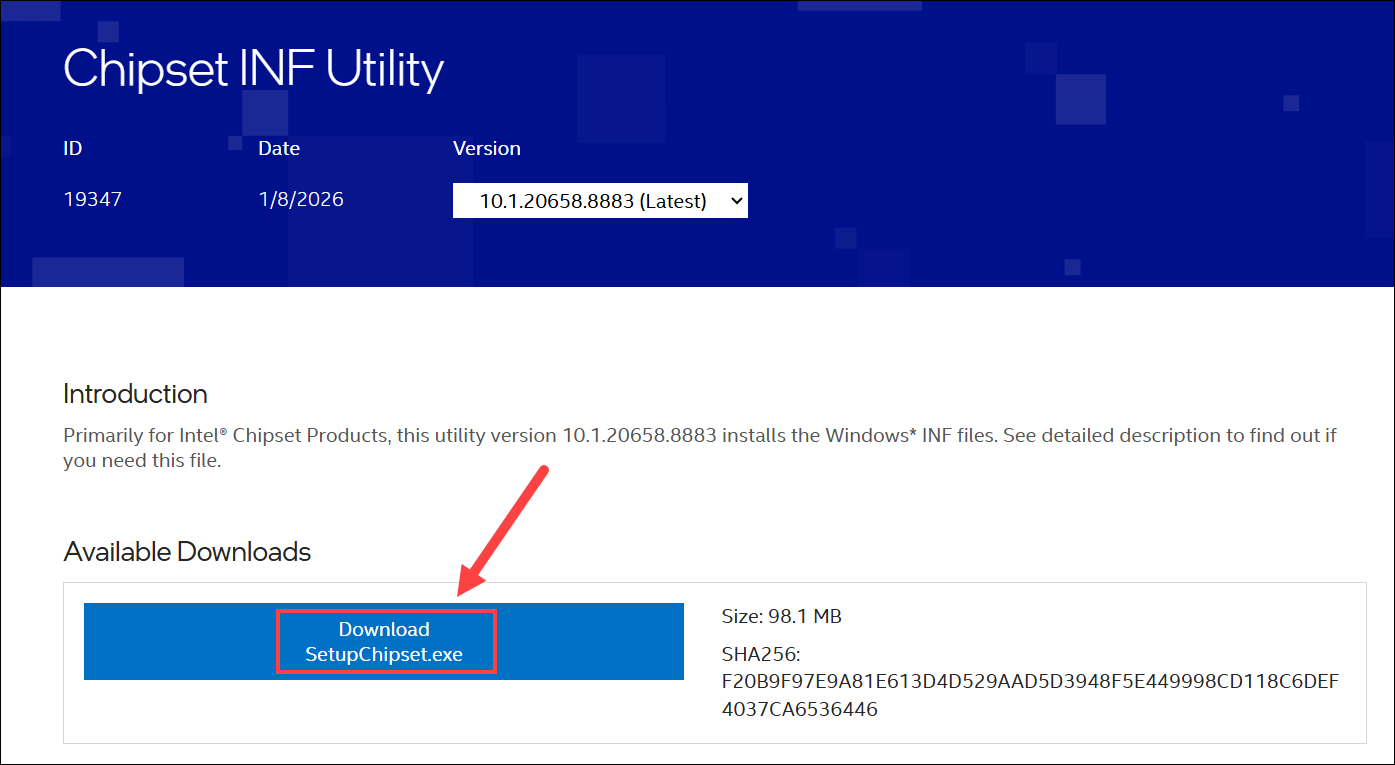
- Run the downloaded file and follow the on-screen instructions to install it.
- Restart Windows if prompted.
How to verify the Intel Chipset Driver is updated successfully
After completing any of the methods above, you should verify that the driver is installed correctly.
- Press Win + X and select Device Manager.
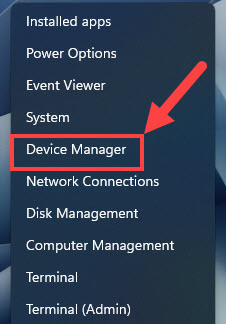
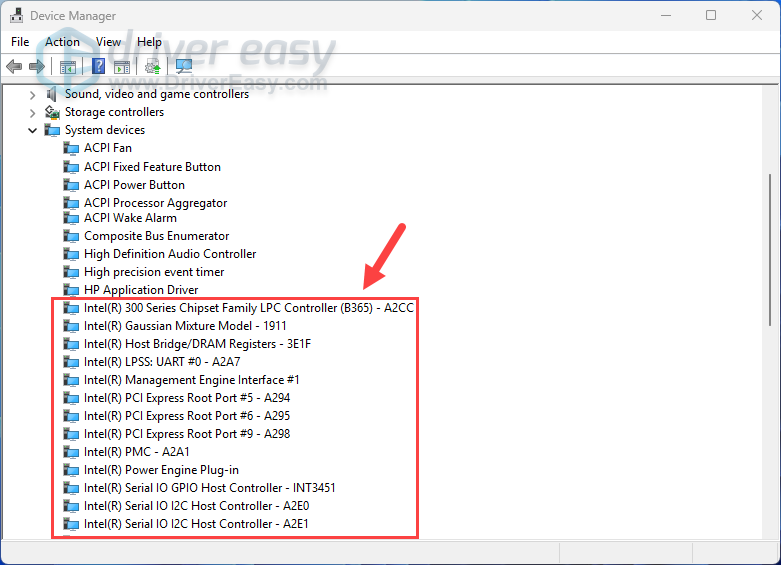
- Expand the System devices category. Look through the list for your Intel components. If you no longer see any devices listed as Unknown device or devices with a yellow warning icon, your chipset driver update was successful.
For most users on Windows 11/10/8.1/7, you can check your PC or motherboard manufacturer’s support page for Intel chipset drivers. If you’re not sure which chipset or other device drivers your PC needs, Driver Easy can scan your system automatically and help identify available driver updates.

