






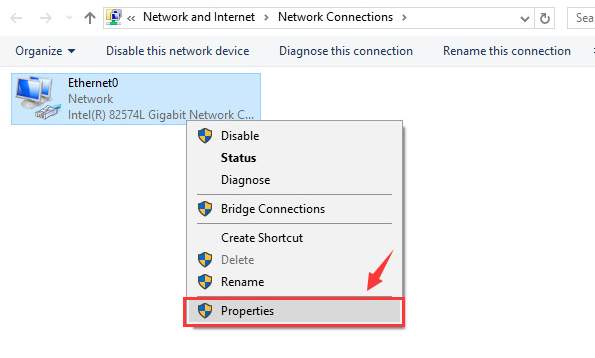
 3) Right click the connection with which you use to connect to the Internet (Ethernet cable or Wi-Fi connection)and select Properties.
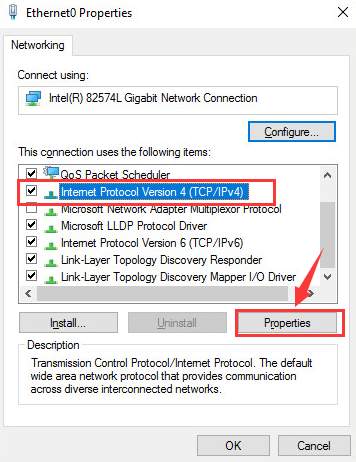
 4) In the Properties window, locate Internet Protocol Version 4 (TCP/IPv4) and choose Properties.
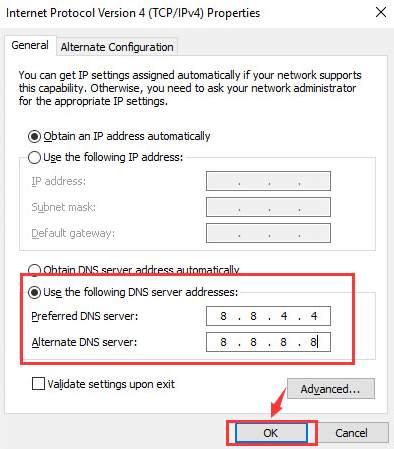
 5) Tick the box for Use the following DNS Server Addresses, then change the Preferred DNS server to 8.8.4.4, and the Alternate DNS server to 8.8.8.8. Then hit OK to save the change.
 6) Your problem should be gone by now. If it still lingers, please feel free to post it on the comment section. We will see what we can do to help.
25
25 people found this helpful
2 Comments
Most Voted
