






After downloading the driver file from the official website of the computer manufacturer, you can follow the steps below to manually update driver in Windows Vista:
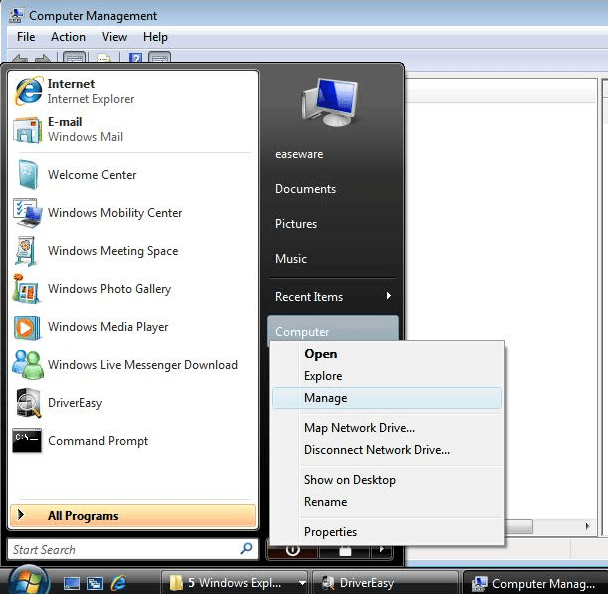
- Click the Start button and right-click on Computer. Then click Manage.
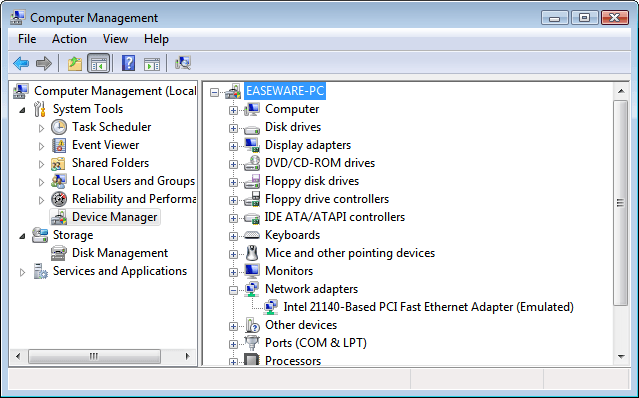
- Click Device Manager in the left panel.
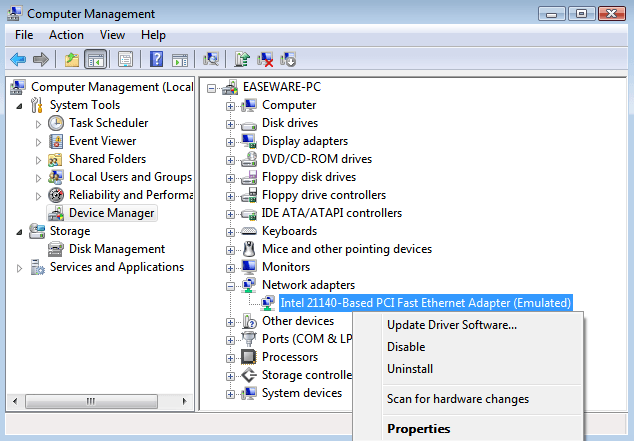
- In Device Manager window, expand categories and locate the device that you wish to update the driver for. Then right-click on the device name and select Update Driver Software… Following screenshot is for your reference.
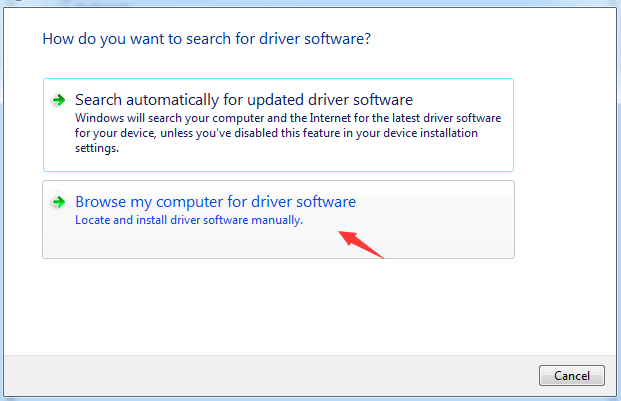
- Click Browse my Computer for driver software.
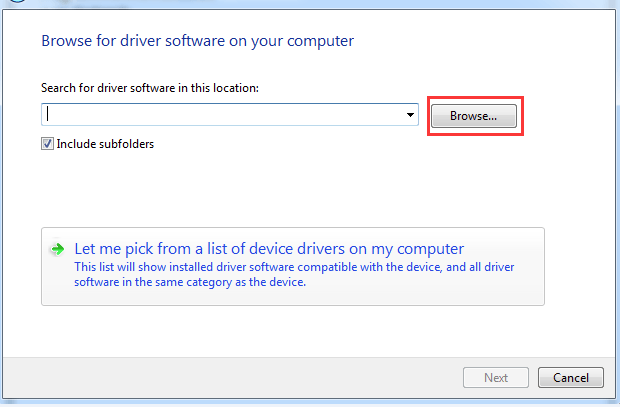
- Click on Browse to find the location of the downloaded driver file. Click Next to install the driver.
Normally, Windows Vista will start installing the updated driver file.
18
18 people found this helpful
1 Comment
Most Voted
