






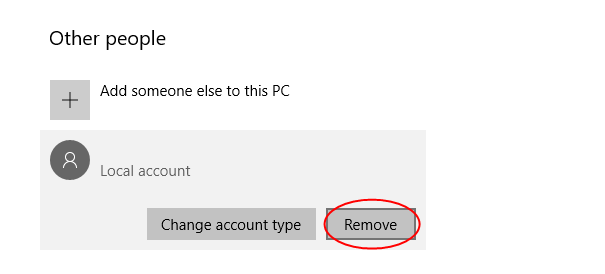
Tip 1: Remove Microsoft account from Windows 10 via Netplwiz
Netplwiz is a useful tool for managing users accounts in Windows 10. 1) On your keyboard, press the Windows logo key + R key together to invoke the Run box. 2) Type netplwiz in the box and click OK.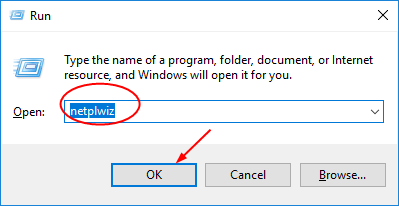 Note: If you cannot open Netplwiz tool, try the Tip 2 please.
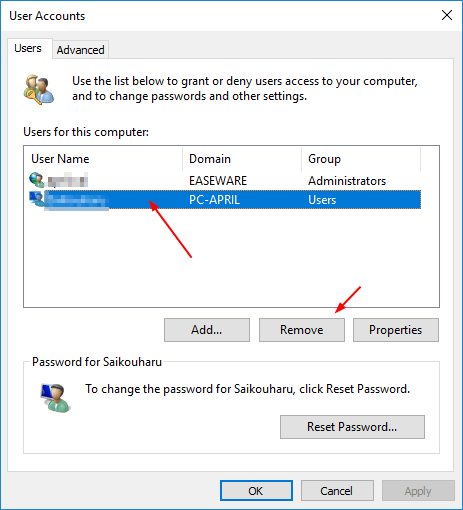
2) On the open User Account window, select the account you want to remove.
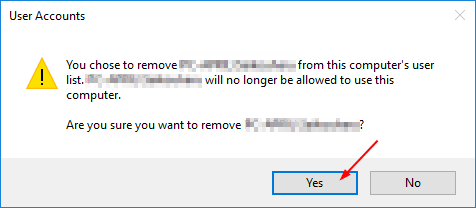
Then click Remove.
Note: If you cannot open Netplwiz tool, try the Tip 2 please.
2) On the open User Account window, select the account you want to remove.
Then click Remove.
Tip 2. Remove Microsoft account from Windows 10 in Settings
1) On your keyboard, press the Windows logo key + I key together to open Settings window. 2) Click Accounts.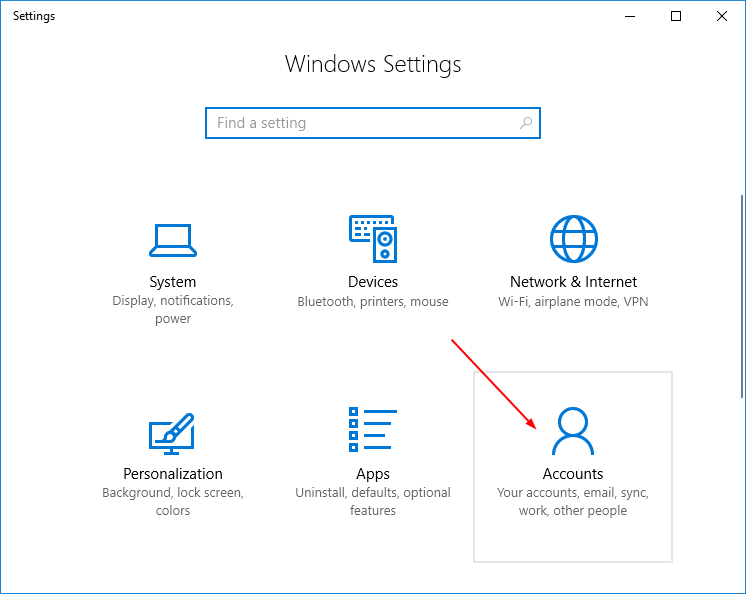
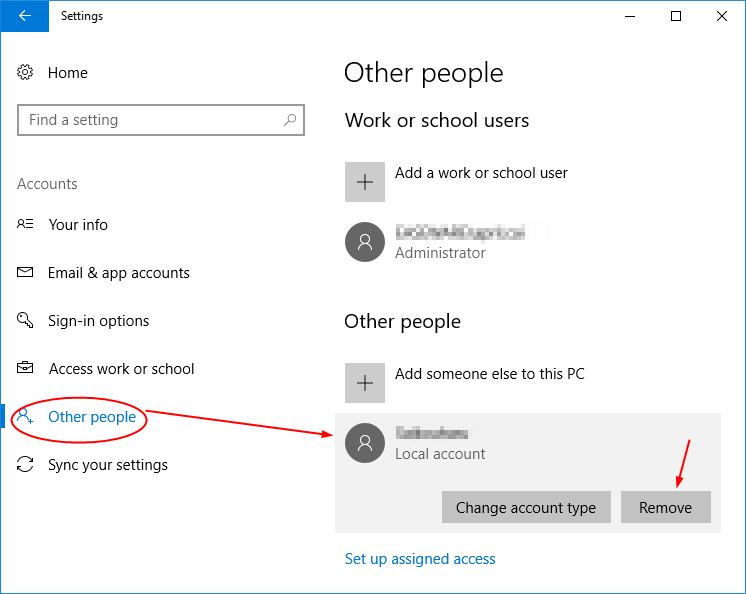
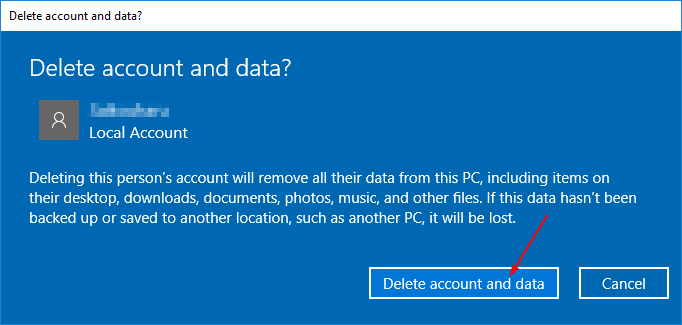
17
17 people found this helpful
2 Comments
Most Voted
