






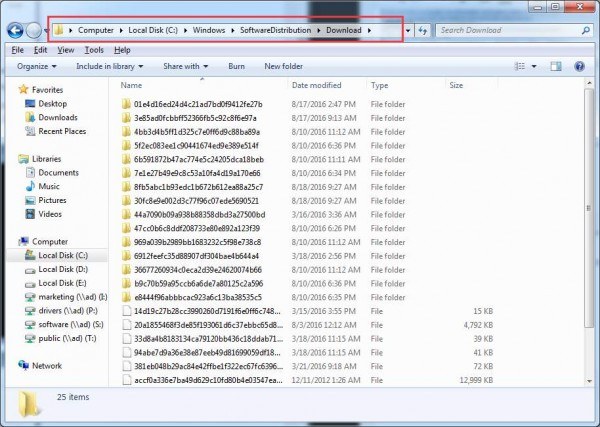
The 80240020 error happens usually when the Windows 10 files that you downloaded was not complete and the setup process still tried to do the upgrade to Windows 10. Or it could be that your Windows 10 installation folder is unfinished or corrupted.
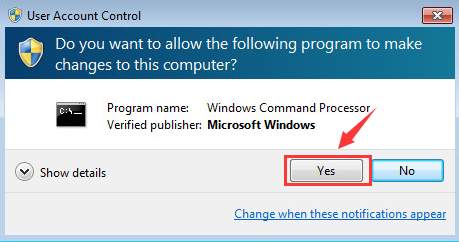
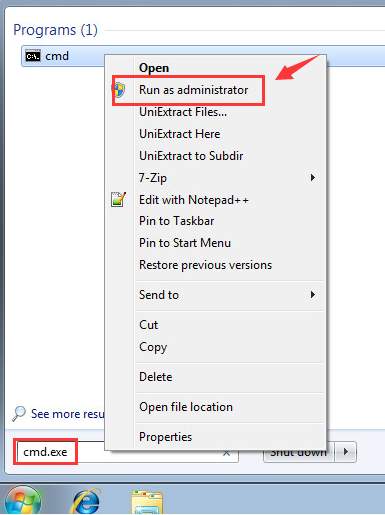 Click Yes at this prompt.
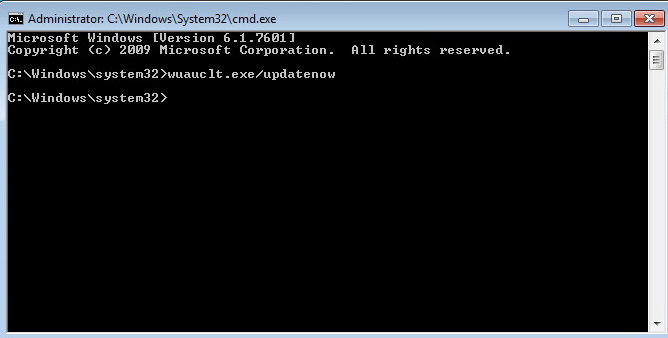 Step Two
Warning: Before you proceed with this step, please make sure that you have back up your registry first just in case any irreversible errors happen. Refer to this post to see how to backup and restore your registry.
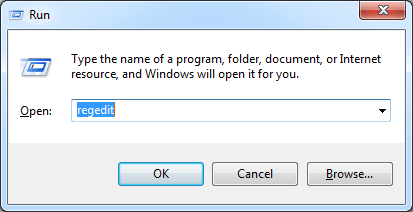
1) Press Windows key and R at the same time, then type in regedit and hit Enter. When prompted for administrator permission, click Yes to continue.
Step Two
Warning: Before you proceed with this step, please make sure that you have back up your registry first just in case any irreversible errors happen. Refer to this post to see how to backup and restore your registry.
1) Press Windows key and R at the same time, then type in regedit and hit Enter. When prompted for administrator permission, click Yes to continue.
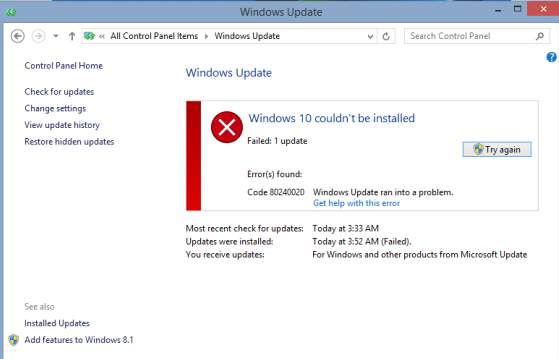
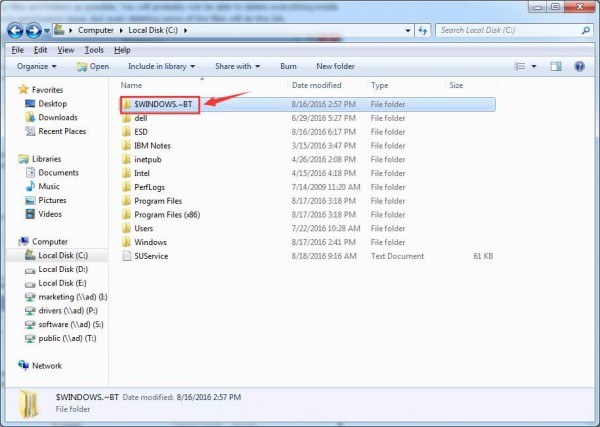
Click Yes at this prompt.
Step Two
Warning: Before you proceed with this step, please make sure that you have back up your registry first just in case any irreversible errors happen. Refer to this post to see how to backup and restore your registry.
1) Press Windows key and R at the same time, then type in regedit and hit Enter. When prompted for administrator permission, click Yes to continue.
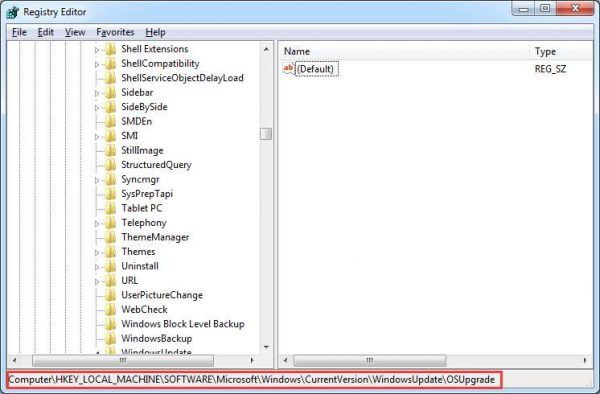
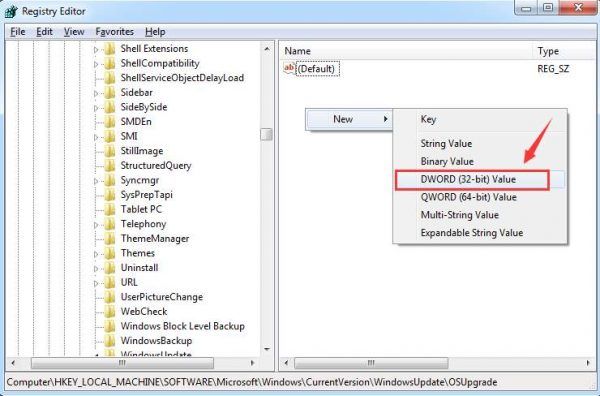
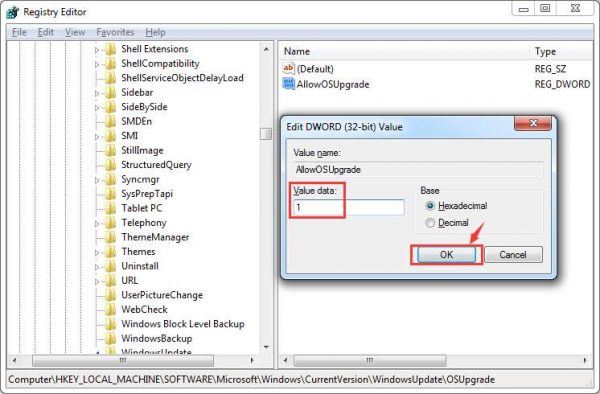
Your Windows Update panel should come out in a couple of seconds. If it won’t open automatically, you can open this panel from Control Panel manually. Then, you should be able to download your Windows 10 from scratch.
The steps above also work if you are having a 80080080 or 8024600A error code. Usually the error is common with Windows 8.1 users, but for those who are using Windows 7, this solution applies as well. If the problem still persists, please be patient, Windows update takes time to download the upgrades in the background. If you still could not get this problem fixed, your Windows update tool might be corrupted so the security settings and background process is now malfunctioned. In this case, it is suggested that you burn the DVD or CD or USB flash drive with Windows 10 ISO files in to do the clean install from scratch. If you want to know how to do it, please refer to this post here for more information.
0 Comments
Most Voted

