






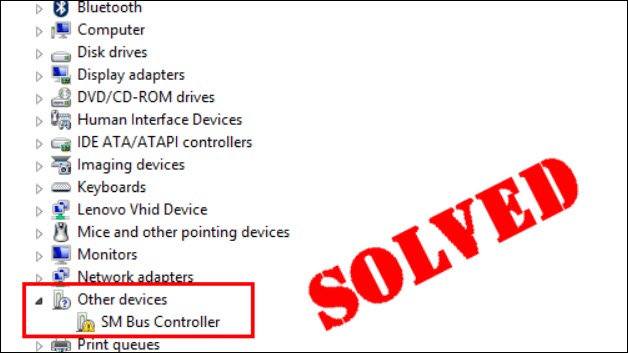
Seeing a yellow warning icon or a question mark next to SM Bus Controller in Device Manager? This usually means Windows is having trouble identifying or properly configuring the SMBus controller, often because the appropriate chipset software or driver is missing or incorrect.
In this guide, we’ll explain what the SM Bus Controller is and show you how to download and update the appropriate SM Bus Controller driver quickly and safely.
What is the SM Bus Controller?
SM Bus Controller refers to the System Management Bus (SMBus) controller, which is typically integrated into the chipset on a motherboard. The SMBus is used for low-speed communication between the operating system and hardware components for system-management tasks.
If you see SM Bus Controller under Other devices with a yellow warning icon in Device Manager, Windows may not have the appropriate chipset software or driver information needed to recognize the device correctly.
In some cases, Device Manager may also show an error such as Code 28 – The drivers for this device are not installed. To fix it, you just need to install the appropriate chipset driver for your motherboard or computer.
How to download and update the SM Bus Controller driver
There are two main ways to update the SM Bus Controller:
Method 1 – Download and install the SM Bus Controller driver manually
If you’re using a Dell, HP, Lenovo, ASUS, Acer, MSI, Gigabyte, or other branded computer or motherboard, simply go to its official support website and download the chipset package for your model and Windows version. Then, run the downloaded files and follow the on-screen instructions to install the driver.
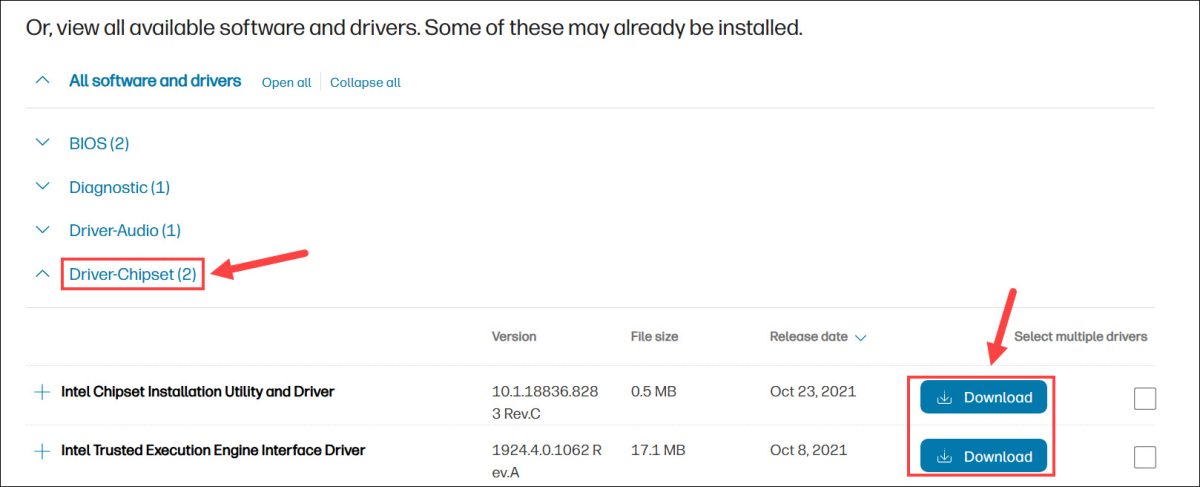
After installation, open Device Manager and expand Other devices or System devices. Check whether the yellow warning icon next to SM Bus Controller has disappeared.
You can also follow our guides to download the Intel chipset driver or AMD chipset driver step by step.
Method 2 – Automatically update the SM Bus Controller driver
If you don’t have the time or technical knowledge to identify your motherboard, find the latest compatible chipset package, and install it manually, you can let Driver Easy do the work.
Driver Easy can automatically identify your hardware and Windows system, find compatible drivers, and help you download and install them. You don’t have to search through multiple manufacturer support pages or figure out which driver package matches your hardware. You can also update multiple drivers at once, making it easier to keep your system up to date.
1. Download and install Driver Easy.
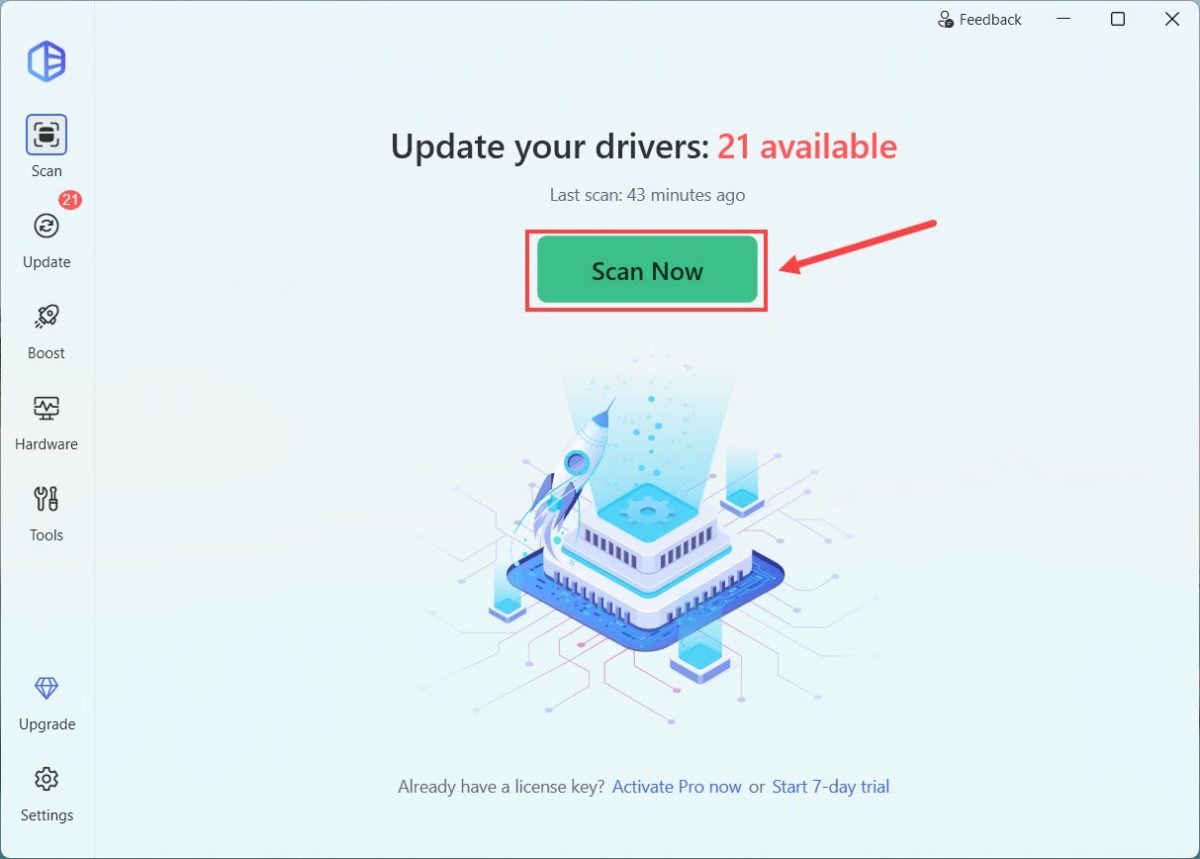
2. Run Driver Easy and click Scan Now. Driver Easy will then scan your computer and detect any problematic drivers.
3. Find the device or chipset-related driver associated with the SM Bus Controller and click the Activate & Update button to update its driver. You can also click Update All to update all detected outdated or missing drivers.
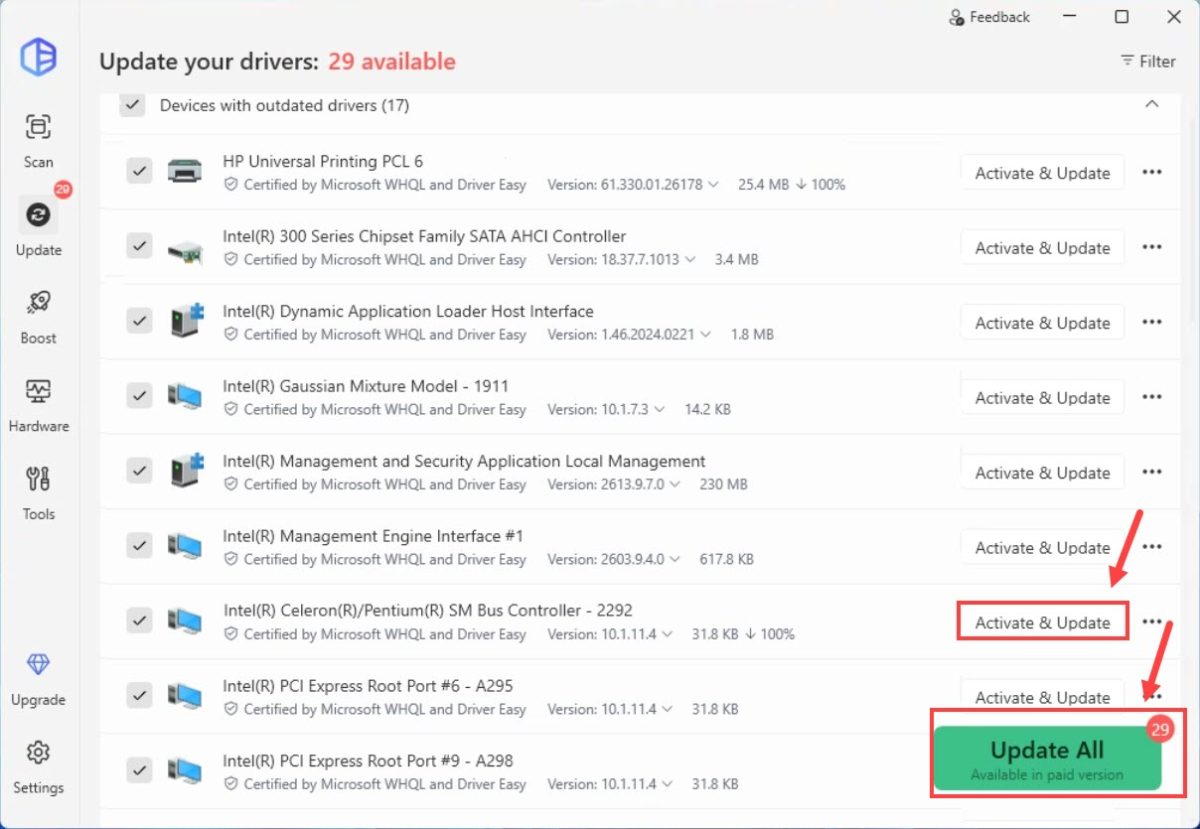
Driver Easy Pro lets you update multiple drivers automatically and gives you advanced tools for driver backup and rollback, plus full technical support. Want to give it a try first? You can sign up for a 7-day free trial to unlock all Pro features!
After the installation is complete, restart your computer and open Device Manager again. If the SM Bus Controller no longer has a yellow warning icon, the driver installation was successful.
We hope this guide helped you fix your SM Bus Controller driver issue. If you have any questions, feel free to leave a comment below.

