






If you’re looking to download the latest AMD chipset drivers, you’ve come to the right place. AMD chipset drivers are essential software that allow Windows to communicate properly with your motherboard’s chipset components. In this guide, we’ll show you three easy ways to download and install AMD chipset drivers on your Windows PC.
In this guide:
- What are AMD chipset drivers?
- Method 1 – Download the chipset drivers from the AMD website
- Method 2 – Download the chipset drivers from your motherboard manufacturer
- Method 3 – Update AMD chipset drivers automatically
What are AMD chipset drivers?
AMD chipset drivers are a collection of software components that help Windows communicate properly with your motherboard and other essential hardware. It helps manage important functions such as USB connectivity, storage communication, PCIe devices, and power management. Without the correct chipset driver, some hardware may not work properly, and Windows may use generic drivers that don’t fully support your hardware.
When do you need to update AMD chipset drivers?
If you’re encountering the following situations, updating your AMD chipset drivers may help:
- PCI Device or Unknown Device yellow exclamation marks in Device Manager
- Random USB device disconnections
- System latency, micro-stutters, or sleep mode failures
- Missing AMD Ryzen power plans
Even if your PC seems to be working normally, installing the latest chipset driver can help improve your system compatibility and stability.
First, identify your motherboard chipset
If you have no idea about your motherboard model and don’t know what chipset driver to download specifically, here’s how to do a quick check.
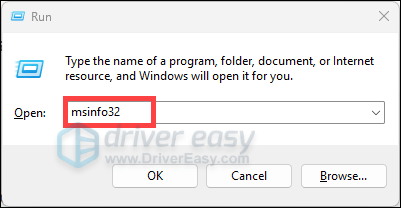
1. Press Windows + R to open the Run command. Type in msinfo32 and press Enter.
2. Note down the System Model and Baseboard Manufacturer.
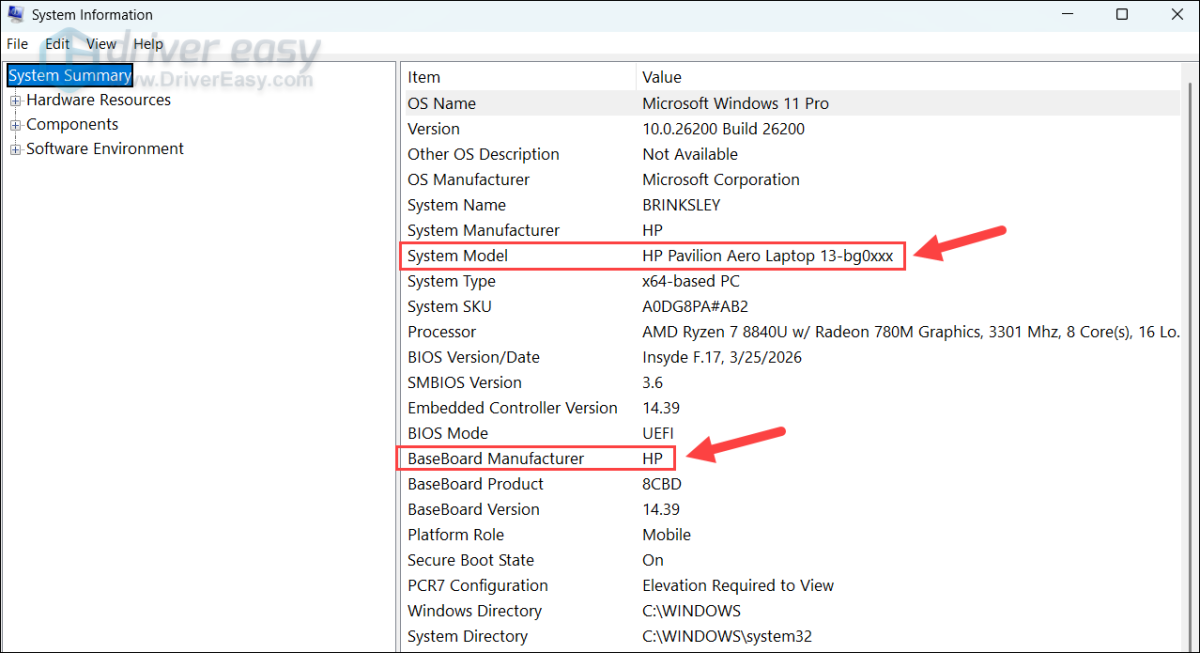
3. Search for the model on the baseboard manufacturer’s website for details, and you can identify the exact chipset model.
Method 1 – Download the chipset drivers from the AMD website
This is the most straightforward method. You can download the absolute AMD chipset driver package from the source.
1. Visit AMD’s driver download page.
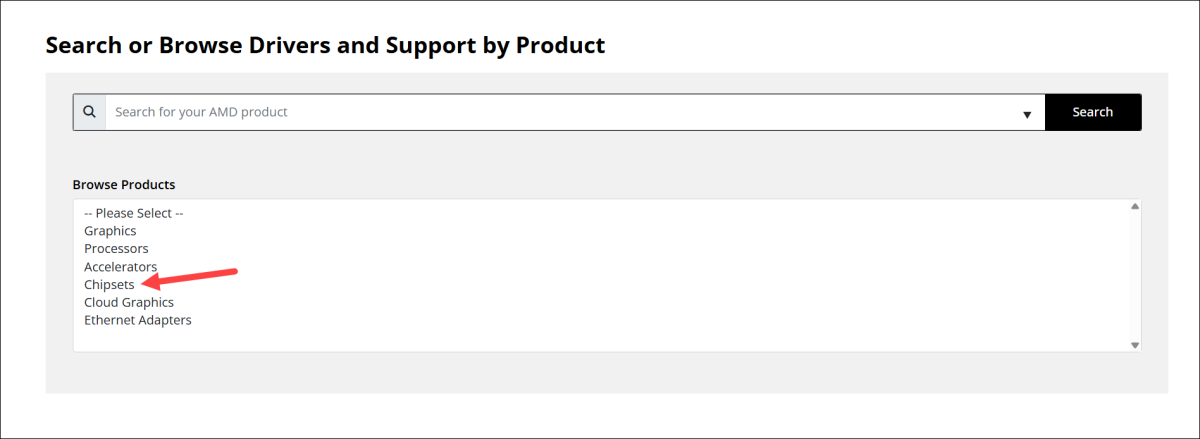
2. Select Chipset and choose the correct model.
3. Select your Windows version and download the latest chipset driver package. If you prefer to download an older version, just click Previous Versions.
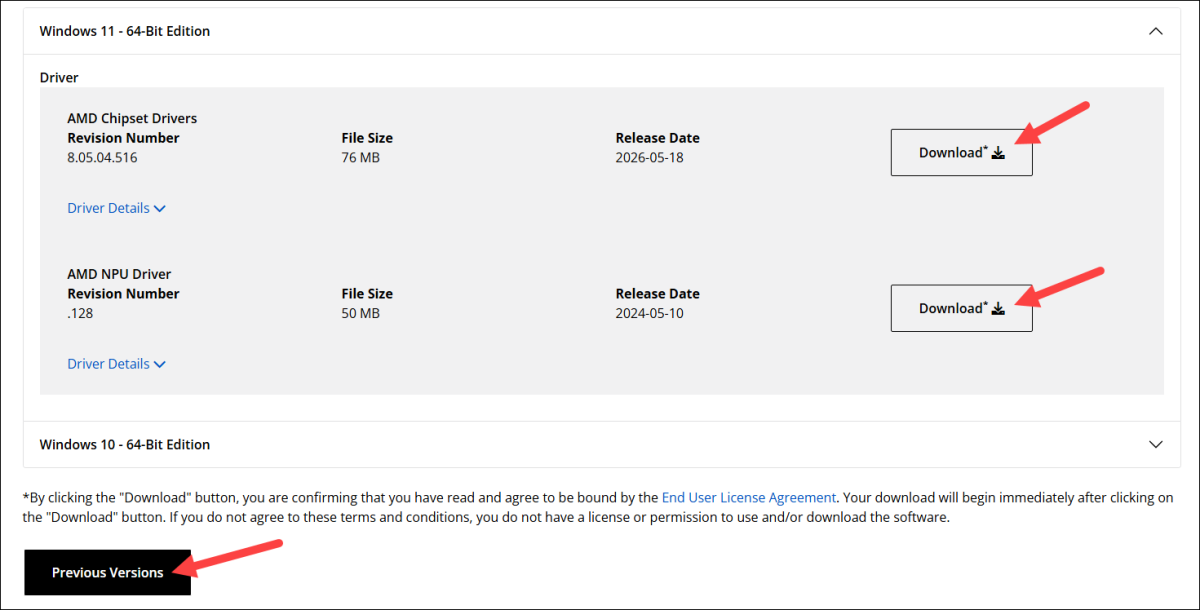
4. Double-click the downloaded file and follow the on-screen instructions to install the driver.
Restart your PC, and your AMD chipset driver should be installed properly.
Alternatively, you can use the AMD Auto-Detect and Install tool, which can detect your system and install the latest, compatible AMD chipset driver on your PC.
Method 2 – Download the chipset drivers from your motherboard manufacturer
You can also get the chipset driver package from your motherboard manufacturer’s website. In most cases, the manufacturer-provided package is based on AMD’s official chipset driver but may include additional validation for that specific motherboard model.
1. Go to your manufacturer’s driver download website.
2. Search for your computer model, find the latest chipset driver corresponding to your Windows version, and download it manually.
3. Once done, double-click the file and follow the on-screen instructions to install the chipset driver.
Method 3 – Update AMD chipset drivers automatically
If you’d prefer a simple and time-saving approach, we recommend using Driver Easy.
Driver Easy automatically detects your system and finds the correct drivers for it. You don’t need to search for each device driver to be updated and install them one by one. You don’t need to know exactly what system your computer is running, and you don’t need to worry about making a mistake when installing. In just 2 clicks, Driver Easy handles it all.
1. Download and install Driver Easy.
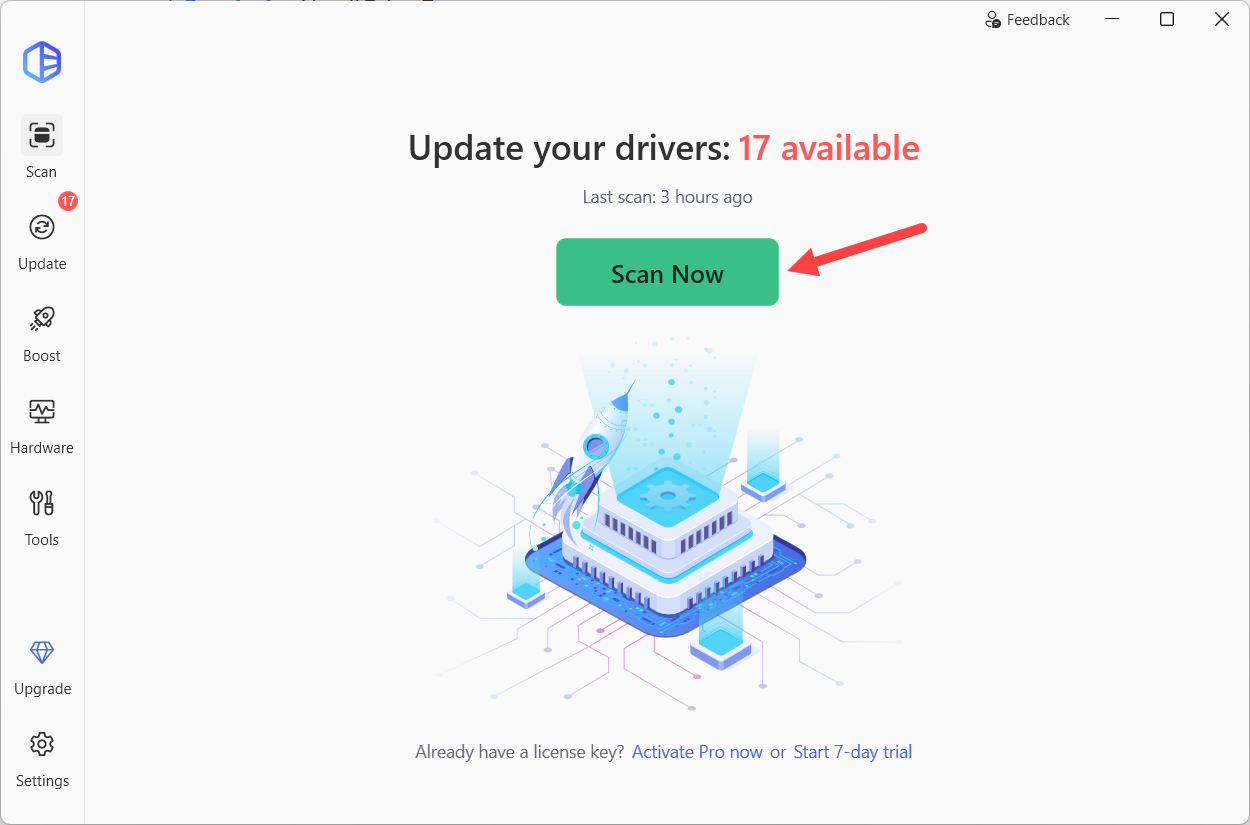
2. Click the Scan Now button. Driver Easy will then scan your computer and detect any problem drivers.
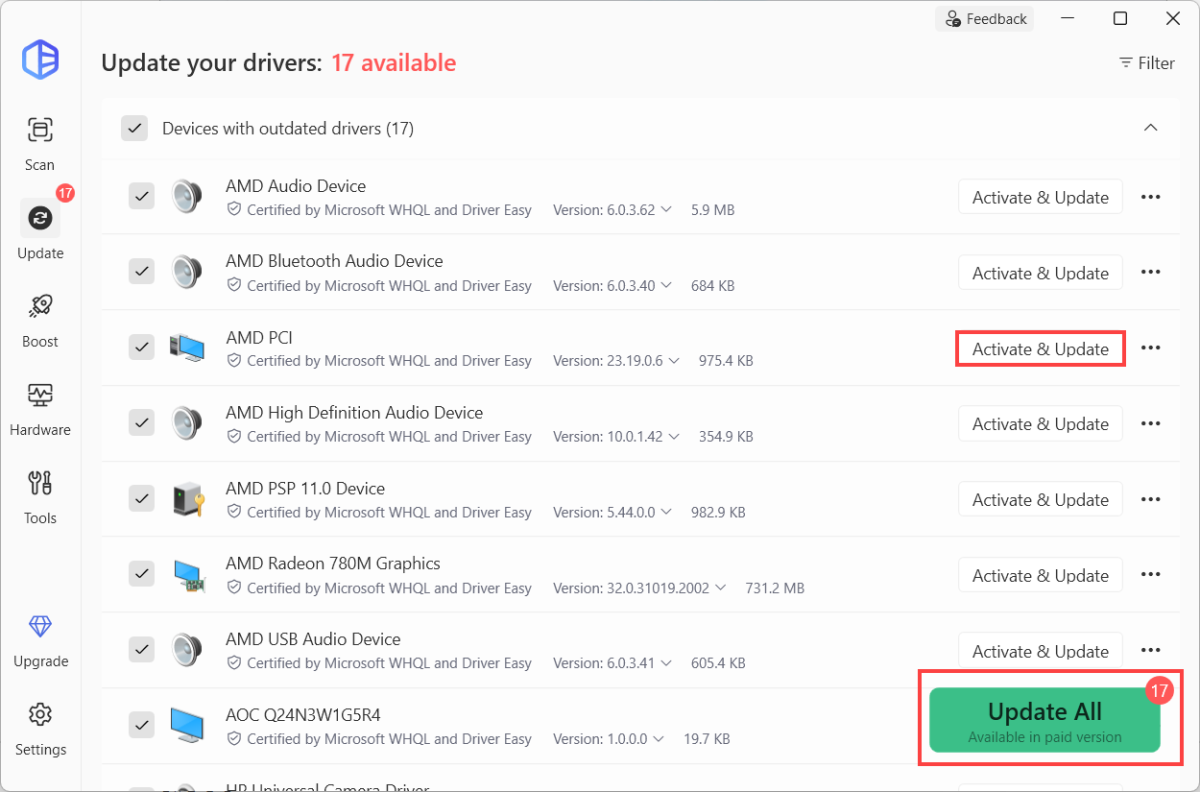
3. Click the Activate & Update button next to a specific driver to automatically download and install the correct version of this driver or click Update All to automatically download and install the correct version of all the drivers that are missing or out of date on your system.
Driver Easy Pro version offers hassle-free driver updates and full technical support, allowing you to fix driver-related issues and keep your PC running smoothly without going through complicated manual steps. If you’re not ready to upragde, you can explore all the Pro features with the 7-day free trial.
FAQs
- Does updating the AMD chipset drivers improve gaming performance?
Not directly in most cases. However, updated chipset drivers can enhance the communication between Windows and your hardware, which can help eliminate performance issues caused by driver conflicts and improve your system stability. - Is it safe to update the AMD chipset drivers?
Yes. It’s usually safe and recommended to update your AMD chipset driver, whether you’re using a trusted driver updater like Driver Easy or doing that manually. If you experience unexpected issues after the update, such as hardware not being detected correctly or system instability, you can try reinstall or roll back the AMD driver.
For peace of mind, consider creating a System Restore Point before updating drivers so you can easily revert your system if needed. - How often should I update the AMD chipset drivers?
Unlike graphics drivers, chipset drivers don’t require frequent updates. Updating them every few months, or whenever AMD releases major improvements or fixes, is usually sufficient.
You can keep your AMD chipset driver up-to-date in either of the ways above. This helps ensure proper communication between Windows and your motherboard hardware. It can also resolve common issues such as PCI device errors, USB disconnects, and system instability.
