An error occurred during activation
Error details: Invalid activation request.
If you receive the above error message when trying to activate Driver Easy, please follow the steps below to resolve this problem.
Step 1
If you’re using any antivirus software, please quit or exit it temporarily. Then try to activate the program again.
If the antivirus is not the root cause, please keep it disabled until you finish all the steps in this post.
Step 2
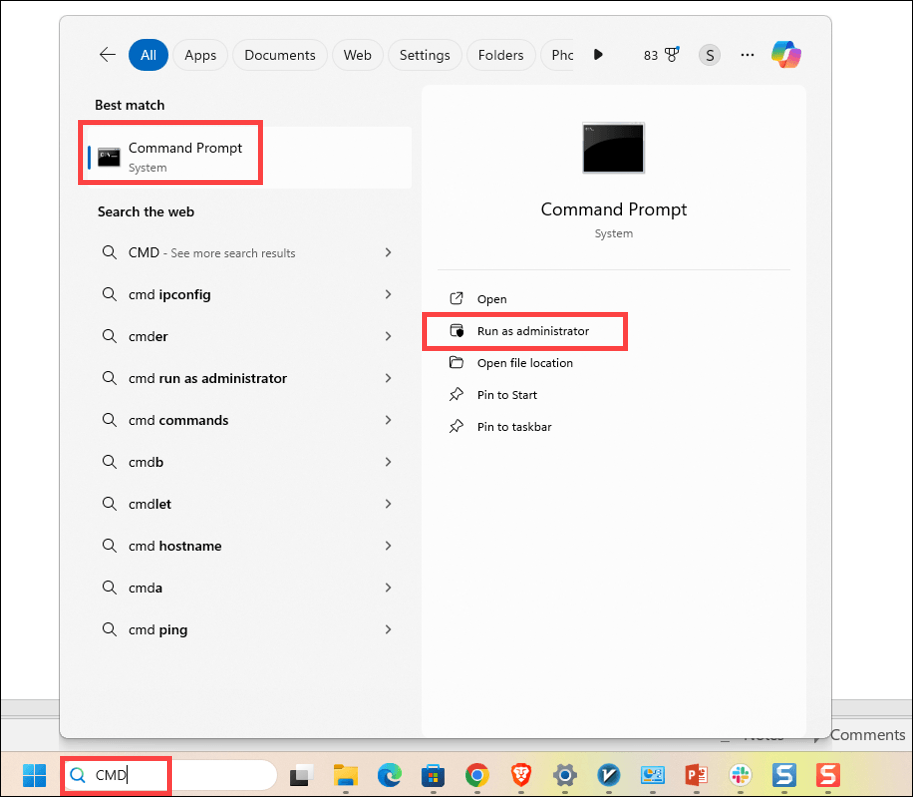
1) Type cmd in the Windows search bar, and click Run as administrator.
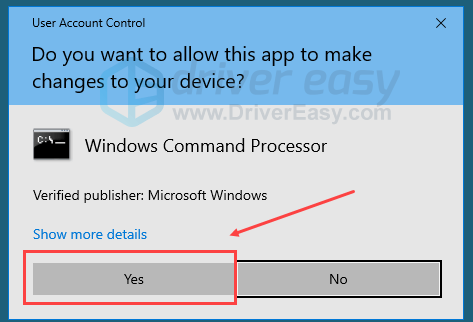
2) Click Yes to grant the permission.
3) In the black Command Prompt window, copy and paste the commands one by one. Hit Enter after each one.
DISM /Online /Cleanup-Image /RestoreHealthwinmgmt /resetrepository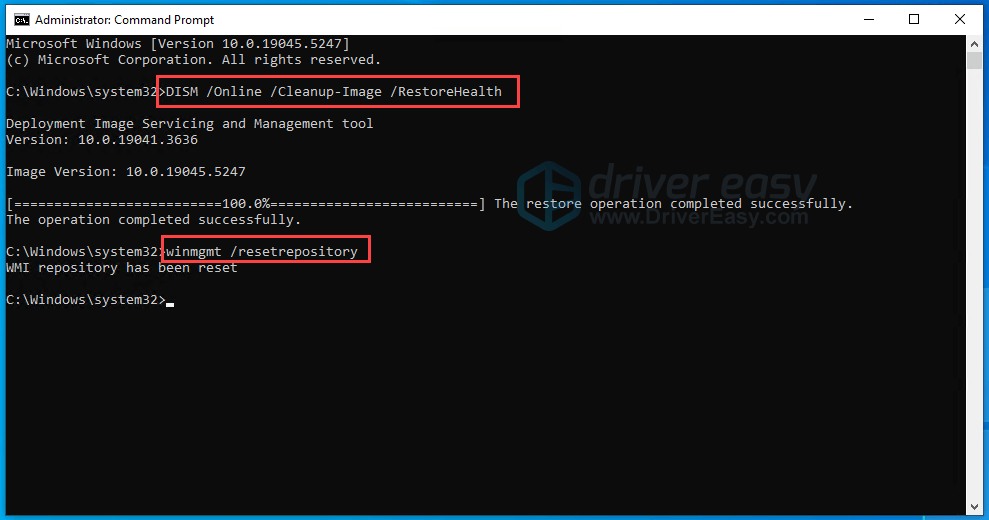
4) Restart your computer.
5) Open Driver Easy and try to reactivate it again.
The problem should be gone now. But if it persists, please try Fix 2.
Fix 3
1) Type cmd in the Windows search bar, and click Run as administrator.
2) Click Yes to grant the permission.
3) In the black Command Prompt window, copy and paste the commands one by one. Hit Enter after each one.
cd C:\Windows\System32\wbem for /f %s in ('dir /b /s *.mof *.mfl') do mofcomp %s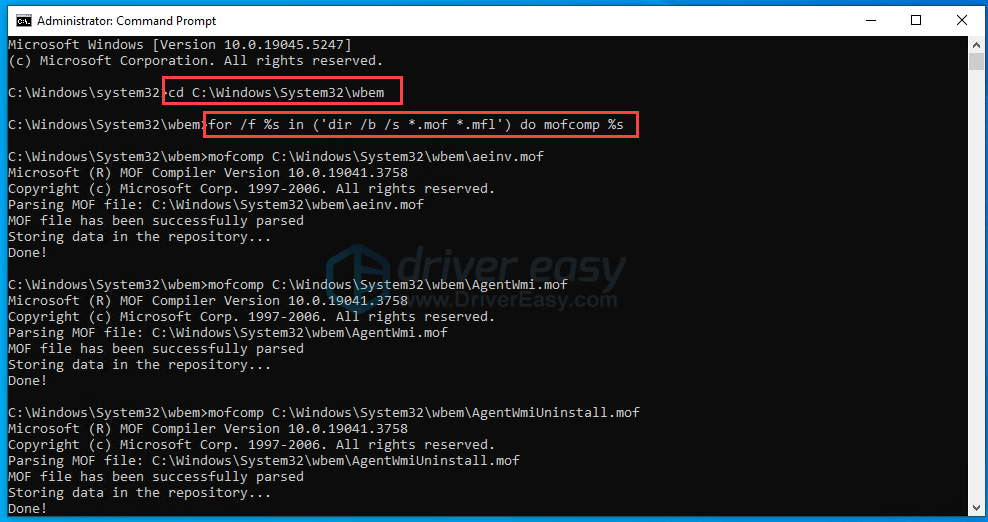
If it runs successfully, the result should look like this:
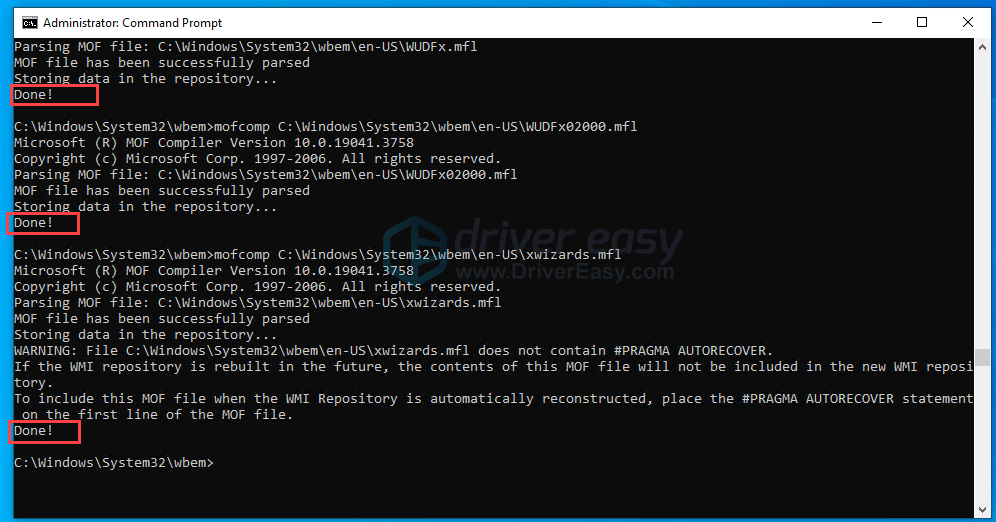
4) Restart your computer.
5) Open Driver Easy and try to reactivate it again.
If problem persists…
If the above fixes don’t fix the problem and the same error message appears when activating, please follow the steps below to send feedback to us. Attach the error message so we can know where we can assist you.
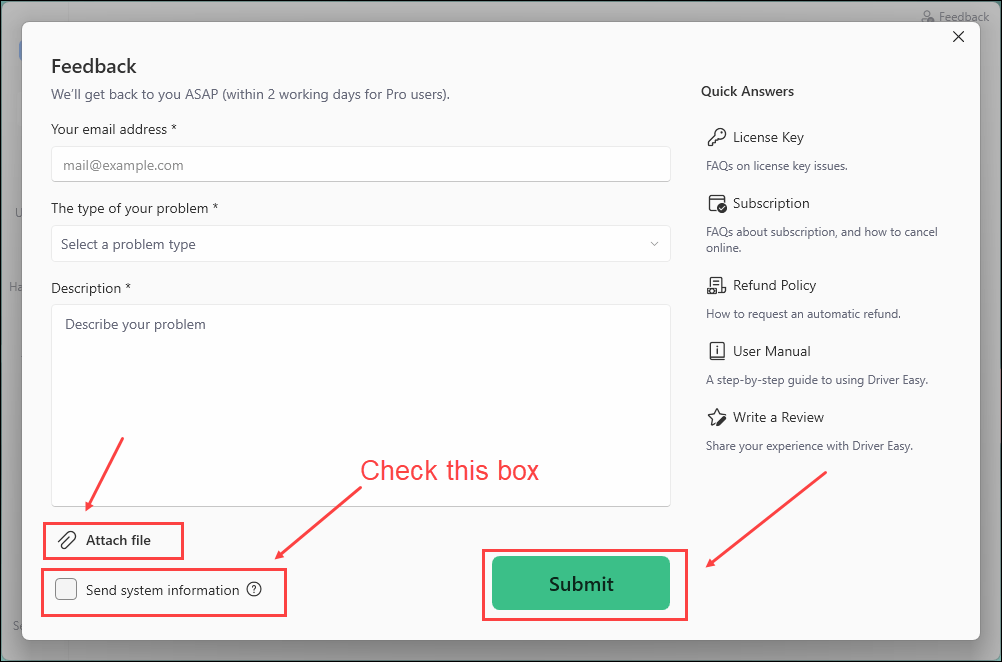
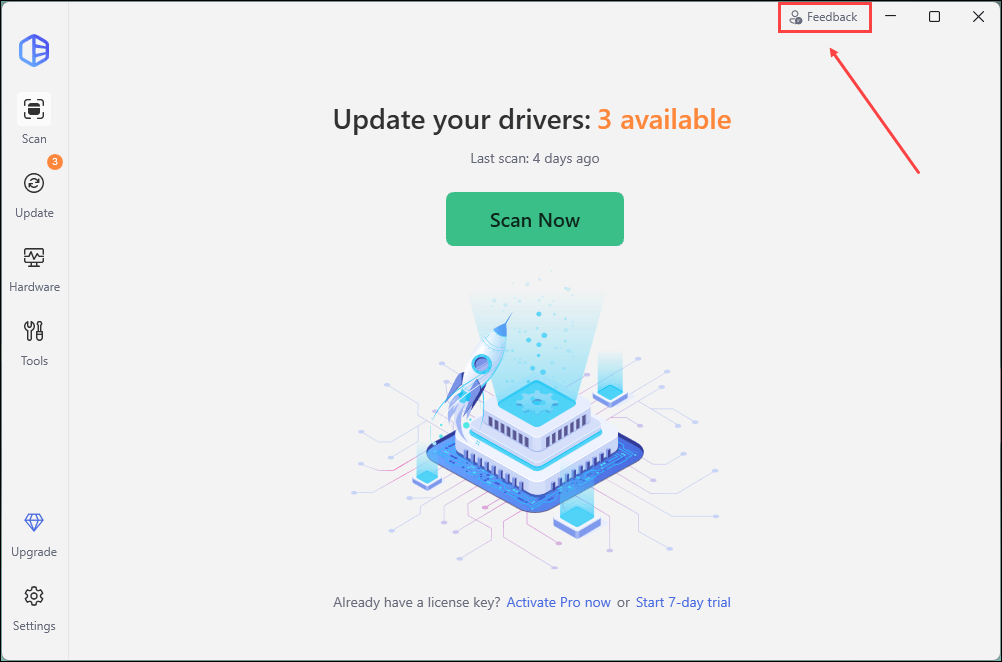
1) Open Driver Easy and click Feedback in the upper-right corner.
2) Fill in the form. Please tell us what problem(s) you’re having with Driver Easy and what you did before and after the problem in detail.
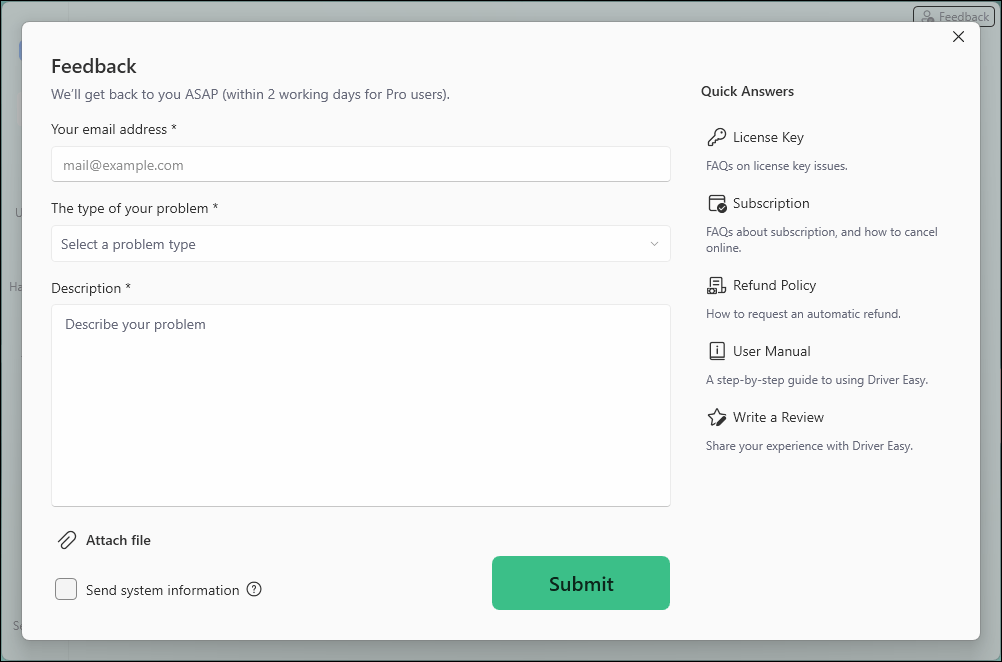
3) If you got any error message or had technical problem, a screenshot of the error and your system information would be greatly appreciated. You can check the box Send system information and click Attach file to upload the screenshot. Click Submit to send your feedback to us.