







Driver Easy 6.1.0 introduces a new feature called All available versions, allowing you to access previous driver versions from our extensive database. Whether the latest driver isn’t compatible with your device or you prefer an older version, this feature enables you to easily install the version you need.
How to Use:
1) Launch Driver Easy and navigate to the Update section in the left panel.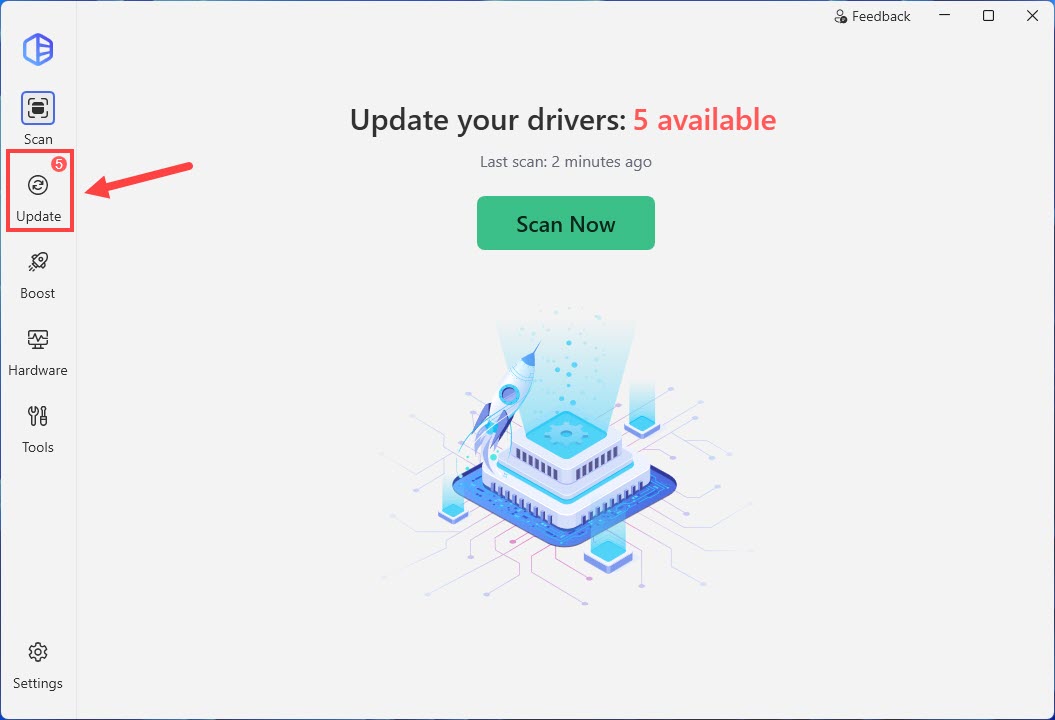
2) Then click the ellipsis icon next to the driver you want to manage, then select All available versions.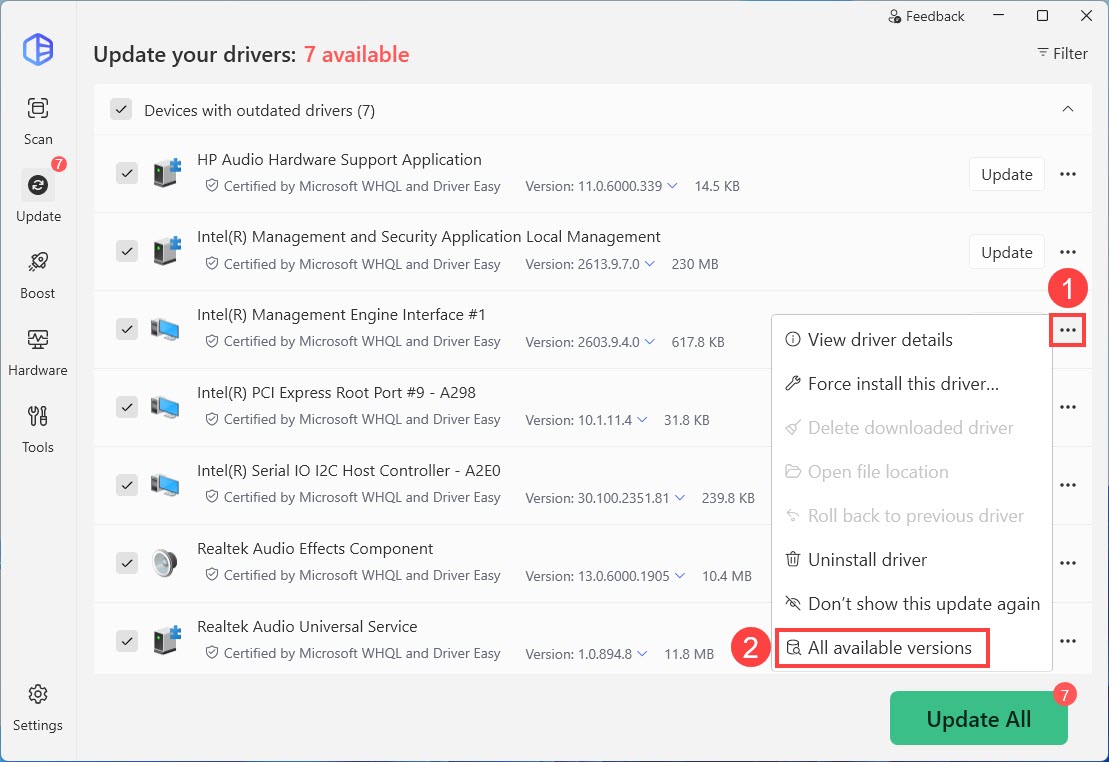
3) You’ll see all available versions of the selected driver in our database. Choose the desired driver version and click the Install button to download the driver.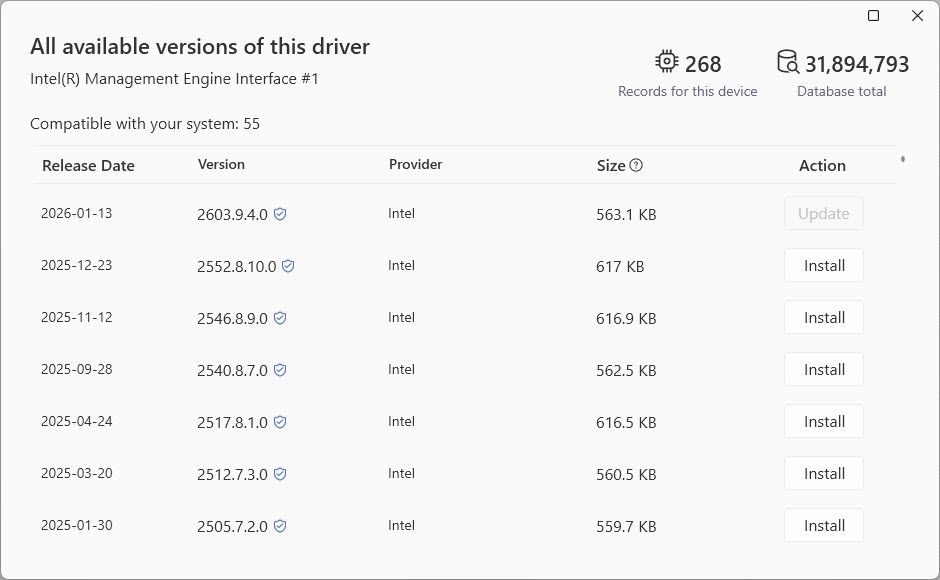
4) Click Start driver updates to confirm.
Note: You can check the box next to Hide the latest update until a newer version is released. The latest version will be moved to your hidden devices until a newer version becomes available. Learn more about accessing hidden devices here.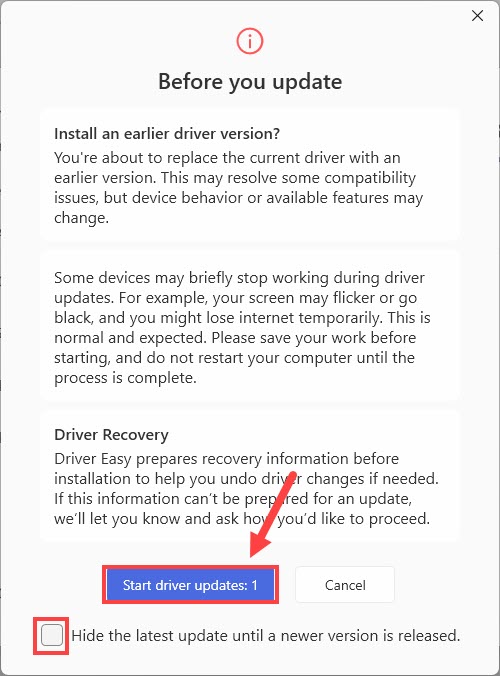
5) Now you’ve successfully installed the old driver version.