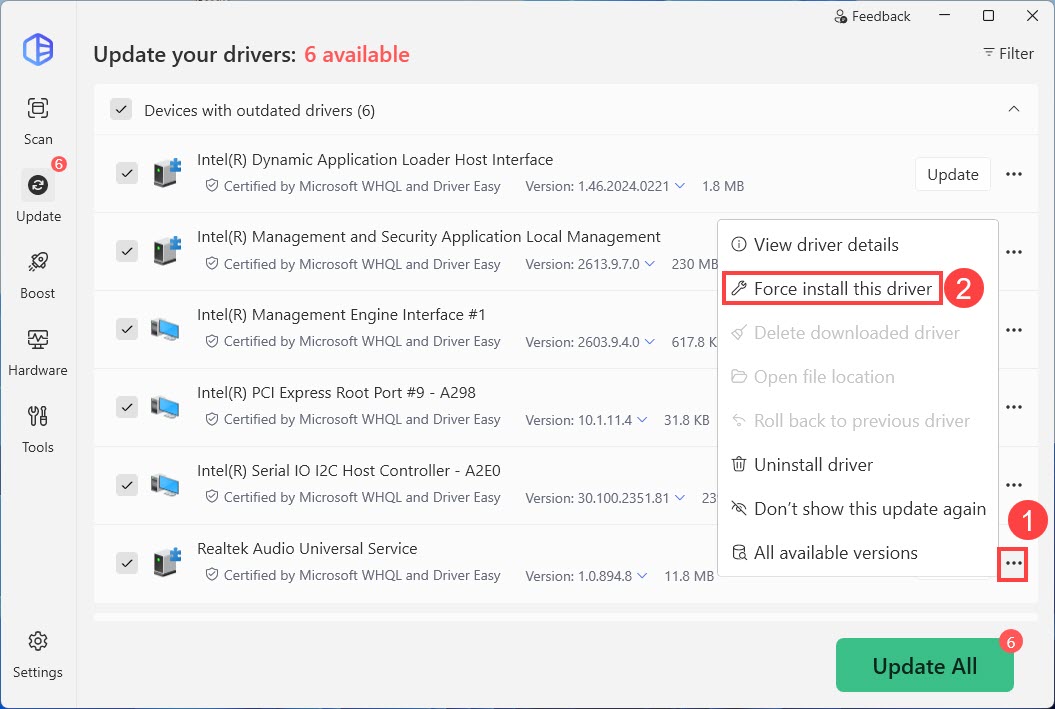
When a driver fails to update through Driver Easy, you can try this feature to forcibly install this driver. Here are the detailed steps:
- On the Update screen, click the three dots next to the driver, then select Force install this driver…
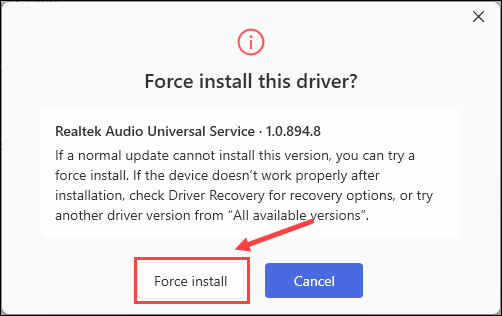
- Choose Force install when a window pops up.
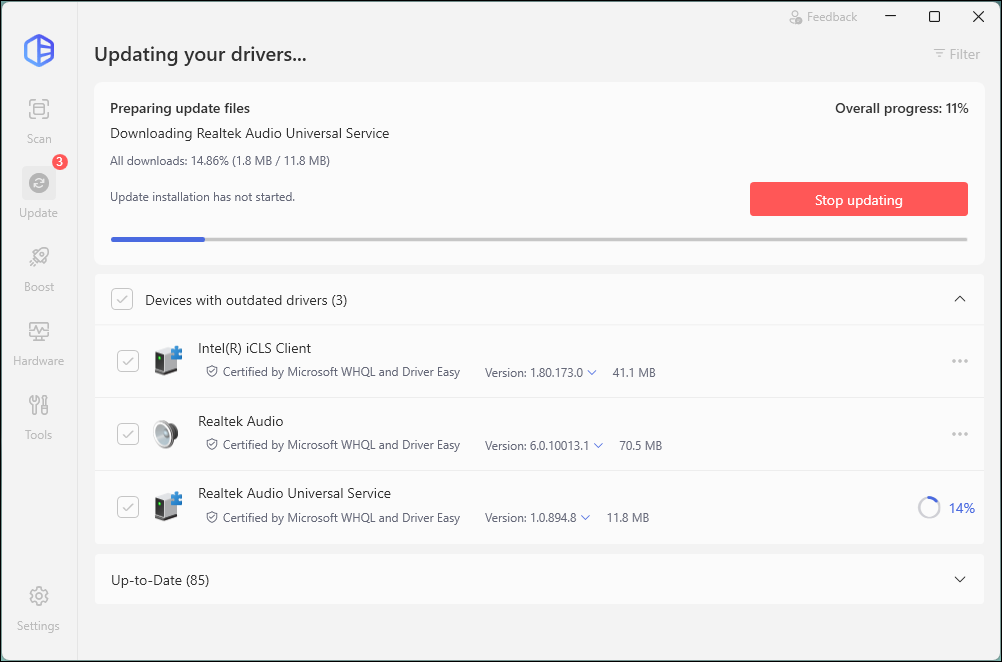
- Driver Easy will start download this driver file. Wait until it finishes.
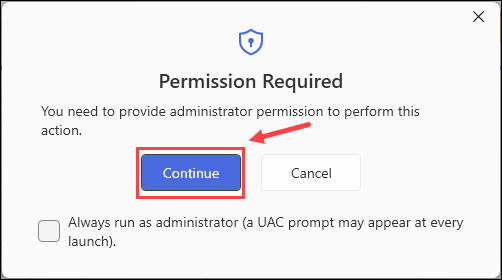
- Click Continue to start installation.
- Restart your computer if necessary.
If there is still a driver update failure after using this feature, please contact our support team to investigate further. Here’s how:
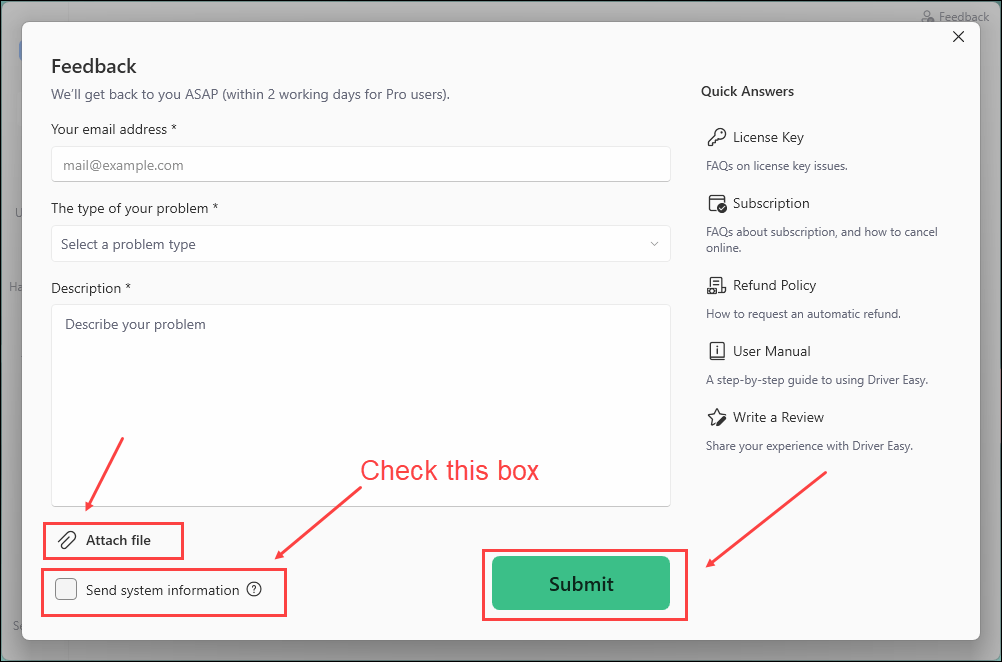
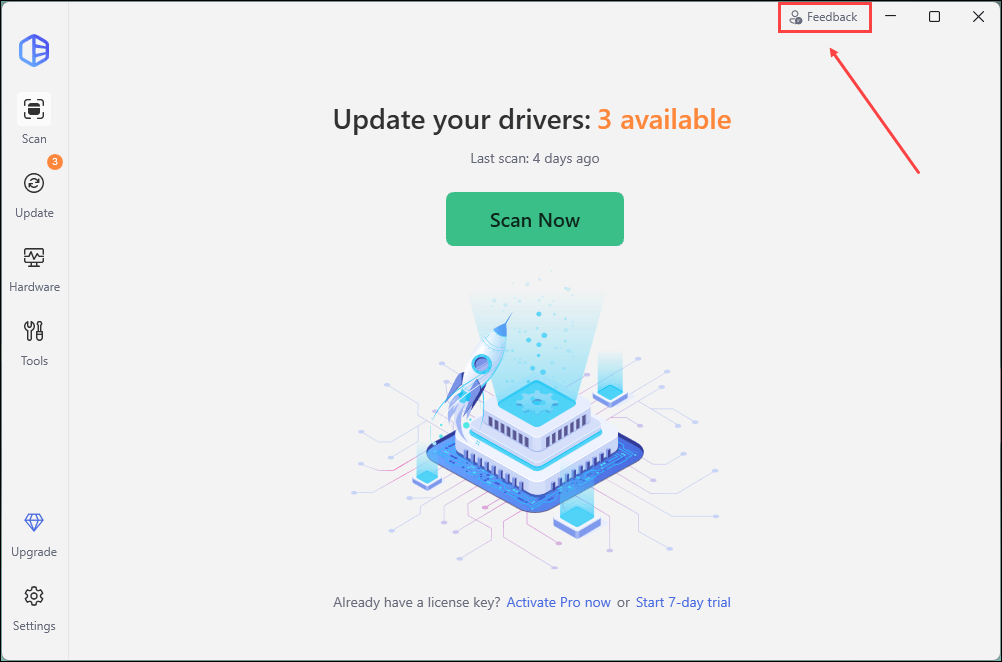
1) Open Driver Easy and click Feedback in the upper-right corner.
2) Fill in the form. Please tell us what problem(s) you’re having with Driver Easy and what you did before and after the problem in detail.
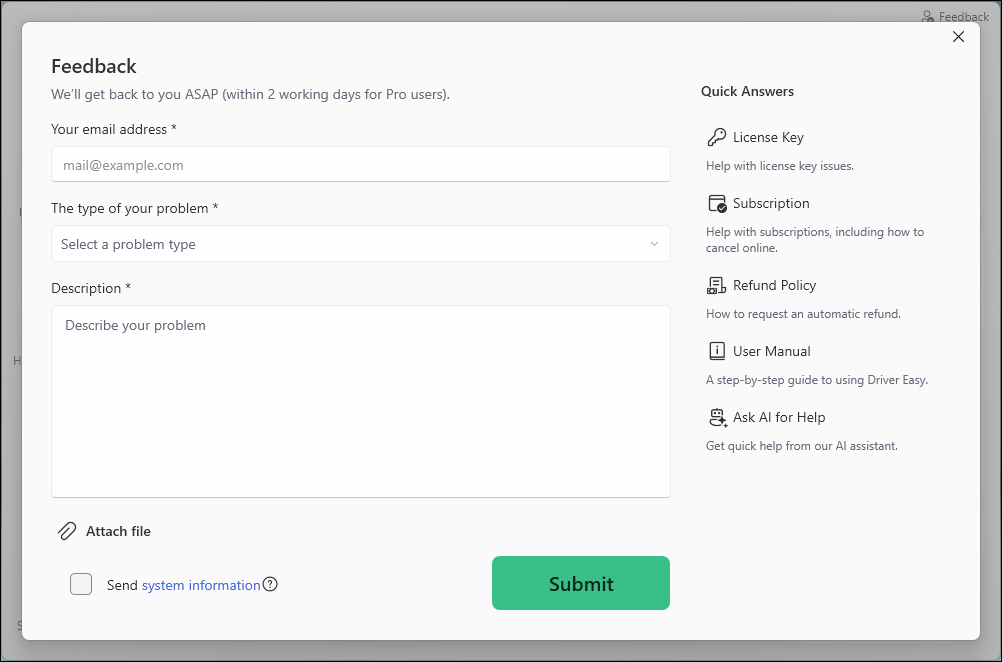
3) If you got any error message or had technical problem, a screenshot of the error and your system information would be greatly appreciated. You can check the box Send system information and click Attach file to upload the screenshot. Click Submit to send your feedback to us.