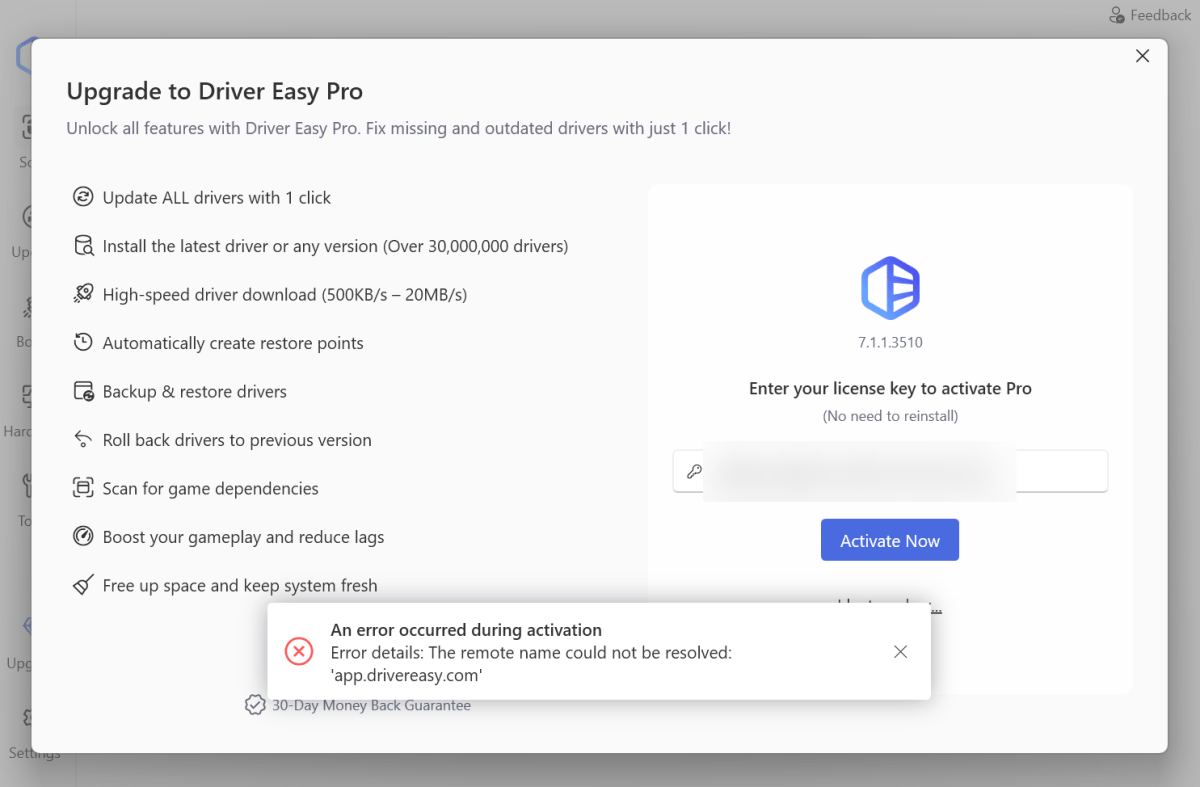
If you see this error message while trying to activate your program, please follow the steps below.
Step 1
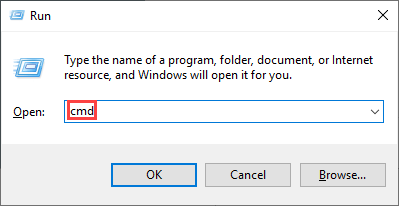
1) On your keyboard, press the Windows logo key and R at the same time to open the Run dialog. Type cmd and press Enter to open Command Prompt.
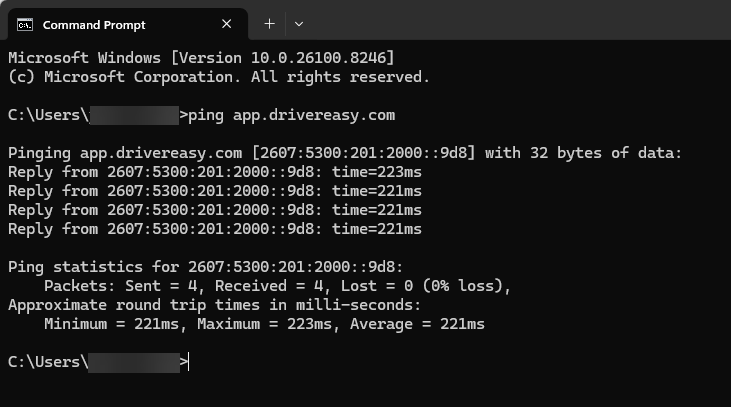
2) On your keyboard, type ping app.drivereasy.com and press Enter.
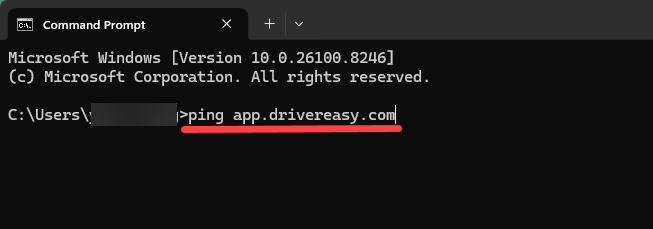
3) If your ping test doesn’t return a valid result like the following image, the problem may lie with your settings. Please move to Step 2.
If your ping result seems good, but the activation problem persists, please contact us with your ping result screenshot.
Step 2
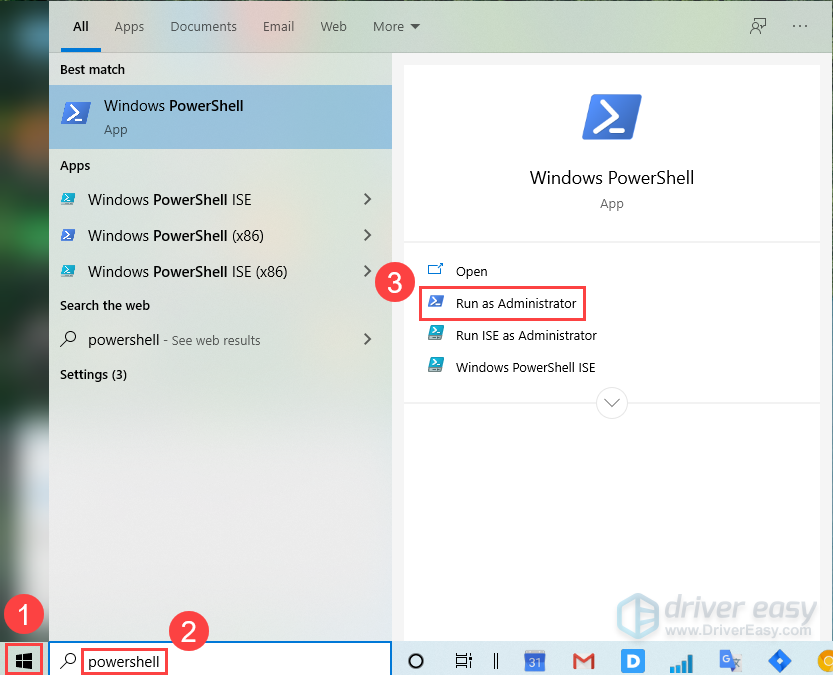
1) Click the Windows Start menu and type powershell in the search box. Then select Run as Administrator.
2) Copy and paste the following commands in Powershell and press Enter to run them line by line:
cd C:\Windows\System32\drivers\etcattrib -R hosts(Get-Content hosts) | ForEach-Object { $_ -replace "app.drivereasy", "#app.drivereasy#" } | Set-Content hosts3) It would not return messages if the commands run successfully, as shown in the following screenshot.
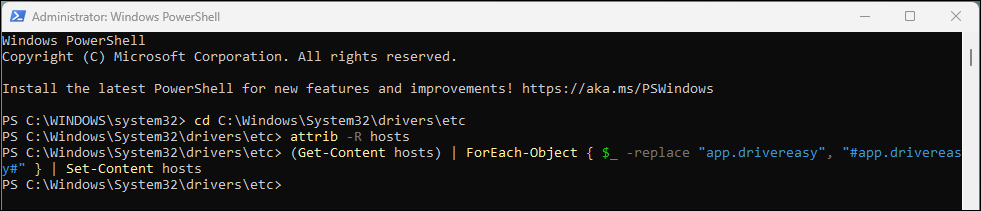
If the commands run successfully, please open Driver Easy and try activating it again.
Step 3
If the problem persists, try the following:
1) Open the Search box and type cmd.
2) Locate the Command Prompt, right-click it and click Run as administrator. Click Yes on the pop-up confirmation window.
3) On the pop-up panel, copy and paste the two commands below, then press Enter after each one.
attrib -R C:\Windows\System32\drivers\etc\hosts

echo 142.44.218.29 app.drivereasy.com >>C:\Windows\System32\drivers\etc\hosts
Then, please open Driver Easy and try another activation and see if the problem remains.
If the problem isn’t fixed, please follow the steps below to send the screenshot to us via the Driver Easy feedback tool.
Here’s how:
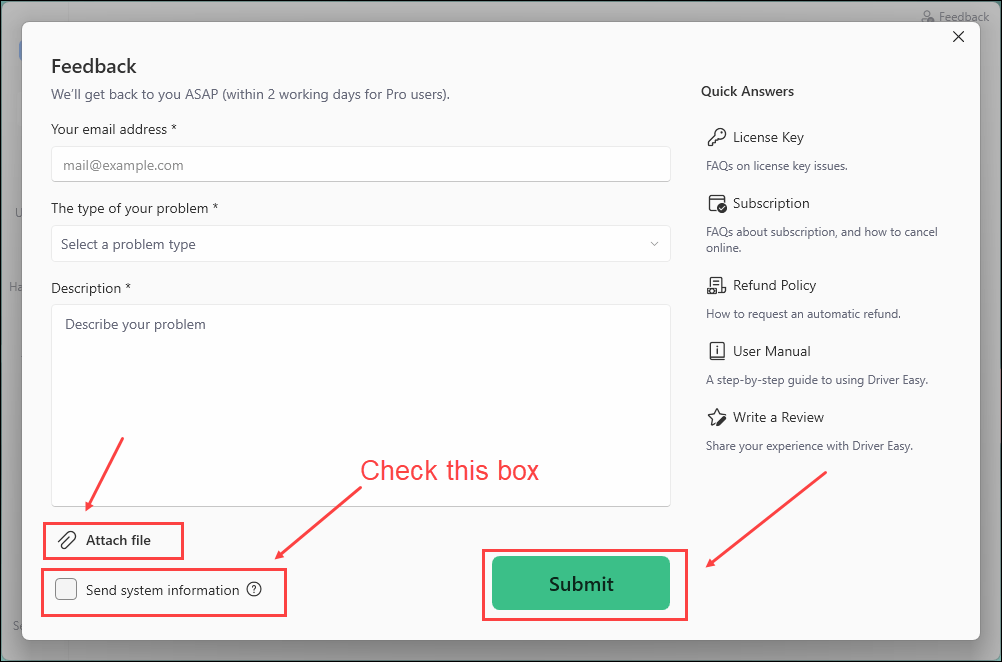
1) Open Driver Easy and click Feedback in the upper-right corner.
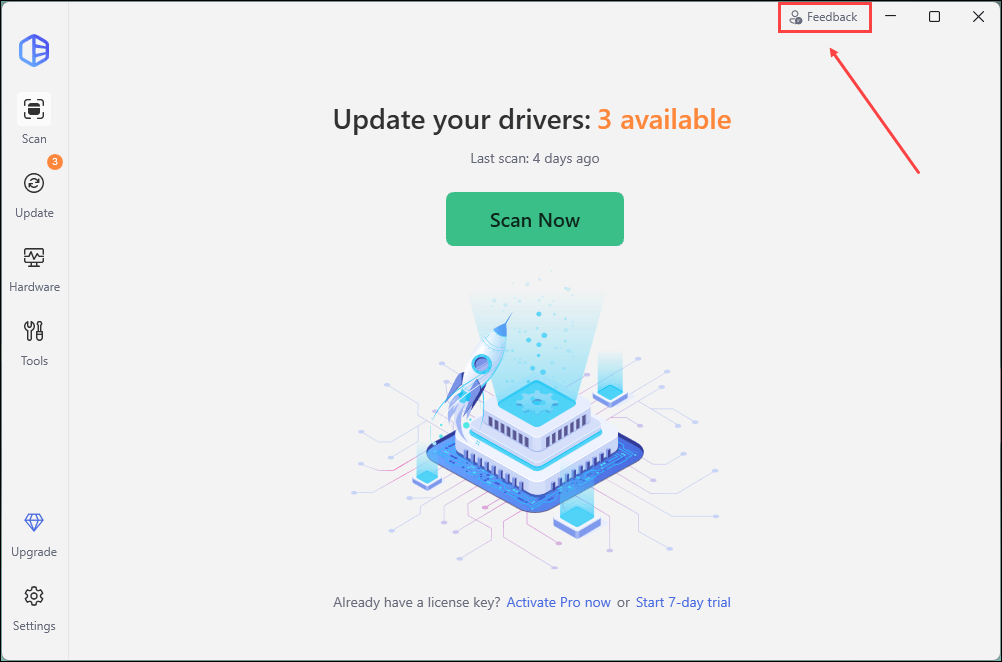
2) Fill in the form. Please tell us what problem(s) you’re having with Driver Easy and what you did before and after the problem in detail.
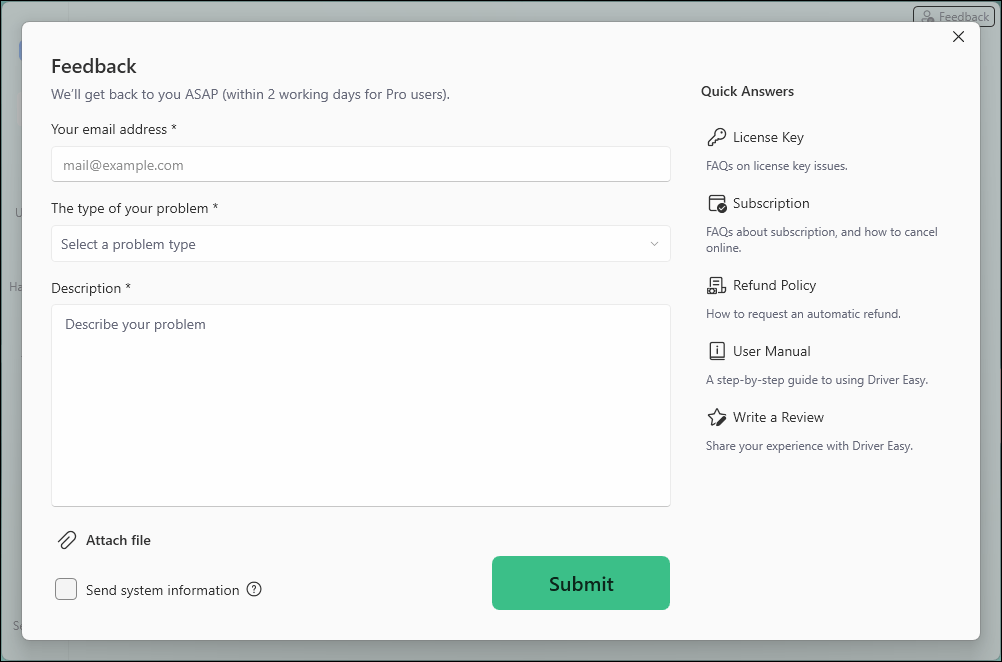
3) If you got any error message or had technical problem, a screenshot of the error and your system information would be greatly appreciated. You can check the box Send system information and click Attach file to upload the screenshot. Click Submit to send your feedback to us.