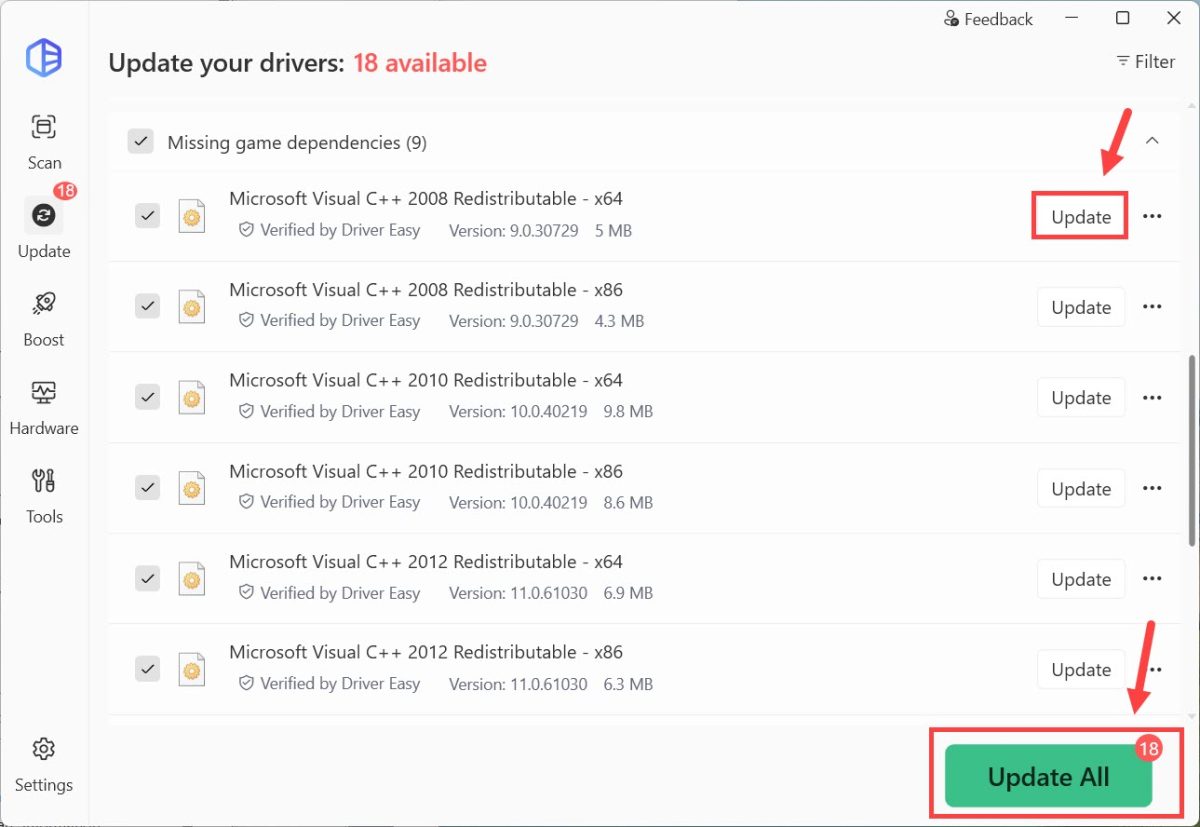
Besides just drivers, Driver Easy can scan for essential missing libraries like Visual C++ packages and runtime components, helping you prevent errors and run PC games smoothly.
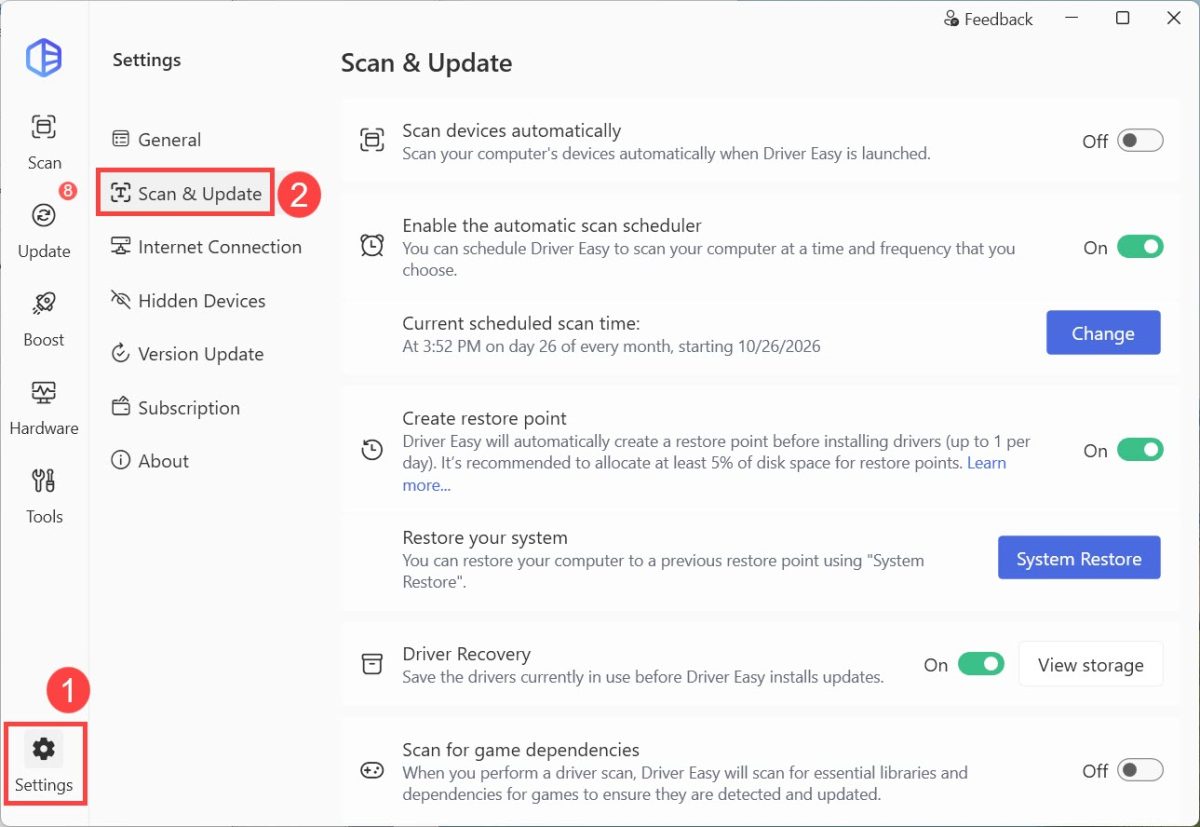
1) Launch Driver Easy, navigate to Settings, and select the Scan & Update tab.
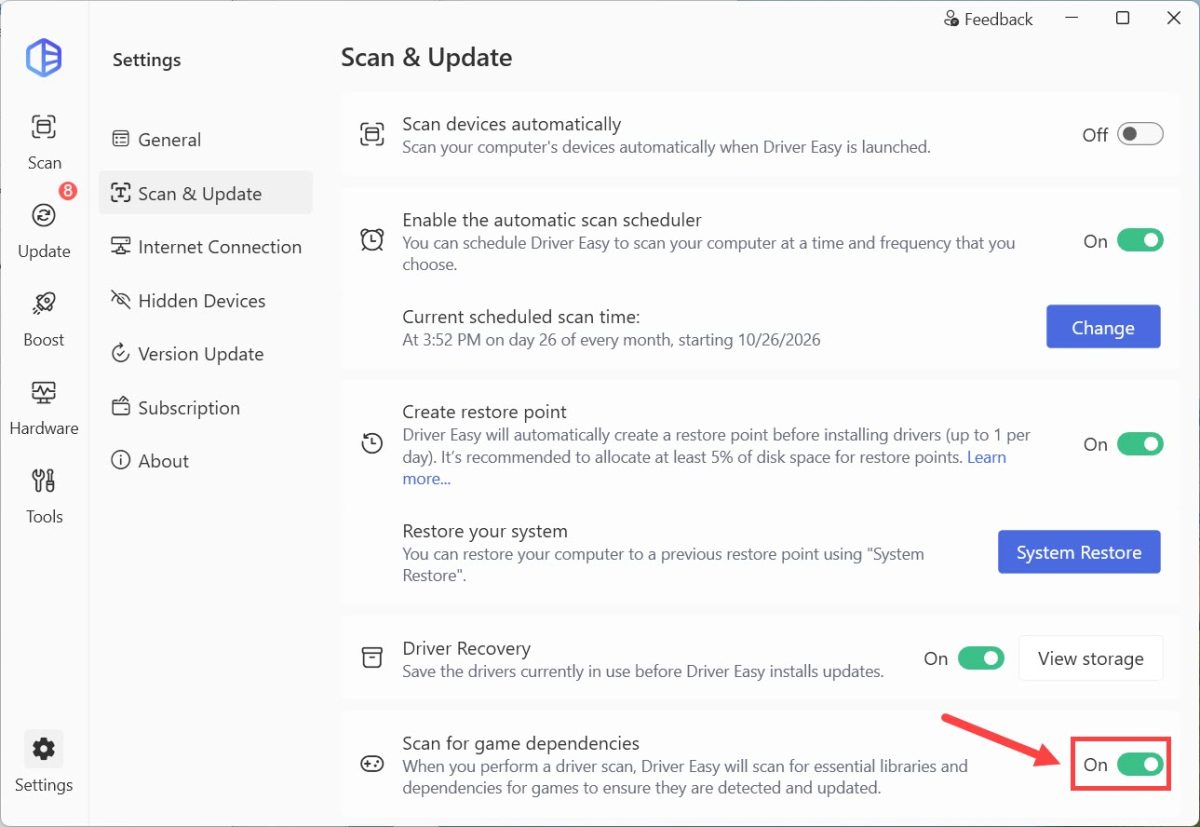
2) Toggle on Scan for game dependencies.
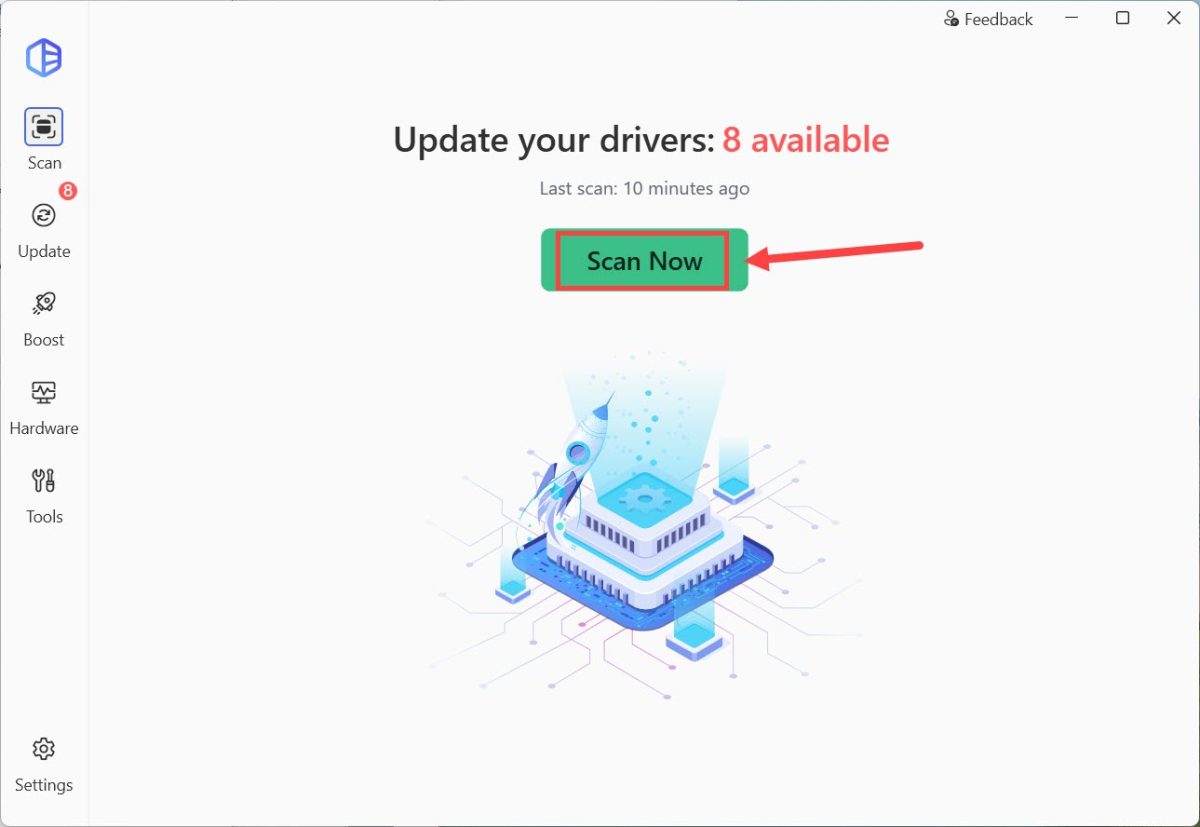
3) Go to the Scan screen and click Scan Now.
The result will show you both outdated drivers and missing game dependencies. You can click the Update button to update them one by one, or just click Update All to update them all at once.