






We keep updating Driver Easy with security patches and performance improvements. Driver Easy will prompt you when a new version is available.
1) You can also go to Settings > Version Update. Here you can check your current version info and whether there’s a new version.
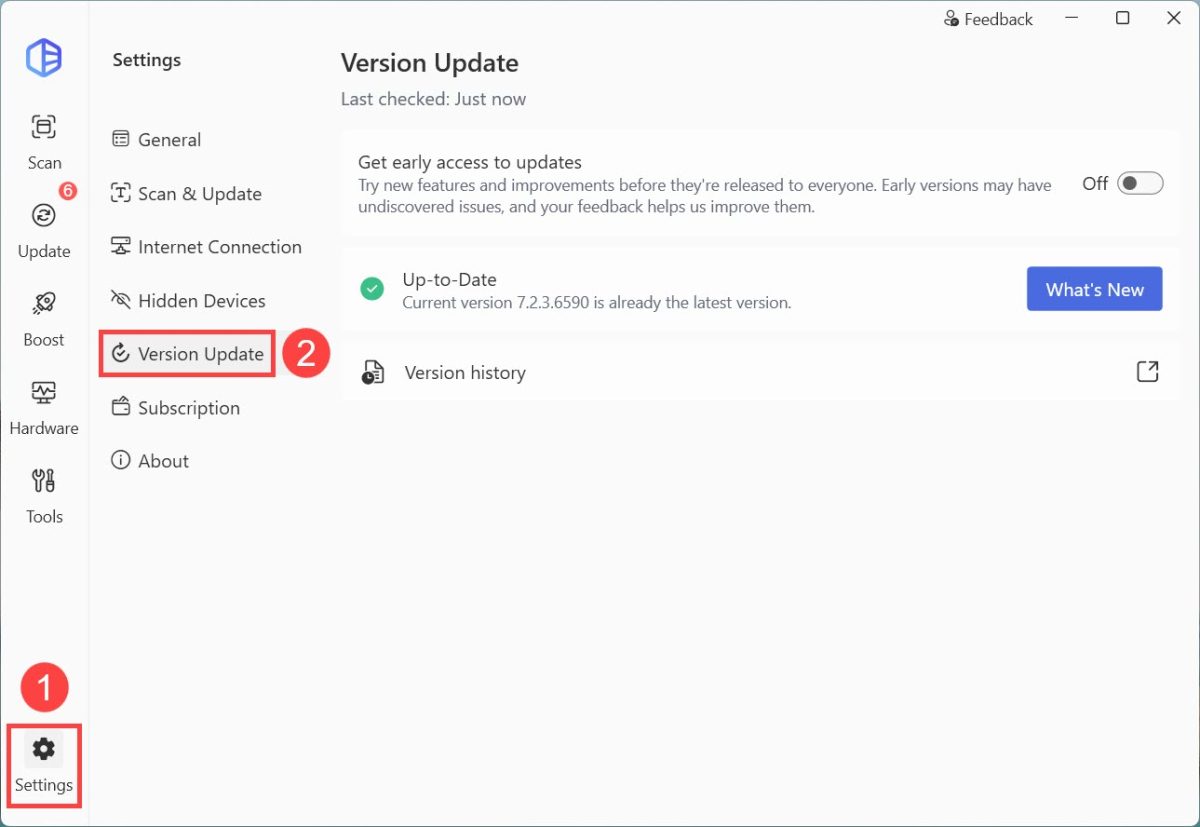
2) If you want to try new features or improvements from Driver Easy, you can turn on Get early access to updates. You’ll be able to try the early access version before the official public release.
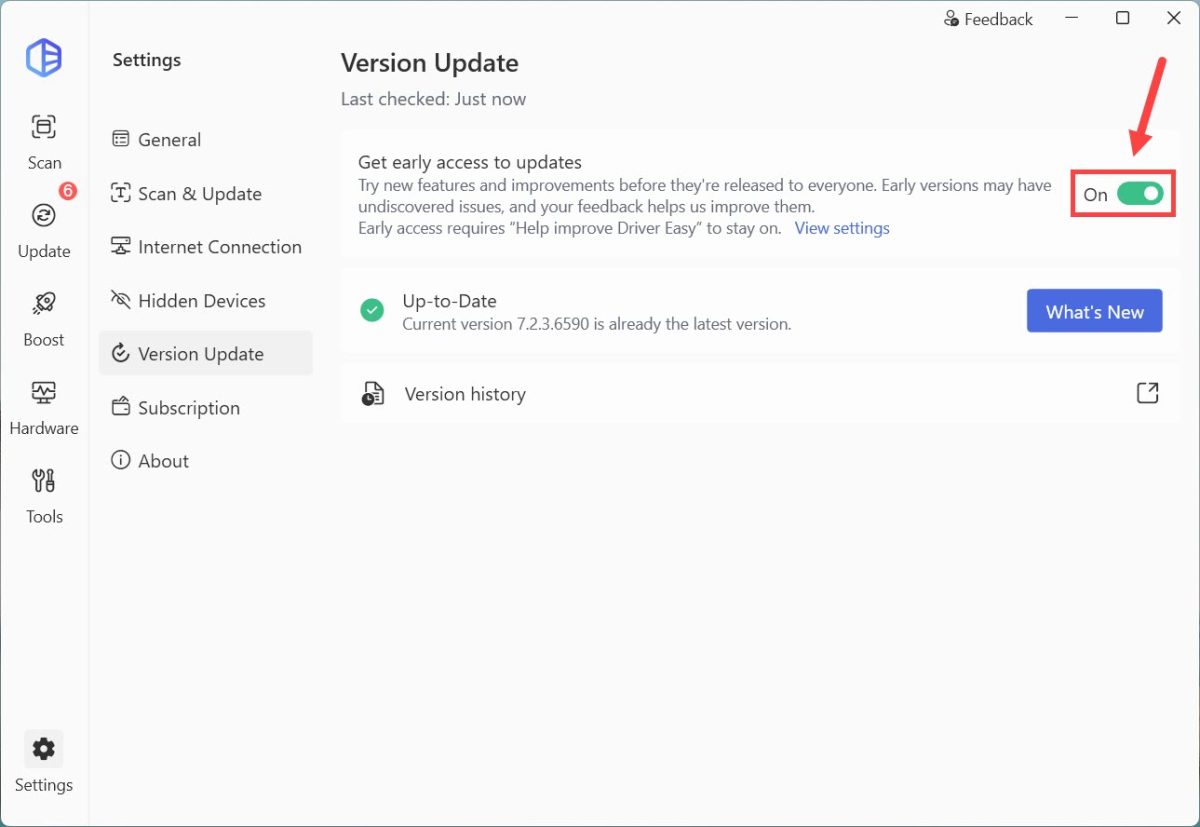
3) Click Enable early access to confirm.
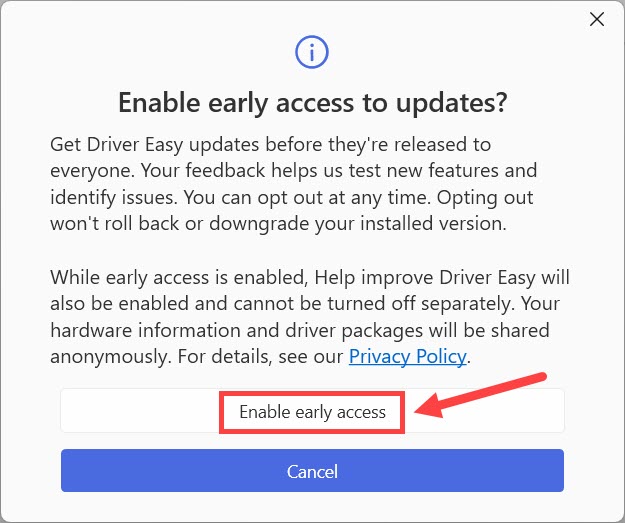
With early access enabled, the Help improve Driver Easy setting will also be turned on and cannot be turned off separately. Your driver packages and hardware info will be sent anonymously to help us deliver more accurate driver updates. It’s confidential and won’t include your personal data.