If you need to reinstall Driver Easy on the same computer after restoring, reinstalling, or upgrading Windows, please follow the steps below. Don’t worry, Driver Easy will treat it as the same computer (i.e. it won’t add to the total number of computers used by your license).
- Download the setup files: https://www.drivereasy.com/DriverEasy_Setup.exe.
- Open the file to install Driver Easy.
- Activate Driver Easy with your existing license key. Here’s how to activate it: https://www.drivereasy.com/help55/activation-guide/.
Forget your license key? You can go to our Resend License Key page and follow the instructions to have your key resent to your email.
If you want to make sure you have deleted all related files before reinstallation, please do the following before reinstalling:
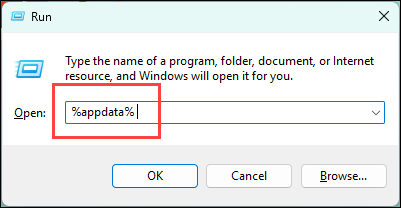
- Press the Windows key and R at the same time. Copy and paste %appdata% and hit Enter.
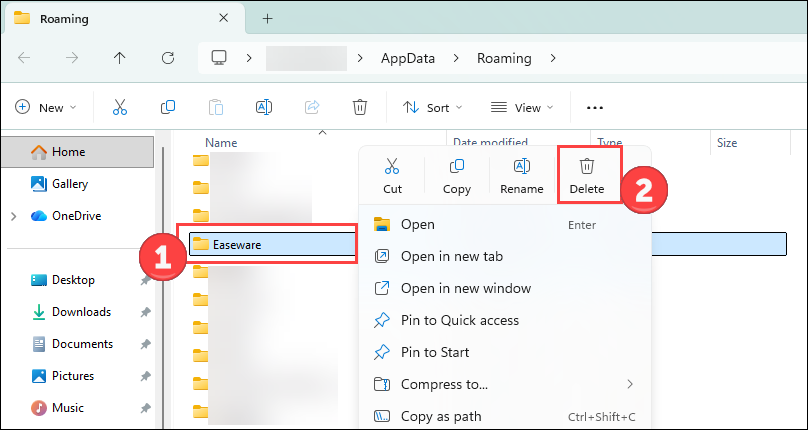
- Right-click the Easeware folder and click Delete.