






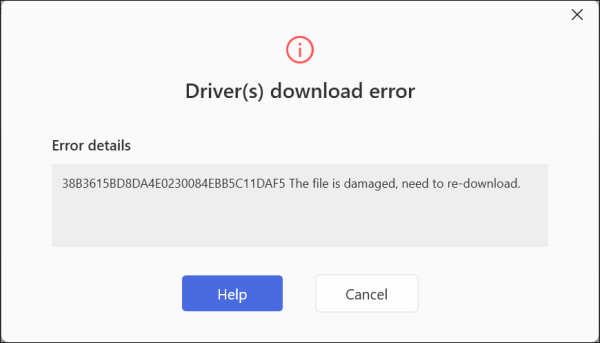
If you run into this error while downloading the driver, please try the fixes below.
Fix 1
- Open Driver Easy.
- Click the three dots next to the problem device, select Delete downloaded driver.
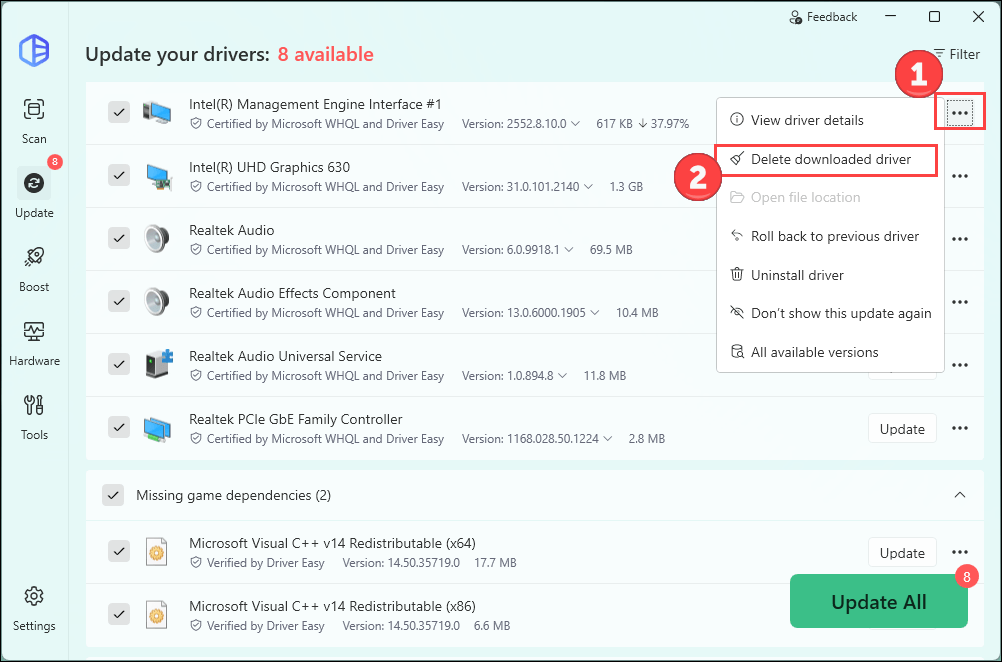
- Run a new scan and try to update this device again. The problem should be gone.
If the above fix doesn’t help, please try the next one.
Fix 2
- Press the Windows key and R at the same time. Copy and paste the following command into the pop-up dialog box and click OK:
%USERPROFILE%\AppData\Roaming\Easeware\DriverEasy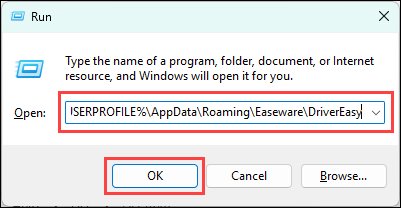
- If you see two folders called drivers and all_version_drivers, delete them all. (Please make sure that the Driver Easy software is closed when doing this step.)
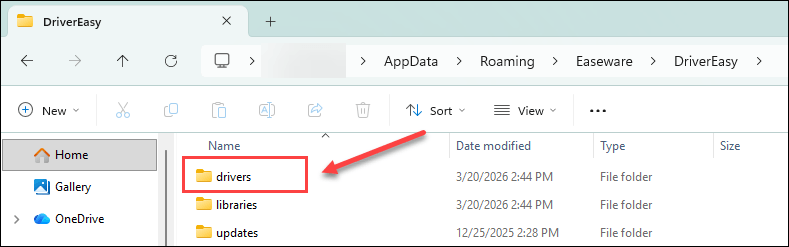
- Relaunch the Driver Easy software, scan and install the driver again.
If the problem persists, please contact us following the steps below with your problem driver name or a screenshot:
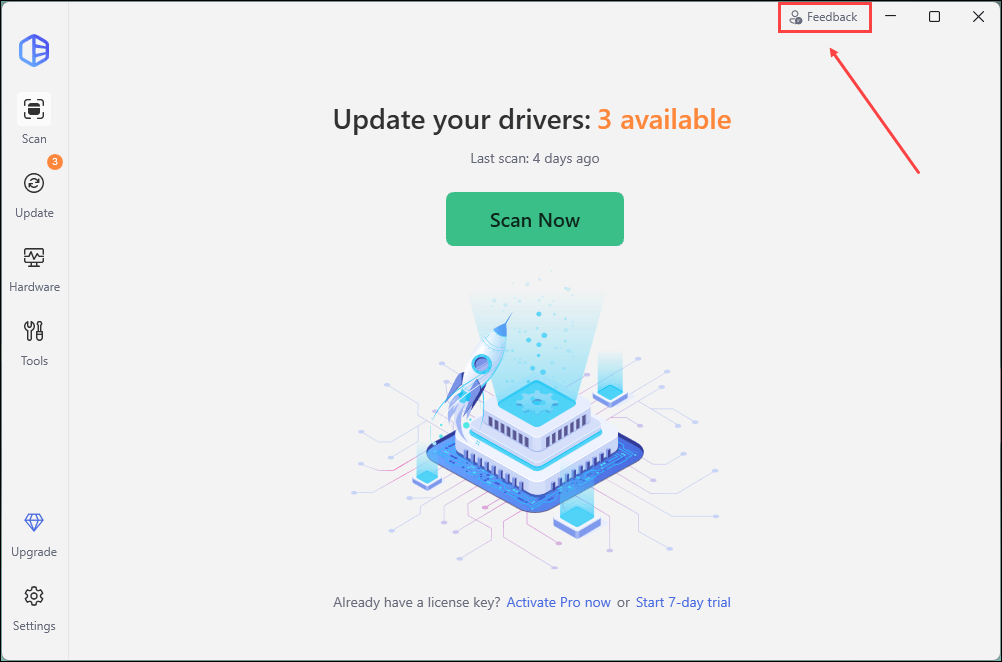
1) Open Driver Easy and click Feedback in the upper-right corner.
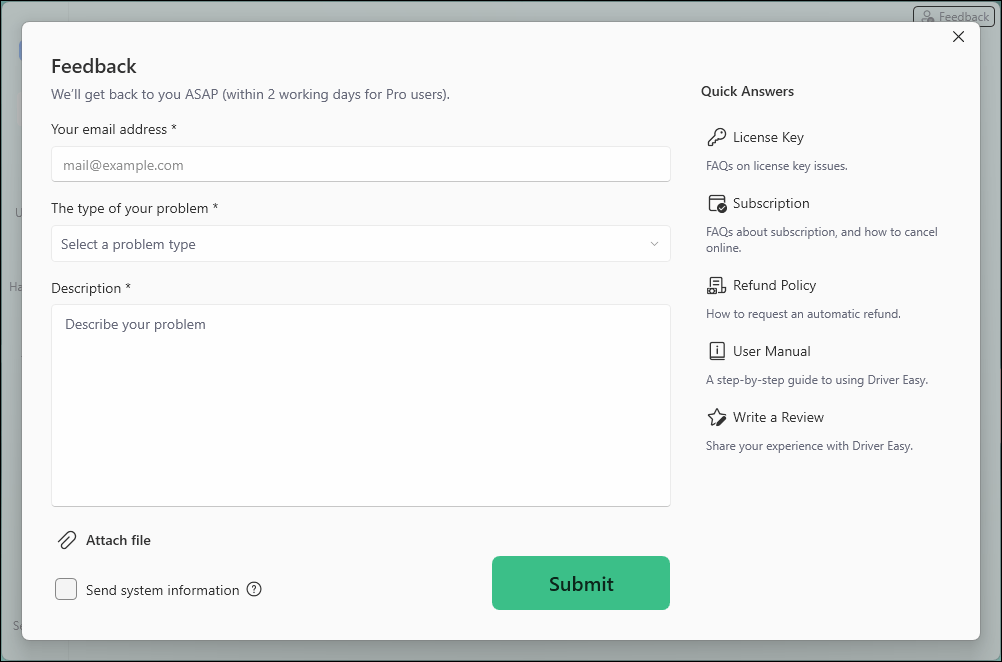
2) Fill in the form. Please tell us what problem(s) you’re having with Driver Easy and what you did before and after the problem in detail.
3) If you got any error message or had technical problem, a screenshot of the error and your system information would be greatly appreciated. You can check the box Send system information and click Attach file to upload the screenshot. Click Submit to send your feedback to us.
If you are not sure how to take a screenshot, the following link may help. https://www.drivereasy.com/knowledge/how-to-take-a-screenshot-for-windows-users
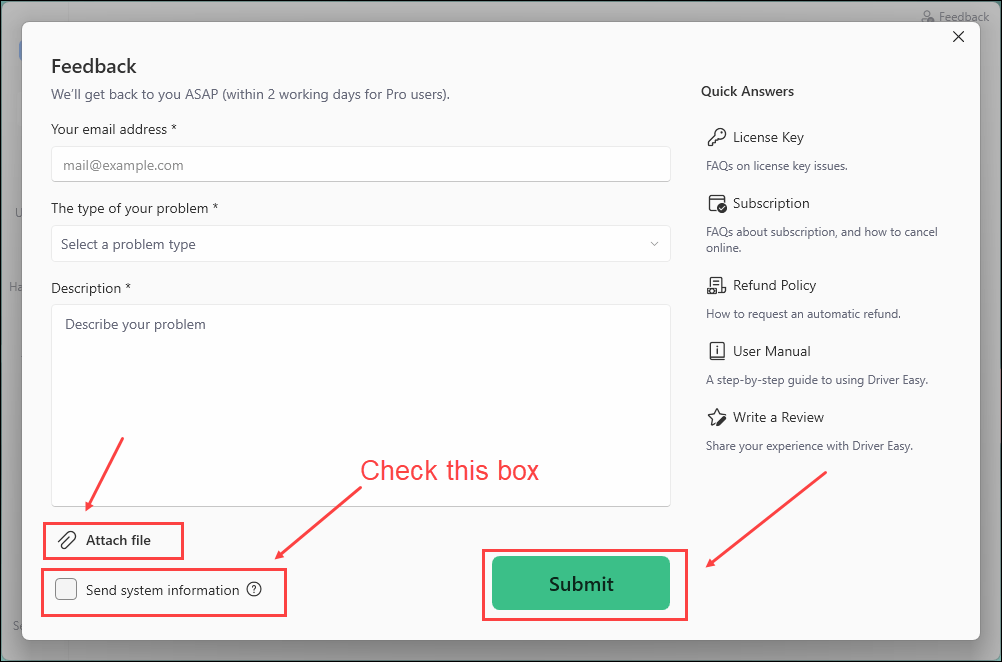
By checking the box Send system information, the system information of your PC will be sent to us, which helps our technician support team locate and analyze the problem on your PC faster and better. With the system information on your PC, we can provide quick and efficient service.