







You can show all the hidden driver updates in the Hidden Devices section.
To show all hidden updates:
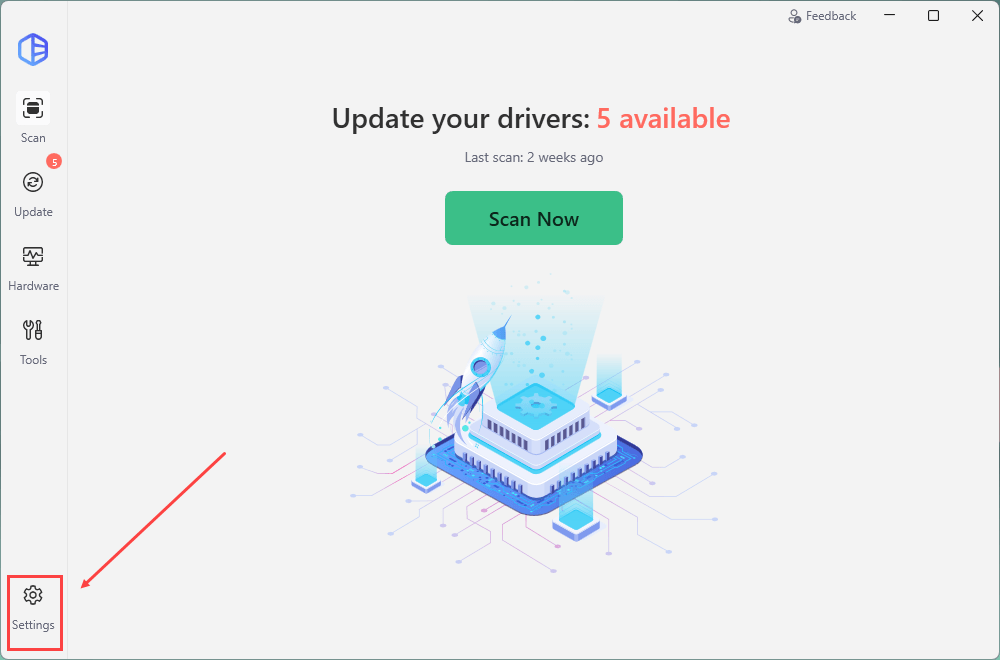
1) In Driver Easy, click Settings at the bottom left.
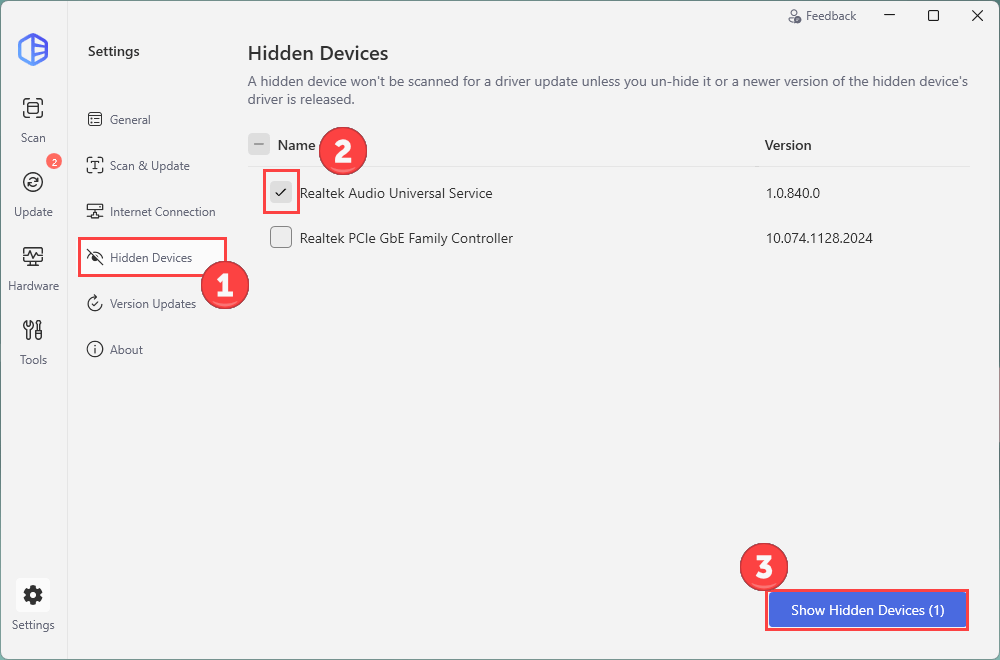
2) On the left panel, click Hidden Devices. Chcek the box next to the devices you want show and click Show Hidden Devices.
The changes will be saved automatically.