






We’re proud to announce the launch of our new System Clean feature, available starting in Version 7.1!
System Clean helps you effortlessly scan and delete temporary files, system caches, logs, unwanted application data, and Recycle Bin contents. It’s a powerful tool for a faster, clutter-free system.
How to use:
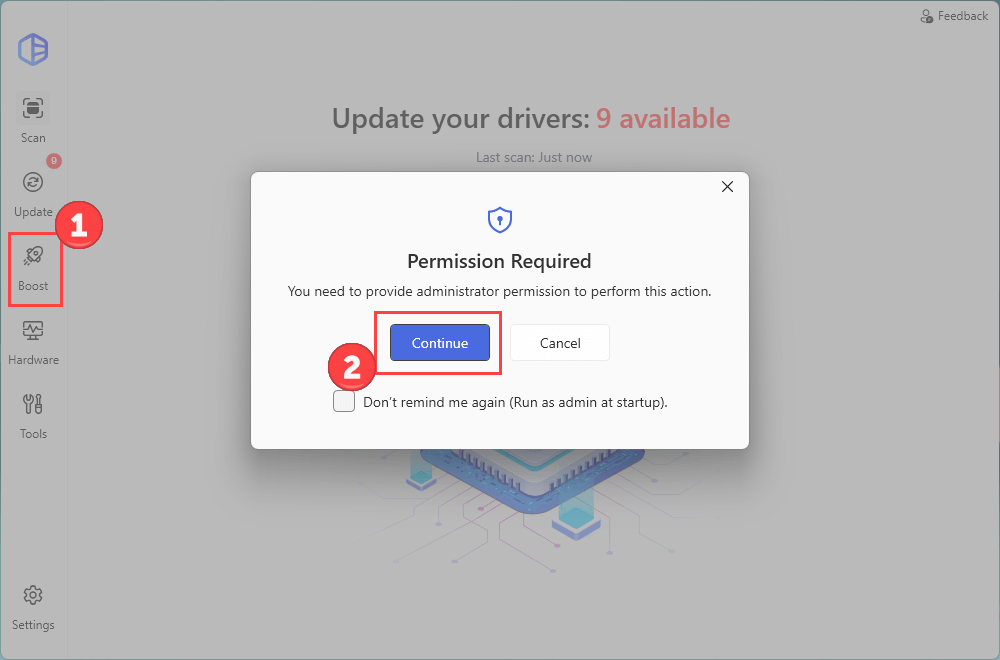
- Launch Driver Easy and navigate to the Boost section in the left panel. Click Continue to grant the administrator permission.
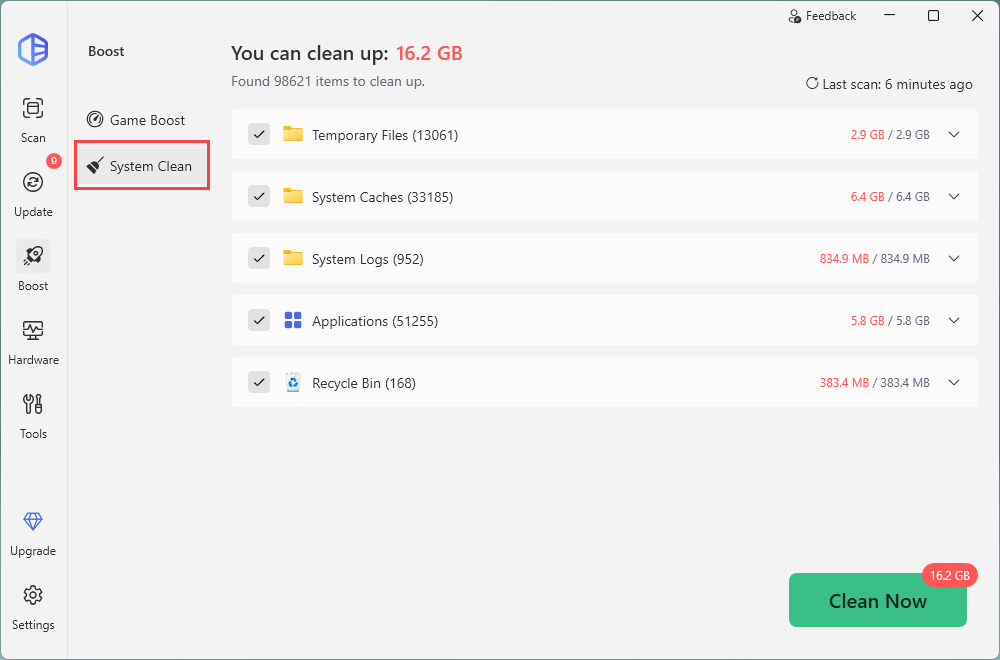
- Then click System Clean, and the program will start scanning automatically.
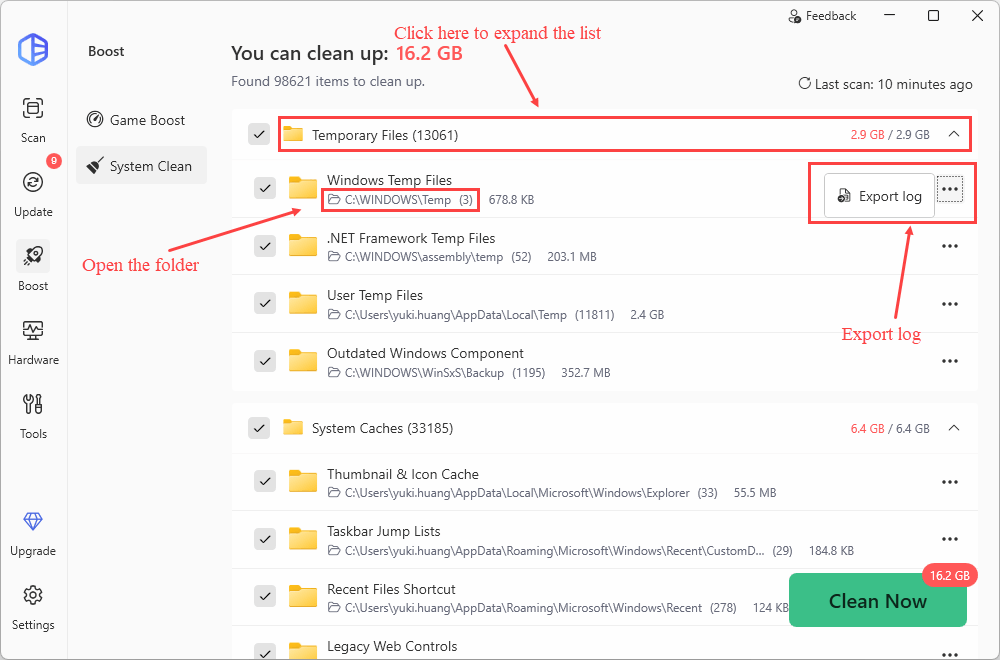
- You can expand the list to view more details about the scan results. Once click the file path, you will see the corresponding folder in File Explorer. Click the three dots to export logs if you want.
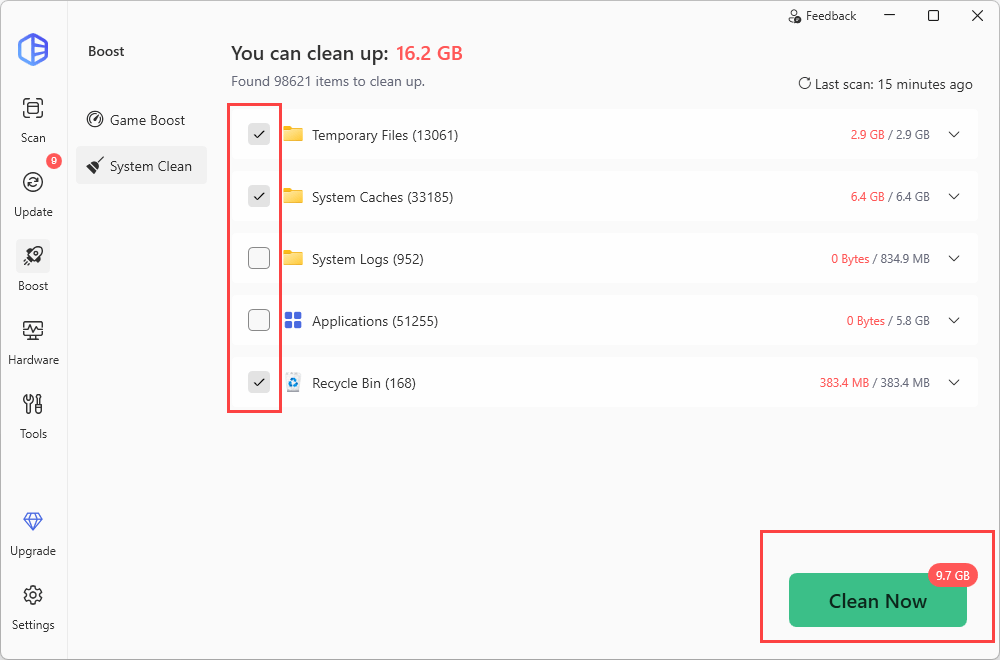
- Check the box next to the files you want to delete, and then click Clean Now.
That’s it! Now you can delete unwanted files to free up your space without hassle.