






An error occurred during driver backup.
Error Details: “Illegal Characters in Path”
If you encounter this error when backing up the drivers, please try the following fixes:
When you have an Epson printer:
- Open Driver Easy, go to Tools > Driver Backup.
- Scroll down and uncheck your Epson printer. If you can’t find the Printer section, you may need to click Show Hidden Devices in the top-right corner.

- Then click Back up again.
If you want to back up your Epson printer manually, you can follow Fix 1 and 2 in this post: https://www.drivereasy.com/knowledge/how-to-back-up-your-drivers-in-windows-10-easily/
When you don’t have an Epson printer:
Fix 1: Change the backup path
- In Driver Easy, click the current backup path.
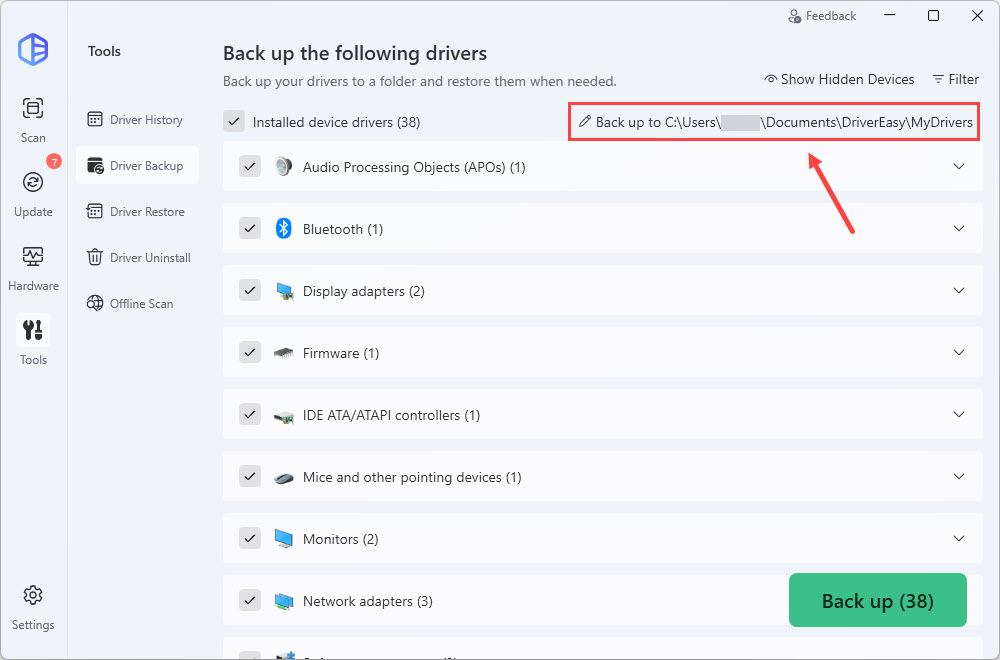
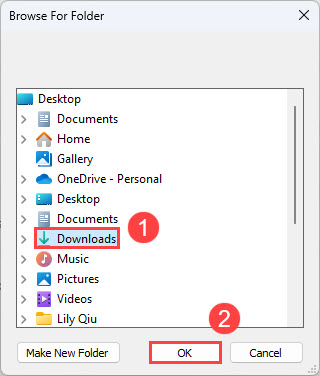
- In the pop-up window, select a different folder where you want to save the driver backup, then click OK to confirm the new location.
- Try backing up your drivers again.
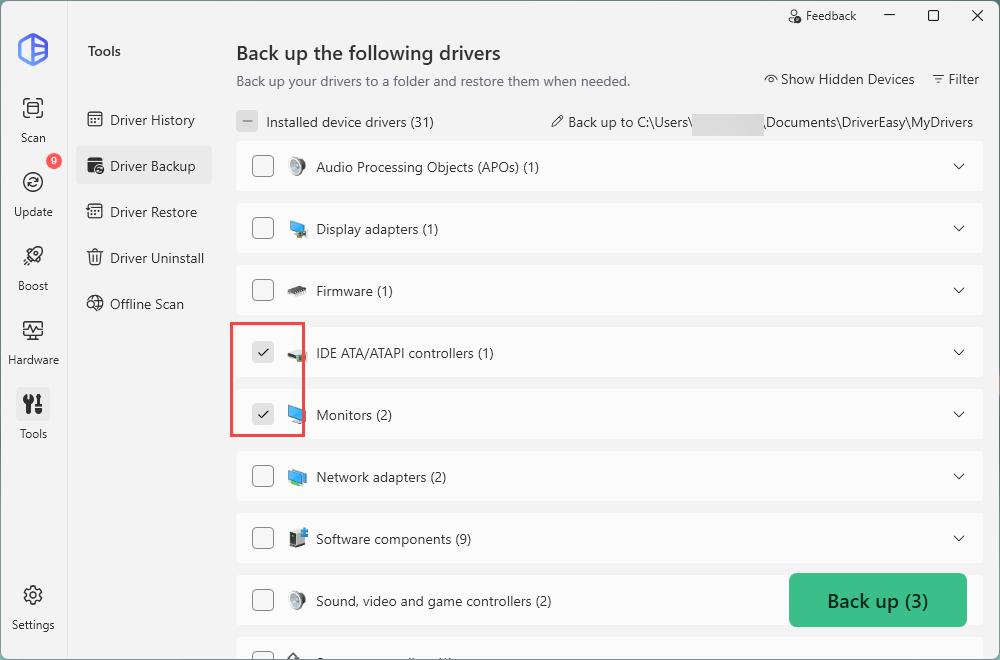
Fix 2: Choose different categories of drivers to back up
Please try to back up different categories of drivers and see if the backup process works properly.
If the above doesn’t help, please send us your settings file as instructed here so we can have a closer look:
- Press the Windows key and R at the same time. Copy and paste %appdata%\easeware\DriverEasy\ and hit Enter.
- Copy the settings file here, and save it to your desktop.

- Then send it back to us (support@drivereasy.com).